🉑 Generieren von Sprachlern-Anki-Karten mit Google Translate und GPT-4o
Dies ist ein Other, AI-Bereich Automatisierungsworkflow mit 21 Nodes. Hauptsächlich werden If, Set, Merge, GoogleDrive, HttpRequest und andere Nodes verwendet, kombiniert mit KI-Technologie für intelligente Automatisierung. 🉑 Generieren von Sprachlern-Anki-Flashcards mit Google Translate und GPT-4o
- •Google Drive API-Anmeldedaten
- •Möglicherweise sind Ziel-API-Anmeldedaten erforderlich
- •Google Sheets API-Anmeldedaten
- •OpenAI API Key
Verwendete Nodes (21)
Kategorie
{
"meta": {
"instanceId": "6a5e68bcca67c4cdb3e0b698d01739aea084e1ec06e551db64aeff43d174cb23",
"templateCredsSetupCompleted": true
},
"nodes": [
{
"id": "bc49829b-45f2-4910-9c37-907271982f14",
"name": "Haftnotiz3",
"type": "n8n-nodes-base.stickyNote",
"position": [
-2240,
-840
],
"parameters": {
"width": 780,
"height": 540,
"content": "### 5. Do you need more details?\nFind a step-by-step guide in this tutorial\n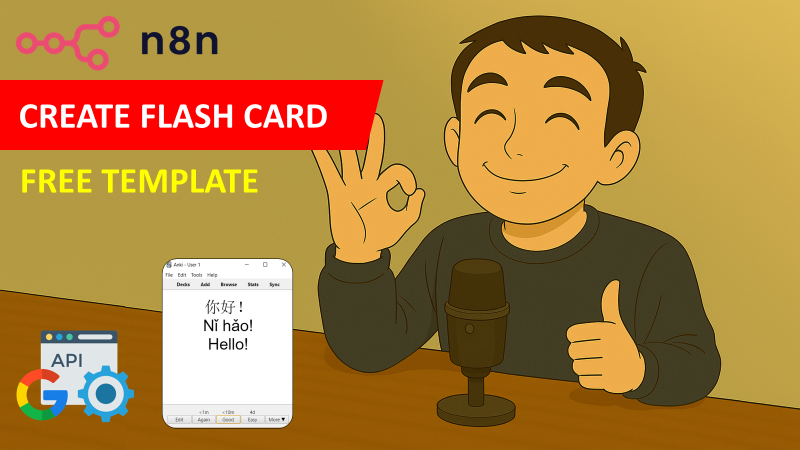\n[🎥 Watch My Tutorial](https://youtu.be/2mRZJATUTDw)"
},
"typeVersion": 1
},
{
"id": "f0defc20-f099-4c7c-83a7-bb687b86a6b7",
"name": "Google Translate",
"type": "n8n-nodes-base.googleTranslate",
"notes": "Translation -> 中文",
"position": [
-3500,
-420
],
"parameters": {
"text": "={{ $json.initialText }}",
"translateTo": "zh-CN"
},
"notesInFlow": true,
"typeVersion": 2
},
{
"id": "588d011c-d7e0-4b31-87be-d0c7ff6bf4b7",
"name": "KI-Agent",
"type": "@n8n/n8n-nodes-langchain.agent",
"notes": "Pinyin + Example",
"position": [
-3080,
-380
],
"parameters": {
"text": "={{ $json.translatedText }}",
"options": {
"systemMessage": "# Role\nYou are a helpful translation agent that will help users to extract the pinyin from Chinese characters to create flashcard for language learning.\n\n# Context\nYou will receive a word or sentence in simplified Chinese characters; you are expected to extract the pinyin and generate a simple sentence in Chinese to illustrate the sense of the word. \n\n# Tasks\n1. Generate the pinyin of the characters presented\n2. Propose a short sentence in mandarin to illustrate the definition of the word.\n\n# Notes\n- Generate the output in JSON format following the example below:\n{\"pinyin\": \"Cāngkù\",\n\"sentence\": \"卡车抵达仓库。\"}\n\n- Be very diligent in thinking about the task being asked from you.\n- Generate concise sentences as they need to fit in flash cards.\n"
},
"promptType": "define",
"hasOutputParser": true
},
"notesInFlow": true,
"typeVersion": 1.7
},
{
"id": "cc04e0be-0eea-4d92-a85f-10bd75c03081",
"name": "OpenAI-Chat-Modell",
"type": "@n8n/n8n-nodes-langchain.lmChatOpenAi",
"position": [
-3080,
-200
],
"parameters": {
"model": {
"__rl": true,
"mode": "list",
"value": "gpt-4o-mini"
},
"options": {}
},
"typeVersion": 1.2
},
{
"id": "d98262f4-9066-420b-a440-fdbc83ca0ef0",
"name": "Structured Output Parser",
"type": "@n8n/n8n-nodes-langchain.outputParserStructured",
"position": [
-2900,
-200
],
"parameters": {
"jsonSchemaExample": "{\n \"pinyin\": \"Cāngkù\",\n \"sentence\": \"货物存放在仓库里。\"\n}"
},
"typeVersion": 1.2
},
{
"id": "e4ed388f-7520-4df2-8e37-d2b85b1ce532",
"name": "Zusammenführen",
"type": "n8n-nodes-base.merge",
"position": [
-2580,
-400
],
"parameters": {
"mode": "combineBySql"
},
"typeVersion": 3
},
{
"id": "c1431b36-77ee-4b50-a4e1-05489e998894",
"name": "Trigger Added Row",
"type": "n8n-nodes-base.googleSheetsTrigger",
"notes": "Write a word in a new row",
"position": [
-3920,
-420
],
"parameters": {
"event": "rowAdded",
"options": {
"valueRender": "UNFORMATTED_VALUE",
"dateTimeRenderOption": "SERIAL_NUMBER"
},
"pollTimes": {
"item": [
{
"mode": "everyMinute"
}
]
},
"sheetName": {
"__rl": true,
"mode": "list",
"value": 1051887098,
"cachedResultUrl": "",
"cachedResultName": ""
},
"documentId": {
"__rl": true,
"mode": "list",
"value": "<YOUR_GOOGLE_SHEET_ID>",
"cachedResultUrl": "",
"cachedResultName": ""
}
},
"notesInFlow": true,
"typeVersion": 1
},
{
"id": "4bafdddc-3c7f-40d4-ab17-75c6728bd5a3",
"name": "Keine Operation, do nothing",
"type": "n8n-nodes-base.noOp",
"notes": "If cell empty, do nothing",
"position": [
-3500,
-260
],
"parameters": {},
"notesInFlow": true,
"typeVersion": 1
},
{
"id": "adabd9e0-13de-409b-a3ce-3c76c9624fc0",
"name": "Upload Picture",
"type": "n8n-nodes-base.googleDrive",
"position": [
-2740,
460
],
"parameters": {
"name": "={{ $('Trigger Added Row').item.json.initialText }}.jpeg",
"driveId": {
"__rl": true,
"mode": "list",
"value": "My Drive",
"cachedResultUrl": "https://drive.google.com/drive/my-drive",
"cachedResultName": "My Drive"
},
"options": {},
"folderId": {
"__rl": true,
"mode": "url",
"value": ""
}
},
"typeVersion": 3
},
{
"id": "9cfa6722-ff5e-4ee2-a4ca-2b4175767c84",
"name": "Get Picture",
"type": "n8n-nodes-base.httpRequest",
"position": [
-2900,
460
],
"parameters": {
"url": "={{ $json.photos[0].src.medium }}",
"options": {}
},
"typeVersion": 4.2
},
{
"id": "4bfa5fc7-dd76-4611-916e-5b33a0a9acdb",
"name": "Call API Pexels",
"type": "n8n-nodes-base.httpRequest",
"position": [
-3080,
460
],
"parameters": {
"url": "https://api.pexels.com/v1/search",
"options": {},
"sendQuery": true,
"sendHeaders": true,
"queryParameters": {
"parameters": [
{
"name": "query",
"value": "={{ $('Trigger Added Row').item.json.initialText }}"
}
]
},
"headerParameters": {
"parameters": [
{
"name": "Authorization",
"value": "<PEXELS_API_KEY>"
}
]
}
},
"typeVersion": 4.2
},
{
"id": "01c5dc70-3cf5-483e-bad7-4814ca7b1f97",
"name": "Take initialText",
"type": "n8n-nodes-base.set",
"position": [
-3240,
460
],
"parameters": {
"options": {},
"assignments": {
"assignments": [
{
"id": "80661db0-175f-4346-a95b-5d1e73f82fb8",
"name": "entry",
"type": "string",
"value": "={{ $json.initialText }}"
}
]
}
},
"typeVersion": 3.4
},
{
"id": "7630fc44-3a0c-442b-9c3b-17bd831cdb50",
"name": "Extract Image Link",
"type": "n8n-nodes-base.set",
"position": [
-2580,
460
],
"parameters": {
"options": {},
"assignments": {
"assignments": [
{
"id": "019a529f-9447-4d49-9a91-04666d2c8fb6",
"name": "image_link",
"type": "string",
"value": "={{ $json.webContentLink }}"
}
]
}
},
"typeVersion": 3.4
},
{
"id": "69645673-87c7-48cc-982f-b4e747fdf1ec",
"name": "Final Zusammenführen",
"type": "n8n-nodes-base.merge",
"position": [
-2100,
20
],
"parameters": {
"mode": "combine",
"options": {},
"combineBy": "combineByPosition"
},
"typeVersion": 3
},
{
"id": "1ee7aca7-5b9d-424f-b49f-2ee9ca7fafdc",
"name": "Extract Pinyin and Example",
"type": "n8n-nodes-base.set",
"position": [
-2780,
-380
],
"parameters": {
"options": {},
"assignments": {
"assignments": [
{
"id": "c67839b8-abd5-47c9-b1e2-db599fbb5e9e",
"name": "phonetic",
"type": "string",
"value": "={{ $json.output.pinyin }}"
},
{
"id": "3983d009-85c4-46fd-8651-90462249f164",
"name": "example",
"type": "string",
"value": "={{ $json.output.sentence }}"
}
]
}
},
"typeVersion": 3.4
},
{
"id": "baee6926-5031-43fa-94b8-8c7d36a9a6f0",
"name": "Extract Fields",
"type": "n8n-nodes-base.set",
"notes": "Initial text and its translation",
"position": [
-3000,
-540
],
"parameters": {
"options": {},
"assignments": {
"assignments": [
{
"id": "6d08361f-bb45-40a0-9934-f1e7bf90a171",
"name": "initialText",
"type": "string",
"value": "={{ $('Trigger Added Row').item.json.initialText }}"
},
{
"id": "0a64ccc0-5a8b-4925-9111-6b7e8c0f9368",
"name": "translatedText",
"type": "string",
"value": "={{ $json.translatedText }}"
},
{
"id": "84a2cfbd-a6da-4a94-a26c-153cbf73fefb",
"name": "image_name",
"type": "string",
"value": "={{ $('Trigger Added Row').item.json.initialText }}.jpeg"
}
]
}
},
"notesInFlow": true,
"typeVersion": 3.4
},
{
"id": "1f86fb6b-3ec7-4ea3-9748-a69db5d0c9f2",
"name": "initialText is empty?",
"type": "n8n-nodes-base.if",
"notes": "Verify is the word is not empty",
"position": [
-3700,
-420
],
"parameters": {
"options": {},
"conditions": {
"options": {
"version": 2,
"leftValue": "",
"caseSensitive": true,
"typeValidation": "strict"
},
"combinator": "and",
"conditions": [
{
"id": "266614ab-f9e3-486d-929f-ce14ce67e5ff",
"operator": {
"type": "string",
"operation": "notEmpty",
"singleValue": true
},
"leftValue": "={{ $json.initialText }}",
"rightValue": ""
}
]
}
},
"notesInFlow": true,
"typeVersion": 2.2
},
{
"id": "5c1afb76-3b5a-4c35-80b9-4a05f2d2aa2d",
"name": "Haftnotiz",
"type": "n8n-nodes-base.stickyNote",
"position": [
-3280,
140
],
"parameters": {
"color": 7,
"width": 820,
"height": 480,
"content": "## 3. Retrieve Images from Pexels Free Database\nExtract from Google sheet the word you want to translate to download an illustrating image from the free database of pexels.com\n\n### How to set up?\n- **HTTP Request Node (Call API Pexels)**: add in the header field 'Authorization' the API key provided by Pexels. *(Register here for the free API key: https://www.pexels.com/onboarding/)*\n[Learn more about the HTTP Request Node](https://docs.n8n.io/integrations/builtin/core-nodes/n8n-nodes-base.httprequest/)\n- **Upload the picture to Google Drive**:\n 1. Add your Google Drive API credentials to access the folder for images\n 2. Select your parent drive using the list, an URL or ID\n 3. Select the folder in which you want to save the pictures using the list, an URL or ID\n [Learn more about the Google Drive Upload Node](https://docs.n8n.io/integrations/builtin/app-nodes/n8n-nodes-base.googledrive)\n\n"
},
"typeVersion": 1
},
{
"id": "ebacc192-9dba-4cab-ae0f-d5a2e885c208",
"name": "Haftnotiz1",
"type": "n8n-nodes-base.stickyNote",
"position": [
-3960,
-780
],
"parameters": {
"color": 7,
"width": 600,
"height": 680,
"content": "## 1. Google Sheet Trigger & Translation using API\nTrigger the workflow when the user adds a word in English in a new row of the column initialText.\n\n### How to set up?\n- **Trigger on Row Added of Google Sheet**:\n 1. Add your Google Sheet API credentials to access the Google Sheet file\n 2. Select the file using the list, an URL or an ID\n 3. Select the sheet in which the vocabulary list is stored\n [Learn more about the Google Sheet on Row Added Trigger](https://docs.n8n.io/integrations/builtin/trigger-nodes/n8n-nodes-base.googlesheetstrigger/)\n- **Google Translate API**:\n 1. Add your Google Translate API credentials\n 2. Select the target language *(Exemple: ZH-CN for Mainland China Mandarin)*\n [Learn more about the Google Translate API Node](https://docs.n8n.io/integrations/builtin/trigger-nodes/n8n-nodes-base.googlesheetstrigger/)\n\n"
},
"typeVersion": 1
},
{
"id": "5bdeb1de-d535-484d-83d6-12d72d8e5ba7",
"name": "Haftnotiz2",
"type": "n8n-nodes-base.stickyNote",
"position": [
-3220,
-800
],
"parameters": {
"color": 7,
"width": 760,
"height": 740,
"content": "## 2. Simple AI agent to get the phonetic transcription and generate an sentence example\nThe agent will take the translated word as an input and will output the phonetic transcription and the sentence.\n\n### How to set up?\n- **AI Agent with the Chat Model**:\n 1. Add a chat model with the required credentials *(Example: Open AI 4o-mini)*\n 2. Adapt the system prompt with the target translation language and the format of the sentence\n [Learn more about the AI Agent Node](https://docs.n8n.io/integrations/builtin/cluster-nodes/root-nodes/n8n-nodes-langchain.agent)\n\n"
},
"typeVersion": 1
},
{
"id": "4f3f2a71-f137-4e91-8b1e-8a7342bac293",
"name": "Add Results in Sheet",
"type": "n8n-nodes-base.googleSheets",
"notes": "initialtext, translation, sentence",
"position": [
-1940,
20
],
"parameters": {
"columns": {
"value": {
"phonetic": "={{ $json.phonetic }}",
"sentence": "={{ $json.example }}",
"image_link": "={{ $json.image_name }}",
"image_name": "={{ $json.image_link }}",
"initialText": "={{ $json.initialText }}",
"translatedText": "={{ $json.translatedText }}"
},
"schema": [
{
"id": "initialText",
"type": "string",
"display": true,
"removed": false,
"required": false,
"displayName": "initialText",
"defaultMatch": false,
"canBeUsedToMatch": true
},
{
"id": "translatedText",
"type": "string",
"display": true,
"required": false,
"displayName": "translatedText",
"defaultMatch": false,
"canBeUsedToMatch": true
},
{
"id": "phonetic",
"type": "string",
"display": true,
"required": false,
"displayName": "phonetic",
"defaultMatch": false,
"canBeUsedToMatch": true
},
{
"id": "sentence",
"type": "string",
"display": true,
"required": false,
"displayName": "sentence",
"defaultMatch": false,
"canBeUsedToMatch": true
},
{
"id": "image_name",
"type": "string",
"display": true,
"required": false,
"displayName": "image_name",
"defaultMatch": false,
"canBeUsedToMatch": true
},
{
"id": "image_link",
"type": "string",
"display": true,
"required": false,
"displayName": "image_link",
"defaultMatch": false,
"canBeUsedToMatch": true
},
{
"id": "row_number",
"type": "string",
"display": true,
"removed": true,
"readOnly": true,
"required": false,
"displayName": "row_number",
"defaultMatch": false,
"canBeUsedToMatch": true
}
],
"mappingMode": "defineBelow",
"matchingColumns": [
"initialText"
],
"attemptToConvertTypes": false,
"convertFieldsToString": false
},
"options": {},
"operation": "update",
"sheetName": {
"__rl": true,
"mode": "list",
"value": "<YOUR_GOOGLE_SHEET_TAB_ID>",
"cachedResultUrl": "",
"cachedResultName": ""
},
"documentId": {
"__rl": true,
"mode": "list",
"value": "<YOUR_GOOGLE_SHEET_ID>",
"cachedResultUrl": "",
"cachedResultName": ""
}
},
"notesInFlow": true,
"typeVersion": 4.5
},
{
"id": "42a20d7e-03bf-4f4e-877b-04ff185cbf1c",
"name": "Haftnotiz4",
"type": "n8n-nodes-base.stickyNote",
"position": [
-2220,
-280
],
"parameters": {
"color": 7,
"width": 580,
"height": 460,
"content": "## 4. Combine Results to Update the Google Sheet\nCombine initial text, translation, example sentence and image link to fill the new row.\n\n### How to set up?\n- **Add Results in Google Sheet**:\n 1. Add your Google Sheet API credentials to access the Google Sheet file\n 2. Select the file using the list, an URL or an ID\n 3. Select the sheet in which the vocabulary list is stored\n [Learn more about the Google Sheet Node](https://docs.n8n.io/integrations/builtin/app-nodes/n8n-nodes-base.googlesheets)\n\n"
},
"typeVersion": 1
}
],
"pinData": {},
"connections": {
"Merge": {
"main": [
[
{
"node": "Final Merge",
"type": "main",
"index": 0
}
]
]
},
"588d011c-d7e0-4b31-87be-d0c7ff6bf4b7": {
"main": [
[
{
"node": "1ee7aca7-5b9d-424f-b49f-2ee9ca7fafdc",
"type": "main",
"index": 0
}
]
]
},
"Final Merge": {
"main": [
[
{
"node": "4f3f2a71-f137-4e91-8b1e-8a7342bac293",
"type": "main",
"index": 0
}
]
]
},
"9cfa6722-ff5e-4ee2-a4ca-2b4175767c84": {
"main": [
[
{
"node": "adabd9e0-13de-409b-a3ce-3c76c9624fc0",
"type": "main",
"index": 0
}
]
]
},
"baee6926-5031-43fa-94b8-8c7d36a9a6f0": {
"main": [
[
{
"node": "Merge",
"type": "main",
"index": 0
}
]
]
},
"adabd9e0-13de-409b-a3ce-3c76c9624fc0": {
"main": [
[
{
"node": "7630fc44-3a0c-442b-9c3b-17bd831cdb50",
"type": "main",
"index": 0
}
]
]
},
"4bfa5fc7-dd76-4611-916e-5b33a0a9acdb": {
"main": [
[
{
"node": "9cfa6722-ff5e-4ee2-a4ca-2b4175767c84",
"type": "main",
"index": 0
}
]
]
},
"f0defc20-f099-4c7c-83a7-bb687b86a6b7": {
"main": [
[
{
"node": "baee6926-5031-43fa-94b8-8c7d36a9a6f0",
"type": "main",
"index": 0
},
{
"node": "588d011c-d7e0-4b31-87be-d0c7ff6bf4b7",
"type": "main",
"index": 0
}
]
]
},
"01c5dc70-3cf5-483e-bad7-4814ca7b1f97": {
"main": [
[
{
"node": "4bfa5fc7-dd76-4611-916e-5b33a0a9acdb",
"type": "main",
"index": 0
}
]
]
},
"OpenAI Chat Model": {
"ai_languageModel": [
[
{
"node": "588d011c-d7e0-4b31-87be-d0c7ff6bf4b7",
"type": "ai_languageModel",
"index": 0
}
]
]
},
"c1431b36-77ee-4b50-a4e1-05489e998894": {
"main": [
[
{
"node": "1f86fb6b-3ec7-4ea3-9748-a69db5d0c9f2",
"type": "main",
"index": 0
},
{
"node": "01c5dc70-3cf5-483e-bad7-4814ca7b1f97",
"type": "main",
"index": 0
}
]
]
},
"7630fc44-3a0c-442b-9c3b-17bd831cdb50": {
"main": [
[
{
"node": "Final Merge",
"type": "main",
"index": 1
}
]
]
},
"1f86fb6b-3ec7-4ea3-9748-a69db5d0c9f2": {
"main": [
[
{
"node": "f0defc20-f099-4c7c-83a7-bb687b86a6b7",
"type": "main",
"index": 0
}
],
[
{
"node": "No Operation, do nothing",
"type": "main",
"index": 0
}
]
]
},
"d98262f4-9066-420b-a440-fdbc83ca0ef0": {
"ai_outputParser": [
[
{
"node": "588d011c-d7e0-4b31-87be-d0c7ff6bf4b7",
"type": "ai_outputParser",
"index": 0
}
]
]
},
"1ee7aca7-5b9d-424f-b49f-2ee9ca7fafdc": {
"main": [
[
{
"node": "Merge",
"type": "main",
"index": 1
}
]
]
}
}
}Wie verwende ich diesen Workflow?
Kopieren Sie den obigen JSON-Code, erstellen Sie einen neuen Workflow in Ihrer n8n-Instanz und wählen Sie "Aus JSON importieren". Fügen Sie die Konfiguration ein und passen Sie die Anmeldedaten nach Bedarf an.
Für welche Szenarien ist dieser Workflow geeignet?
Experte - Sonstiges, Künstliche Intelligenz
Ist es kostenpflichtig?
Dieser Workflow ist völlig kostenlos. Beachten Sie jedoch, dass Drittanbieterdienste (wie OpenAI API), die im Workflow verwendet werden, möglicherweise kostenpflichtig sind.
Verwandte Workflows

Samir Saci
@samirsaciAutomation, AI and Analytics for Supply Chain & Business Optimization Helping businesses streamline operations using n8n, AI agents, and data science to enhance efficiency and sustainability. Linkedin: www.linkedin.com/in/samir-saci
Diesen Workflow teilen