UGC Nano Banana
Experte
Dies ist ein Content Creation, Multimodal AI-Bereich Automatisierungsworkflow mit 17 Nodes. Hauptsächlich werden Set, SplitOut, GoogleDrive, HttpRequest, SplitInBatches und andere Nodes verwendet. Erstellen Sie hochwertige UGC-Bilder mit Nano Banana (günstiger, schneller)
Voraussetzungen
- •Google Drive API-Anmeldedaten
- •Möglicherweise sind Ziel-API-Anmeldedaten erforderlich
Verwendete Nodes (17)
Kategorie
Workflow-Vorschau
Visualisierung der Node-Verbindungen, mit Zoom und Pan
Workflow exportieren
Kopieren Sie die folgende JSON-Konfiguration und importieren Sie sie in n8n
{
"id": "",
"meta": {
"instanceId": "",
"templateCredsSetupCompleted": true
},
"name": "UGC Nano Banana",
"tags": [],
"nodes": [
{
"id": "Mistral-Cloud-Chat-Model-0",
"name": "Mistral Cloud Chat Model",
"type": "@n8n/n8n-nodes-langchain.lmChatMistralCloud",
"position": [
-192,
192
],
"parameters": {
"model": "mistral-large-latest",
"options": {}
},
"credentials": {
"mistralCloudApi": {
"id": "",
"name": "Mistral Cloud account"
}
},
"typeVersion": 1
},
{
"id": "Generate-Image-1",
"name": "Generate Image",
"type": "n8n-nodes-base.httpRequest",
"onError": "continueRegularOutput",
"position": [
496,
128
],
"parameters": {
"url": "https://fal.run/fal-ai/gemini-25-flash-image/edit",
"method": "POST",
"options": {},
"jsonBody": "={\n \"prompt\": \"{{ $json.prompt }}\",\n \"image_urls\": [\n\"https://drive.google.com/uc?export=view&id={{ $('Google Drive Trigger').first().json.id }}\"\n ],\n \"num_images\": 1,\n \"output_format\": \"jpeg\",\n \"sync_mode\": false\n} ",
"sendBody": true,
"sendHeaders": true,
"specifyBody": "json",
"headerParameters": {
"parameters": [
{
"name": "Authorization",
"value": "=Key {{ $('Setup').first().json.FalAPIKey }}"
},
{
"name": "Content-Type",
"value": "application/json"
}
]
}
},
"retryOnFail": false,
"typeVersion": 4.2
},
{
"id": "Google-Drive-Trigger-2",
"name": "Google Drive Trigger",
"type": "n8n-nodes-base.googleDriveTrigger",
"position": [
-592,
-16
],
"parameters": {
"event": "fileCreated",
"options": {},
"pollTimes": {
"item": [
{
"mode": "everyMinute"
}
]
},
"triggerOn": "specificFolder",
"folderToWatch": {
"__rl": true,
"mode": "list",
"value": "",
"cachedResultUrl": "https://drive.google.com/drive/folders/",
"cachedResultName": "UGC"
}
},
"credentials": {
"googleDriveOAuth2Api": {
"id": "",
"name": "Google Drive account"
}
},
"typeVersion": 1
},
{
"id": "-ber-Elemente-schleifen-3",
"name": "Über Elemente schleifen",
"type": "n8n-nodes-base.splitInBatches",
"position": [
352,
-16
],
"parameters": {
"options": {}
},
"typeVersion": 3
},
{
"id": "Upload-file-4",
"name": "Upload file",
"type": "n8n-nodes-base.googleDrive",
"position": [
864,
128
],
"parameters": {
"name": "={{ $('Google Drive Trigger').first().json.name.match(/^[^.]+/)[0].concat($('Loop Over Items').item.json.prompt_number) }}",
"driveId": {
"__rl": true,
"mode": "list",
"value": "My Drive"
},
"options": {},
"folderId": {
"__rl": true,
"mode": "list",
"value": "",
"cachedResultUrl": "https://drive.google.com/drive/folders/",
"cachedResultName": "UGC"
}
},
"credentials": {
"googleDriveOAuth2Api": {
"id": "",
"name": "Google Drive account"
}
},
"typeVersion": 3
},
{
"id": "Structured-Output-Parser-5",
"name": "Structured Output Parser",
"type": "@n8n/n8n-nodes-langchain.outputParserStructured",
"position": [
-16,
192
],
"parameters": {
"jsonSchemaExample": "{\n \"ugc_prompts\": [\n {\n \"prompt_number\": \"integer\",\n \"prompt\": \"string\"\n }\n ]\n}\n"
},
"typeVersion": 1.3
},
{
"id": "Keine-Operation-do-nothing-6",
"name": "Keine Operation, do nothing",
"type": "n8n-nodes-base.noOp",
"position": [
560,
-32
],
"parameters": {},
"typeVersion": 1
},
{
"id": "Retrieve-Image-7",
"name": "Retrieve Image",
"type": "n8n-nodes-base.httpRequest",
"position": [
672,
128
],
"parameters": {
"url": "={{ $json.images[0].url }}",
"options": {}
},
"typeVersion": 4.2
},
{
"id": "Setzenup-8",
"name": "Setzenup",
"type": "n8n-nodes-base.set",
"position": [
-384,
-16
],
"parameters": {
"options": {},
"assignments": {
"assignments": [
{
"id": "",
"name": "FalAPIKey",
"type": "string",
"value": "[YOUR_API_KEY]"
}
]
}
},
"typeVersion": 3.4
},
{
"id": "Generate-Prompts-9",
"name": "Generate Prompts",
"type": "@n8n/n8n-nodes-langchain.chainLlm",
"position": [
-176,
-16
],
"parameters": {
"text": "You are an expert content creator specializing in UGC (User-Generated Content) style marketing images. ",
"batching": {},
"messages": {
"messageValues": [
{
"type": "HumanMessagePromptTemplate",
"message": "=The product the Promote is a {{ $('Google Drive Trigger').item.json.name.match(/^[^.]+/)[0] }}\n\nYour task is to generate 50 creative, diverse, and realistic situations prompts for an image-to-image generation model. Each prompt should describe a different situation or scenario where the product is being used. \n\nRequirements for each prompt:\n1. Specify the environment or setting (e.g., home, office, kitchen). \n2. Include a human or realistic context interacting with the product (e.g., holding it, using it, displaying it). \n3. Highlight at least one functionality or feature of the product in the scene. \n4. Keep the prompts concise (1–2 sentences), vivid, and visually descriptive. \n5. Maintain diversity: do not repeat the same type of scene. Include different times of day, moods, activities, or locations.\n\nOutput format (JSON array):\n{\n \"ugc_prompts\": [\n {\"prompt\": \"First prompt here...\"},\n {\"prompt\": \"Second prompt here...\"},\n ...\n {\"prompt\": \"Fiftieth prompt here...\"}\n ]\n}\n\nExample input: \nProduct: \"Smart Water Bottle\" \n\nExample output:\n{\n \"ugc_prompts\": [\n {\"prompt\": \"A young woman jogging in a park, drinking from the Smart Water Bottle, enjoying cold water on a sunny morning.\"},\n {\"prompt\": \"A man sitting at his office desk, checking water intake on his Smart Water Bottle synced with his phone.\"},\n {\"prompt\": \"A family hiking on a trail, each carrying a Smart Water Bottle to stay hydrated.\"},...\n ]\n}\n\nDON'T RETURN ANYTHING ELSE THAN THE JSON!"
}
]
},
"promptType": "define",
"hasOutputParser": true
},
"typeVersion": 1.7
},
{
"id": "Split-Out-10",
"name": "Split Out",
"type": "n8n-nodes-base.splitOut",
"position": [
144,
-16
],
"parameters": {
"options": {},
"fieldToSplitOut": "output.ugc_prompts"
},
"typeVersion": 1
},
{
"id": "Haftnotiz6-11",
"name": "Haftnotiz6",
"type": "n8n-nodes-base.stickyNote",
"position": [
128,
-608
],
"parameters": {
"width": 700,
"height": 512,
"content": "## How to set up?\n### 1. Accounts & APIs\nIn the **Edit Field \"Setup\" Node** replace all **[YOUR_API_TOKEN]** with your API Token :\n- Fal.ai (gemini-25-flash-image/edit): https://fal.ai/models/fal-ai/gemini-25-flash-image/edit/api\n\nIn **Credentials** on your n8n Dashboard, connect the following accounts using **Client ID / Secret**: \n- Google Drive: https://docs.n8n.io/integrations/builtin/credentials/google/\n\n### 2. Requirements\n- Base Image of your Product preferably have a **White Background**\n- Your Google Drive Folder and every Files it contains should be **publicly available**\n\n### 3. Customizations\n- Change the amount of total UGC Generated: In Generate Prompts → Message → \"Your task is to generate 50\"\n- Modify the instructions to generate the UGC Prompts: In Generate Prompts → Message\n- Change the amount of Base Image: In Generate Image → Body Parameters → JSON → image_urls\n- Change the amount of UGC Generated per prompt: In Generate Image → Body Parameters → JSON → num_images\n- Modify the Folder where UGC Generated are stored: In Upload File → Parent Folder"
},
"typeVersion": 1
},
{
"id": "Haftnotiz5-12",
"name": "Haftnotiz5",
"type": "n8n-nodes-base.stickyNote",
"position": [
-400,
-608
],
"parameters": {
"width": 516,
"height": 512,
"content": "## How it works?\n**1 -** Trigger: Upload a new Product Image (with white background) to a Folder in your Google Drive\n**2 -** Generate 50 different Image Prompts for your Product\n**3 -** Loop over each Prompt Generated\n**4 -** Generate UGC Content thanks to Fal.ai (Nano Banana)\n**5 -** Upload UGC Content on the initial Google Drive Folder\n\n**📺 Youtube Video Tutorial :**\n[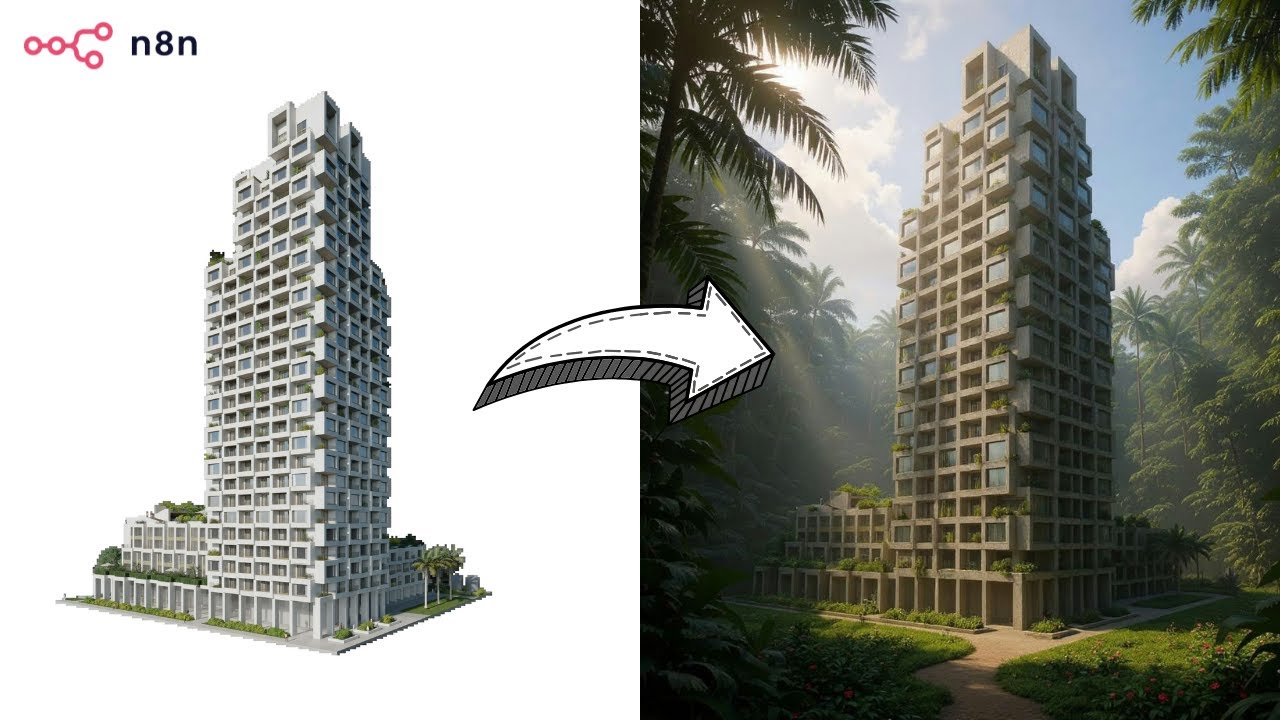](https://www.youtube.com/watch?v=0SVj70-dA0Q)"
},
"typeVersion": 1
},
{
"id": "Haftnotiz-13",
"name": "Haftnotiz",
"type": "n8n-nodes-base.stickyNote",
"position": [
-656,
-80
],
"parameters": {
"color": 7,
"width": 908,
"height": 432,
"content": "## **Prompts Generation**"
},
"typeVersion": 1
},
{
"id": "Haftnotiz1-14",
"name": "Haftnotiz1",
"type": "n8n-nodes-base.stickyNote",
"position": [
272,
-80
],
"parameters": {
"color": 7,
"width": 780,
"height": 432,
"content": "## **UGC Production**\n"
},
"typeVersion": 1
},
{
"id": "Haftnotiz7-15",
"name": "Haftnotiz7",
"type": "n8n-nodes-base.stickyNote",
"position": [
848,
-608
],
"parameters": {
"width": 204,
"height": 512,
"content": "## BASE IMAGE\n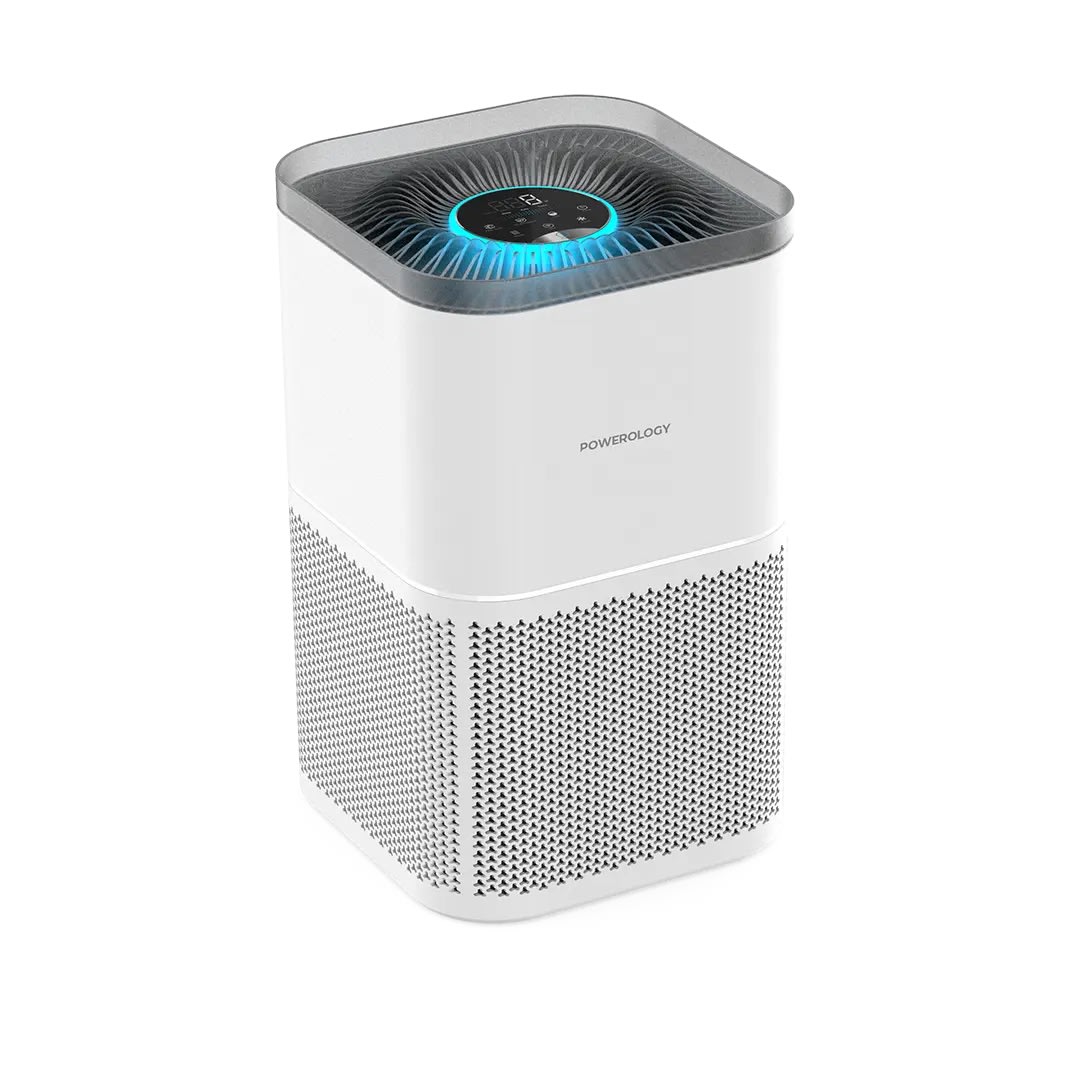\n## OUTPUT \n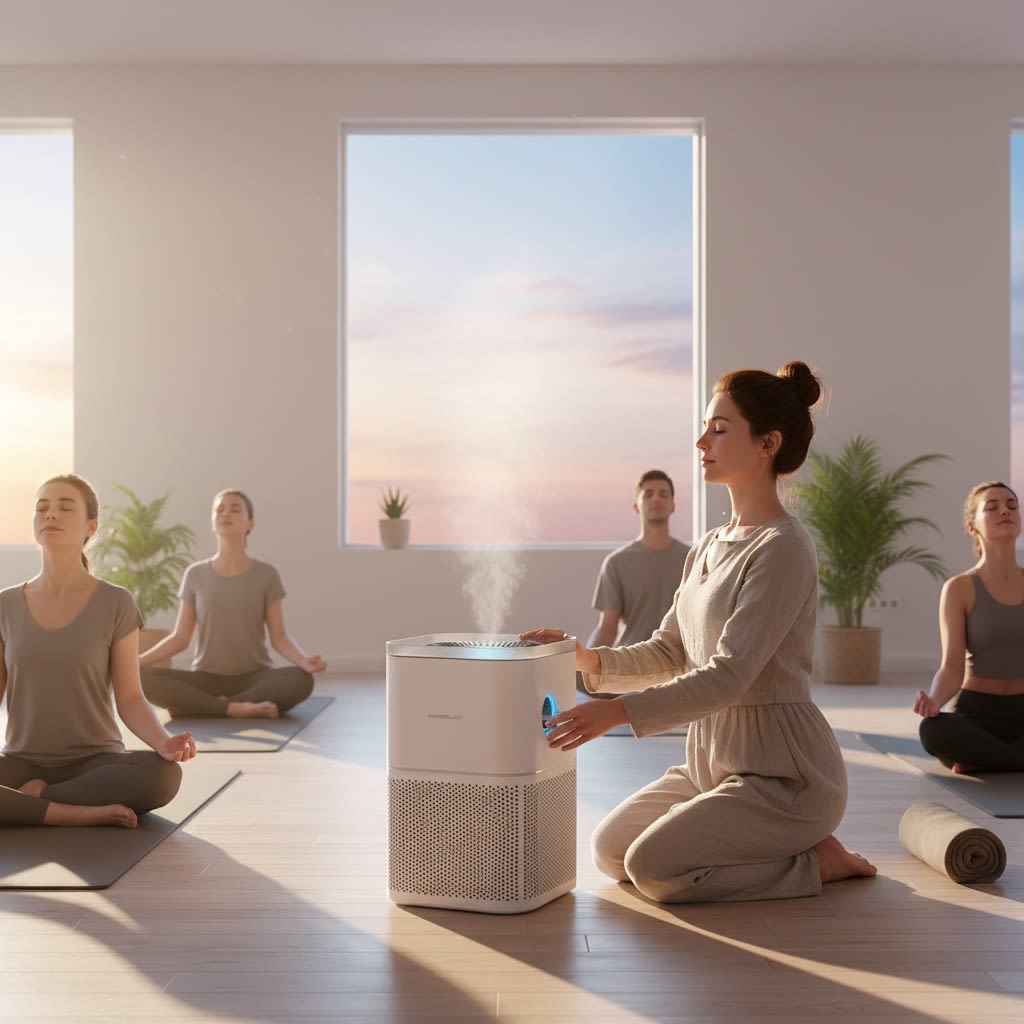"
},
"typeVersion": 1
},
{
"id": "Haftnotiz9-16",
"name": "Haftnotiz9",
"type": "n8n-nodes-base.stickyNote",
"position": [
-656,
-608
],
"parameters": {
"width": 244,
"height": 512,
"content": "## Who’s it for?\n- Content Creators\n- E-commerce Stores\n- Marketing Team\n\n**Description**: Generate unique UGC images for your products. Simply upload a product image into a Google Drive folder, and the workflow will instantly generate 50 unique, high-quality AI UGC images using **Nano Banana** via Fal.ai. \nAll results are automatically saved back into the same folder, **ready to use** across social media, e-commerce stores, and marketing campaigns.\n\n**Cost: 0.039$ / image**"
},
"typeVersion": 1
}
],
"active": false,
"pinData": {},
"settings": {
"executionOrder": "v1"
},
"versionId": "",
"connections": {
"Setup": {
"main": [
[
{
"node": "Generate-Prompts-9",
"type": "main",
"index": 0
}
]
]
},
"Split-Out-10": {
"main": [
[
{
"node": "Loop Over Items",
"type": "main",
"index": 0
}
]
]
},
"Upload-file-4": {
"main": [
[
{
"node": "Loop Over Items",
"type": "main",
"index": 0
}
]
]
},
"Generate-Image-1": {
"main": [
[
{
"node": "Retrieve-Image-7",
"type": "main",
"index": 0
}
]
]
},
"Retrieve-Image-7": {
"main": [
[
{
"node": "Upload-file-4",
"type": "main",
"index": 0
}
]
]
},
"Loop Over Items": {
"main": [
[
{
"node": "No Operation, do nothing",
"type": "main",
"index": 0
}
],
[
{
"node": "Generate-Image-1",
"type": "main",
"index": 0
}
]
]
},
"Generate-Prompts-9": {
"main": [
[
{
"node": "Split-Out-10",
"type": "main",
"index": 0
}
]
]
},
"Google-Drive-Trigger-2": {
"main": [
[
{
"node": "Setup",
"type": "main",
"index": 0
}
]
]
},
"Mistral-Cloud-Chat-Model-0": {
"ai_languageModel": [
[
{
"node": "Generate-Prompts-9",
"type": "ai_languageModel",
"index": 0
}
]
]
},
"Structured-Output-Parser-5": {
"ai_outputParser": [
[
{
"node": "Generate-Prompts-9",
"type": "ai_outputParser",
"index": 0
}
]
]
}
}
}Häufig gestellte Fragen
Wie verwende ich diesen Workflow?
Kopieren Sie den obigen JSON-Code, erstellen Sie einen neuen Workflow in Ihrer n8n-Instanz und wählen Sie "Aus JSON importieren". Fügen Sie die Konfiguration ein und passen Sie die Anmeldedaten nach Bedarf an.
Für welche Szenarien ist dieser Workflow geeignet?
Experte - Content-Erstellung, Multimodales KI
Ist es kostenpflichtig?
Dieser Workflow ist völlig kostenlos. Beachten Sie jedoch, dass Drittanbieterdienste (wie OpenAI API), die im Workflow verwendet werden, möglicherweise kostenpflichtig sind.
Verwandte Workflows
Automatisierung von Gesicht-videos mit OpenAI, RunwayML und ElevenLabs
Automatisierung von Gesichtsvideos ohne Gesicht mit OpenAI, RunwayML und ElevenLabs: Von Skript bis Social Media
Set
Code
Wait
+
Set
Code
Wait
56 NodesLeeWei
Content-Erstellung
Mit GPT-5 und fal.ai Bildern von Keywords zum WordPress automatisierten SEO-Blog-Prozess
Automatisierung des SEO-Blog-Workflows von Keywords zu WordPress mit GPT-5 und fal.ai-Bildern
Set
Code
Wait
+
Set
Code
Wait
96 NodesPaul
Content-Erstellung
WordPress-Blog-Automatisierung Professional Edition (Deep Research) v2.1 Markt
Automatisierung der Erstellung von SEO-optimierten Blogs mit GPT-4o, Perplexity AI und mehrsprachiger Unterstützung
If
Set
Xml
+
If
Set
Xml
125 NodesDaniel Ng
Content-Erstellung
Automated Financial Document Processing
Automatisierte Verarbeitung von Finanzdokumenten mit Google Gemini OCR
Set
Code
Merge
+
Set
Code
Merge
76 NodesDidac Fernandez
Content-Erstellung
Automatisierte Podcast-Erstellung: Dokumente zu dynamischem Audio
Dokumente in Podcast-Audio mit GPT-4o und OpenAI TTS umwandeln
Set
Split Out
Aggregate
+
Set
Split Out
Aggregate
19 NodesNanaB
Content-Erstellung
SEO-optimierten WordPress-Blog mit Keywords und Medien mit Perplexity und GPT erstellen
Erstellen Sie für WordPress eine SEO-optimierte Blog mit Keywords und Medien mit Perplexity und GPT
Set
Code
Limit
+
Set
Code
Limit
124 NodesPaul
Content-Erstellung
Workflow-Informationen
Schwierigkeitsgrad
Experte
Anzahl der Nodes17
Kategorie2
Node-Typen11
Autor

Externe Links
Auf n8n.io ansehen →
Diesen Workflow teilen