Agente de IA inteligente: conversar con archivos en el almacenamiento de Supabase
Este es unEngineering, DevOps, Product, AI, IT Opsflujo de automatización del dominio deautomatización que contiene 33 nodos.Utiliza principalmente nodos como If, Merge, Switch, Supabase, Aggregate, combinando tecnología de inteligencia artificial para lograr automatización inteligente. 与Supabase存储中文件对话deAIinteligente体
- •URL y Clave de API de Supabase
- •Pueden requerirse credenciales de autenticación para la API de destino
- •Clave de API de OpenAI
Nodos utilizados (33)
{
"meta": {
"instanceId": "6a2a7715680b8313f7cb4676321c5baa46680adfb913072f089f2766f42e43bd"
},
"nodes": [
{
"id": "f577f6bd-b1a4-48ec-9329-7bccc3fc1463",
"name": "Obtener todos los archivos",
"type": "n8n-nodes-base.httpRequest",
"position": [
400,
-100
],
"parameters": {
"url": "=https://yqtvdcvjboenlblgcivl.supabase.co/storage/v1/object/list/private",
"method": "POST",
"options": {},
"jsonBody": "={\n \"prefix\": \"\",\n \"limit\": 100,\n \"offset\": 0,\n \"sortBy\": {\n \"column\": \"name\",\n \"order\": \"asc\"\n }\n}",
"sendBody": true,
"specifyBody": "json",
"authentication": "predefinedCredentialType",
"nodeCredentialType": "supabaseApi"
},
"credentials": {
"supabaseApi": {
"id": "t8AQJzvZvrOMDLec",
"name": "Supabase account My Airtable Gen"
}
},
"typeVersion": 4.2
},
{
"id": "10693bc8-560d-4cf6-8bd0-2fe3f4d863d1",
"name": "Cargador de Datos por Defecto",
"type": "@n8n/n8n-nodes-langchain.documentDefaultDataLoader",
"position": [
1780,
100
],
"parameters": {
"options": {
"metadata": {
"metadataValues": [
{
"name": "=file_id",
"value": "={{ $json.id }}"
}
]
}
},
"jsonData": "={{ $('Merge').item.json.data ?? $('Merge').item.json.text }}",
"jsonMode": "expressionData"
},
"typeVersion": 1
},
{
"id": "49428060-e707-4269-8344-77b301f56f7c",
"name": "Divisor de Texto Recursivo por Carácter",
"type": "@n8n/n8n-nodes-langchain.textSplitterRecursiveCharacterTextSplitter",
"position": [
1780,
280
],
"parameters": {
"options": {},
"chunkSize": 500,
"chunkOverlap": 200
},
"typeVersion": 1
},
{
"id": "08742063-e235-4874-a128-b352786b19ce",
"name": "Extraer Documento PDF",
"type": "n8n-nodes-base.extractFromFile",
"position": [
1240,
0
],
"parameters": {
"options": {},
"operation": "pdf"
},
"typeVersion": 1,
"alwaysOutputData": false
},
{
"id": "21f19360-d7ce-4106-ae5a-aa0f15b7c4aa",
"name": "Incrustaciones OpenAI",
"type": "@n8n/n8n-nodes-langchain.embeddingsOpenAi",
"position": [
1600,
80
],
"parameters": {
"model": "text-embedding-3-small",
"options": {}
},
"credentials": {
"openAiApi": {
"id": "fLfRtaXbR0EVD0pl",
"name": "OpenAi account"
}
},
"typeVersion": 1
},
{
"id": "4147409f-8686-418f-b979-04f8c8e7fe42",
"name": "Crear registro de archivo2",
"type": "n8n-nodes-base.supabase",
"position": [
1540,
-100
],
"parameters": {
"tableId": "files",
"fieldsUi": {
"fieldValues": [
{
"fieldId": "name",
"fieldValue": "={{ $('Loop Over Items').item.json.name }}"
},
{
"fieldId": "storage_id",
"fieldValue": "={{ $('Loop Over Items').item.json.id }}"
}
]
}
},
"credentials": {
"supabaseApi": {
"id": "t8AQJzvZvrOMDLec",
"name": "Supabase account My Airtable Gen"
}
},
"typeVersion": 1
},
{
"id": "016f1afe-172b-4609-b451-8d67609214d3",
"name": "Si",
"type": "n8n-nodes-base.if",
"position": [
720,
-100
],
"parameters": {
"options": {},
"conditions": {
"options": {
"version": 2,
"leftValue": "",
"caseSensitive": true,
"typeValidation": "strict"
},
"combinator": "and",
"conditions": [
{
"id": "9b14e306-a04d-40f7-bc5b-b8eda8d8f7f2",
"operator": {
"type": "boolean",
"operation": "true",
"singleValue": true
},
"leftValue": "={{ \n !$('Aggregate').item.json.data || \n !Array.isArray($('Aggregate').item.json.data) || \n !$('Aggregate').item.json.data.some(item => \n item.storage_id === $('Loop Over Items').item.json.id \n ) \n}}",
"rightValue": ""
},
{
"id": "c3c0af88-9aea-4539-8948-1b69e601c27c",
"operator": {
"type": "string",
"operation": "notEquals"
},
"leftValue": "={{ $json.name }}",
"rightValue": ".emptyFolderPlaceholder"
}
]
}
},
"typeVersion": 2.2
},
{
"id": "75e8a7db-8c4a-4ad8-b902-062cbc93e1eb",
"name": "Obtener todos los archivos",
"type": "n8n-nodes-base.supabase",
"position": [
20,
-100
],
"parameters": {
"tableId": "files",
"operation": "getAll"
},
"credentials": {
"supabaseApi": {
"id": "t8AQJzvZvrOMDLec",
"name": "Supabase account My Airtable Gen"
}
},
"typeVersion": 1,
"alwaysOutputData": true
},
{
"id": "b22a3bab-f615-4d8a-8832-ce25b1a385fe",
"name": "Descargar",
"type": "n8n-nodes-base.httpRequest",
"position": [
900,
-100
],
"parameters": {
"url": "=https://yqtvdcvjboenlblgcivl.supabase.co/storage/v1/object/private/{{ $json.name }}",
"options": {},
"authentication": "predefinedCredentialType",
"nodeCredentialType": "supabaseApi"
},
"credentials": {
"supabaseApi": {
"id": "t8AQJzvZvrOMDLec",
"name": "Supabase account My Airtable Gen"
}
},
"typeVersion": 4.2
},
{
"id": "50d1fede-4bd0-4cd4-b74a-7d689fe211cc",
"name": "Iterar sobre elementos",
"type": "n8n-nodes-base.splitInBatches",
"position": [
560,
-100
],
"parameters": {
"options": {},
"batchSize": "=1"
},
"typeVersion": 3
},
{
"id": "f9c23b5e-0b40-4886-b54f-59fb46132d3f",
"name": "Al hacer clic en 'Probar flujo de trabajo'",
"type": "n8n-nodes-base.manualTrigger",
"position": [
-160,
-100
],
"parameters": {},
"typeVersion": 1
},
{
"id": "0a0ec290-2c3d-40ba-8d03-6abf75202e73",
"name": "Agregar",
"type": "n8n-nodes-base.aggregate",
"position": [
220,
-100
],
"parameters": {
"options": {},
"aggregate": "aggregateAllItemData"
},
"typeVersion": 1,
"alwaysOutputData": true
},
{
"id": "32b3e2e1-2d25-4dd1-93e8-3f693beb7b6f",
"name": "Al recibir mensaje de chat",
"type": "@n8n/n8n-nodes-langchain.chatTrigger",
"position": [
800,
-1020
],
"webhookId": "3c40d311-7996-4ed4-b2fa-c73bea5f4cf5",
"parameters": {
"options": {}
},
"typeVersion": 1.1
},
{
"id": "79073b5c-a4ad-45a6-bbfa-e900a05bfde3",
"name": "Modelo de Chat OpenAI1",
"type": "@n8n/n8n-nodes-langchain.lmChatOpenAi",
"position": [
940,
-820
],
"parameters": {
"options": {}
},
"credentials": {
"openAiApi": {
"id": "zJhr5piyEwVnWtaI",
"name": "OpenAi club"
}
},
"typeVersion": 1
},
{
"id": "f8663483-76d5-4fc8-ad07-7eec815ff7a6",
"name": "Incrustaciones OpenAI2",
"type": "@n8n/n8n-nodes-langchain.embeddingsOpenAi",
"position": [
1020,
-540
],
"parameters": {
"model": "text-embedding-3-small",
"options": {}
},
"credentials": {
"openAiApi": {
"id": "SphXAX7rlwRLkiox",
"name": "Test club key"
}
},
"typeVersion": 1
},
{
"id": "a1458799-d379-46de-93e6-a5ba0c665163",
"name": "Modelo de Chat OpenAI2",
"type": "@n8n/n8n-nodes-langchain.lmChatOpenAi",
"position": [
1300,
-680
],
"parameters": {
"options": {}
},
"credentials": {
"openAiApi": {
"id": "SphXAX7rlwRLkiox",
"name": "Test club key"
}
},
"typeVersion": 1
},
{
"id": "d6eeda2f-c984-406d-a625-726840308413",
"name": "Herramienta de Almacén Vectorial1",
"type": "@n8n/n8n-nodes-langchain.toolVectorStore",
"position": [
1100,
-820
],
"parameters": {
"name": "knowledge_base",
"topK": 8,
"description": "Retrieve data about user request"
},
"typeVersion": 1
},
{
"id": "e1d9a348-7d44-4ad1-adbd-2c9a31e06876",
"name": "Interruptor",
"type": "n8n-nodes-base.switch",
"position": [
1060,
-100
],
"parameters": {
"rules": {
"values": [
{
"outputKey": "txt",
"conditions": {
"options": {
"version": 1,
"leftValue": "",
"caseSensitive": true,
"typeValidation": "strict"
},
"combinator": "and",
"conditions": [
{
"operator": {
"type": "boolean",
"operation": "true",
"singleValue": true
},
"leftValue": "={{$binary.data?.fileExtension == undefined }}",
"rightValue": "txt"
}
]
},
"renameOutput": true
},
{
"outputKey": "pdf",
"conditions": {
"options": {
"version": 1,
"leftValue": "",
"caseSensitive": true,
"typeValidation": "strict"
},
"combinator": "and",
"conditions": [
{
"id": "bf04cbec-dd86-4607-988f-4c96b6fd4b58",
"operator": {
"type": "string",
"operation": "equals"
},
"leftValue": "={{$binary.data.fileExtension }}",
"rightValue": "pdf"
}
]
},
"renameOutput": true
}
]
},
"options": {}
},
"typeVersion": 3.1
},
{
"id": "d38afb92-87ae-4e2a-a712-ec24b1efd105",
"name": "Insertar en Almacén Vectorial Supabase",
"type": "@n8n/n8n-nodes-langchain.vectorStoreSupabase",
"position": [
1700,
-100
],
"parameters": {
"mode": "insert",
"options": {
"queryName": "match_documents"
},
"tableName": {
"__rl": true,
"mode": "list",
"value": "documents",
"cachedResultName": "documents"
}
},
"credentials": {
"supabaseApi": {
"id": "t8AQJzvZvrOMDLec",
"name": "Supabase account My Airtable Gen"
}
},
"typeVersion": 1
},
{
"id": "1a903b2e-cab0-4798-b820-ec08d6a71ddd",
"name": "Combinar",
"type": "n8n-nodes-base.merge",
"position": [
1380,
-100
],
"parameters": {},
"typeVersion": 3
},
{
"id": "3afd552e-4995-493e-9cd5-ef496dfe359f",
"name": "Agente de IA",
"type": "@n8n/n8n-nodes-langchain.agent",
"position": [
1020,
-1020
],
"parameters": {
"options": {}
},
"typeVersion": 1.7
},
{
"id": "d9688acc-311b-42fd-afa8-2c0e493be34b",
"name": "Almacén Vectorial Supabase",
"type": "@n8n/n8n-nodes-langchain.vectorStoreSupabase",
"position": [
1020,
-660
],
"parameters": {
"options": {
"metadata": {
"metadataValues": [
{
"name": "file_id",
"value": "300b0128-0955-4058-b0d3-a9aefe728432"
}
]
}
},
"tableName": {
"__rl": true,
"mode": "list",
"value": "documents",
"cachedResultName": "documents"
}
},
"credentials": {
"supabaseApi": {
"id": "t8AQJzvZvrOMDLec",
"name": "Supabase account My Airtable Gen"
}
},
"typeVersion": 1
},
{
"id": "66df007c-0418-4551-950e-32e7d79840bd",
"name": "Nota Adhesiva",
"type": "n8n-nodes-base.stickyNote",
"position": [
340,
-220
],
"parameters": {
"height": 89.3775420487804,
"content": "### Replace Storage name, database ID and credentials."
},
"typeVersion": 1
},
{
"id": "b164b520-20dd-44a4-aa3b-647391786b20",
"name": "Nota Adhesiva1",
"type": "n8n-nodes-base.stickyNote",
"position": [
-20,
-220
],
"parameters": {
"height": 80,
"content": "### Replace credentials."
},
"typeVersion": 1
},
{
"id": "8688c219-5af4-4e54-9fd1-91851829445b",
"name": "Nota Adhesiva2",
"type": "n8n-nodes-base.stickyNote",
"position": [
1540,
-220
],
"parameters": {
"height": 80,
"content": "### Replace credentials."
},
"typeVersion": 1
},
{
"id": "45c6ece4-f849-4496-8149-31385f5e36a4",
"name": "Nota Adhesiva3",
"type": "n8n-nodes-base.stickyNote",
"position": [
840,
-220
],
"parameters": {
"height": 89.3775420487804,
"content": "### Replace Storage name, database ID and credentials."
},
"typeVersion": 1
},
{
"id": "2ca07cb0-b5f4-4761-b954-faf2131872d9",
"name": "Nota Adhesiva4",
"type": "n8n-nodes-base.stickyNote",
"position": [
1500,
220
],
"parameters": {
"height": 80,
"content": "### Replace credentials."
},
"typeVersion": 1
},
{
"id": "8d682dae-6f88-42f0-a717-affffd37d882",
"name": "Nota Adhesiva5",
"type": "n8n-nodes-base.stickyNote",
"position": [
1140,
-520
],
"parameters": {
"height": 80,
"content": "### Replace credentials."
},
"typeVersion": 1
},
{
"id": "796b5dca-d60e-43a9-afe8-194244643557",
"name": "Nota Adhesiva9",
"type": "n8n-nodes-base.stickyNote",
"position": [
-520,
-940
],
"parameters": {
"color": 7,
"width": 330.5152611046425,
"height": 239.5888196628349,
"content": "### ... or watch set up video [10 min]\n[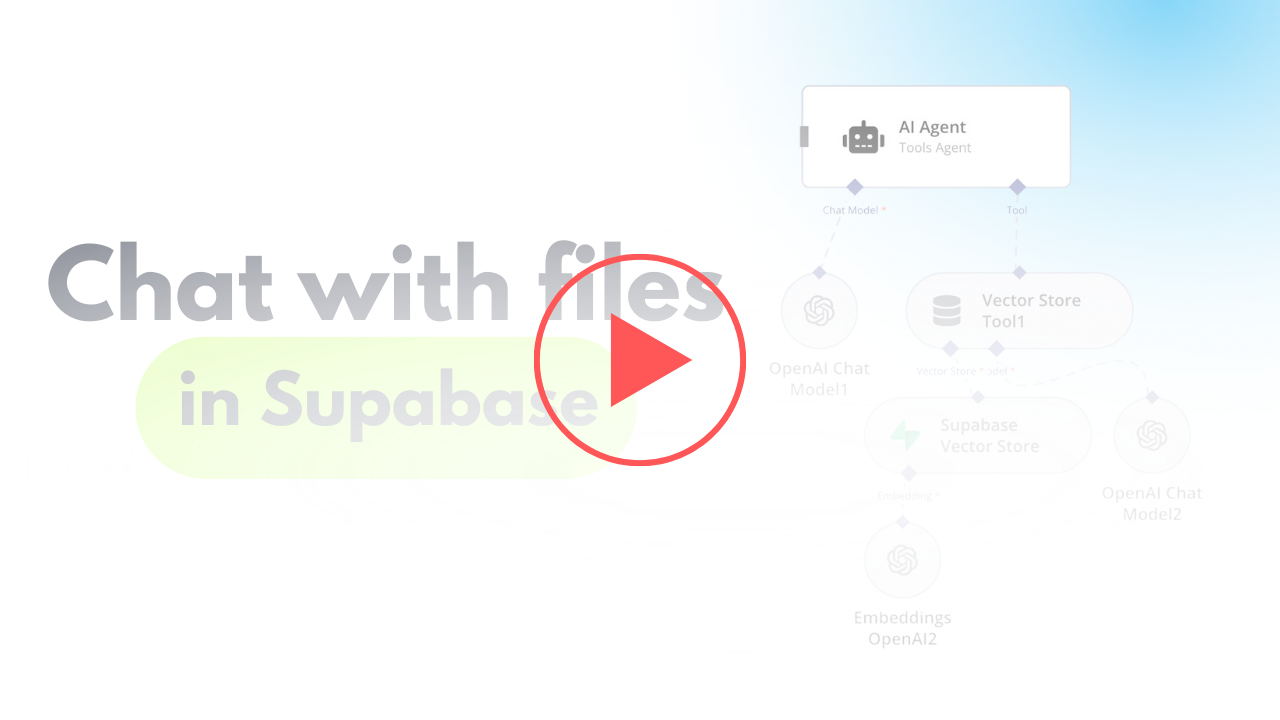](https://www.youtube.com/watch?v=glWUkdZe_3w)\n"
},
"typeVersion": 1
},
{
"id": "eba121de-a3f7-4ba5-8396-f7d64e648322",
"name": "Nota Adhesiva7",
"type": "n8n-nodes-base.stickyNote",
"position": [
-820,
-1460
],
"parameters": {
"color": 7,
"width": 636.2128494576581,
"height": 497.1532689930921,
"content": "\n## AI Agent To Chat With Files In Supabase Storage\n**Made by [Mark Shcherbakov](https://www.linkedin.com/in/marklowcoding/) from community [5minAI](https://www.skool.com/5minai-2861)**\n\nManually retrieving and analyzing specific information from large document repositories is time-consuming and inefficient. This workflow automates the process by vectorizing documents and enabling AI-powered interactions, making it easy to query and retrieve context-based information from uploaded files.\n\nThe workflow integrates Supabase with an AI-powered chatbot to process, store, and query text and PDF files. The steps include:\n- Fetching and comparing files to avoid duplicate processing.\n- Handling file downloads and extracting content based on the file type.\n- Converting documents into vectorized data for contextual information retrieval.\n- Storing and querying vectorized data from a Supabase vector store.\n\n"
},
"typeVersion": 1
},
{
"id": "df054036-d6b9-4f53-86cb-85ad96f07d0e",
"name": "Nota Adhesiva6",
"type": "n8n-nodes-base.stickyNote",
"position": [
-820,
-940
],
"parameters": {
"color": 7,
"width": 280.2462120317618,
"height": 545.9087885077763,
"content": "### Set up steps\n\n1. **Fetch File List from Supabase**:\n - Use Supabase to retrieve the stored file list from a specified bucket.\n - Add logic to manage empty folder placeholders returned by Supabase, avoiding incorrect processing.\n\n2. **Compare and Filter Files**:\n - Aggregate the files retrieved from storage and compare them to the existing list in the Supabase `files` table.\n - Exclude duplicates and skip placeholder files to ensure only unprocessed files are handled.\n\n3. **Handle File Downloads**:\n - Download new files using detailed storage configurations for public/private access.\n - Adjust the storage settings and GET requests to match your Supabase setup.\n\n4. **File Type Processing**:\n - Use a Switch node to target specific file types (e.g., PDFs or text files).\n - Employ relevant tools to process the content:\n - For PDFs, extract embedded content.\n - For text files, directly process the text data.\n\n5. **Content Chunking**:\n - Break large text data into smaller chunks using the Text Splitter node.\n - Define chunk size (default: 500 tokens) and overlap to retain necessary context across chunks.\n\n6. **Vector Embedding Creation**:\n - Generate vectorized embeddings for the processed content using OpenAI's embedding tools.\n - Ensure metadata, such as file ID, is included for easy data retrieval.\n\n7. **Store Vectorized Data**:\n - Save the vectorized information into a dedicated Supabase vector store.\n - Use the default schema and table provided by Supabase for seamless setup.\n\n8. **AI Chatbot Integration**:\n - Add a chatbot node to handle user input and retrieve relevant document chunks.\n - Use metadata like file ID for targeted queries, especially when multiple documents are involved."
},
"typeVersion": 1
},
{
"id": "450a1e49-4be9-451a-9d05-2860e29c3695",
"name": "Nota Adhesiva8",
"type": "n8n-nodes-base.stickyNote",
"position": [
540,
-1160
],
"parameters": {
"color": 5,
"width": 951.7421645394404,
"height": 809.7437181509877,
"content": "## Scenario 2 - AI agent"
},
"typeVersion": 1
},
{
"id": "c3814c5d-8881-4598-897e-268019bee1bc",
"name": "Nota Adhesiva10",
"type": "n8n-nodes-base.stickyNote",
"position": [
-260,
-280
],
"parameters": {
"color": 5,
"width": 2304.723519246249,
"height": 739.2522526116408,
"content": "## Scenario 1 - Flow for adding new files from Supabase storage"
},
"typeVersion": 1
}
],
"pinData": {},
"connections": {
"016f1afe-172b-4609-b451-8d67609214d3": {
"main": [
[
{
"node": "b22a3bab-f615-4d8a-8832-ce25b1a385fe",
"type": "main",
"index": 0
}
],
[
{
"node": "50d1fede-4bd0-4cd4-b74a-7d689fe211cc",
"type": "main",
"index": 0
}
]
]
},
"1a903b2e-cab0-4798-b820-ec08d6a71ddd": {
"main": [
[
{
"node": "4147409f-8686-418f-b979-04f8c8e7fe42",
"type": "main",
"index": 0
}
]
]
},
"e1d9a348-7d44-4ad1-adbd-2c9a31e06876": {
"main": [
[
{
"node": "1a903b2e-cab0-4798-b820-ec08d6a71ddd",
"type": "main",
"index": 0
}
],
[
{
"node": "08742063-e235-4874-a128-b352786b19ce",
"type": "main",
"index": 0
}
]
]
},
"b22a3bab-f615-4d8a-8832-ce25b1a385fe": {
"main": [
[
{
"node": "e1d9a348-7d44-4ad1-adbd-2c9a31e06876",
"type": "main",
"index": 0
}
]
]
},
"0a0ec290-2c3d-40ba-8d03-6abf75202e73": {
"main": [
[
{
"node": "75e8a7db-8c4a-4ad8-b902-062cbc93e1eb",
"type": "main",
"index": 0
}
]
]
},
"75e8a7db-8c4a-4ad8-b902-062cbc93e1eb": {
"main": [
[
{
"node": "50d1fede-4bd0-4cd4-b74a-7d689fe211cc",
"type": "main",
"index": 0
}
]
]
},
"50d1fede-4bd0-4cd4-b74a-7d689fe211cc": {
"main": [
null,
[
{
"node": "016f1afe-172b-4609-b451-8d67609214d3",
"type": "main",
"index": 0
}
]
]
},
"21f19360-d7ce-4106-ae5a-aa0f15b7c4aa": {
"ai_embedding": [
[
{
"node": "d38afb92-87ae-4e2a-a712-ec24b1efd105",
"type": "ai_embedding",
"index": 0
}
]
]
},
"f8663483-76d5-4fc8-ad07-7eec815ff7a6": {
"ai_embedding": [
[
{
"node": "d9688acc-311b-42fd-afa8-2c0e493be34b",
"type": "ai_embedding",
"index": 0
}
]
]
},
"79073b5c-a4ad-45a6-bbfa-e900a05bfde3": {
"ai_languageModel": [
[
{
"node": "3afd552e-4995-493e-9cd5-ef496dfe359f",
"type": "ai_languageModel",
"index": 0
}
]
]
},
"a1458799-d379-46de-93e6-a5ba0c665163": {
"ai_languageModel": [
[
{
"node": "d6eeda2f-c984-406d-a625-726840308413",
"type": "ai_languageModel",
"index": 0
}
]
]
},
"d6eeda2f-c984-406d-a625-726840308413": {
"ai_tool": [
[
{
"node": "3afd552e-4995-493e-9cd5-ef496dfe359f",
"type": "ai_tool",
"index": 0
}
]
]
},
"4147409f-8686-418f-b979-04f8c8e7fe42": {
"main": [
[
{
"node": "d38afb92-87ae-4e2a-a712-ec24b1efd105",
"type": "main",
"index": 0
}
]
]
},
"10693bc8-560d-4cf6-8bd0-2fe3f4d863d1": {
"ai_document": [
[
{
"node": "d38afb92-87ae-4e2a-a712-ec24b1efd105",
"type": "ai_document",
"index": 0
}
]
]
},
"08742063-e235-4874-a128-b352786b19ce": {
"main": [
[
{
"node": "1a903b2e-cab0-4798-b820-ec08d6a71ddd",
"type": "main",
"index": 1
}
]
]
},
"d9688acc-311b-42fd-afa8-2c0e493be34b": {
"ai_vectorStore": [
[
{
"node": "d6eeda2f-c984-406d-a625-726840308413",
"type": "ai_vectorStore",
"index": 0
}
]
]
},
"32b3e2e1-2d25-4dd1-93e8-3f693beb7b6f": {
"main": [
[
{
"node": "3afd552e-4995-493e-9cd5-ef496dfe359f",
"type": "main",
"index": 0
}
]
]
},
"d38afb92-87ae-4e2a-a712-ec24b1efd105": {
"main": [
[
{
"node": "50d1fede-4bd0-4cd4-b74a-7d689fe211cc",
"type": "main",
"index": 0
}
]
]
},
"49428060-e707-4269-8344-77b301f56f7c": {
"ai_textSplitter": [
[
{
"node": "10693bc8-560d-4cf6-8bd0-2fe3f4d863d1",
"type": "ai_textSplitter",
"index": 0
}
]
]
},
"f9c23b5e-0b40-4886-b54f-59fb46132d3f": {
"main": [
[
{
"node": "75e8a7db-8c4a-4ad8-b902-062cbc93e1eb",
"type": "main",
"index": 0
}
]
]
}
}
}¿Cómo usar este flujo de trabajo?
Copie el código de configuración JSON de arriba, cree un nuevo flujo de trabajo en su instancia de n8n y seleccione "Importar desde JSON", pegue la configuración y luego modifique la configuración de credenciales según sea necesario.
¿En qué escenarios es adecuado este flujo de trabajo?
Avanzado - Ingeniería, DevOps, Producto, Inteligencia Artificial, Operaciones de TI
¿Es de pago?
Este flujo de trabajo es completamente gratuito, puede importarlo y usarlo directamente. Sin embargo, tenga en cuenta que los servicios de terceros utilizados en el flujo de trabajo (como la API de OpenAI) pueden requerir un pago por su cuenta.
Flujos de trabajo relacionados recomendados

Mark Shcherbakov
@lowcodingdevI am a business analyst with a development background, dedicated to helping small businesses and entrepreneurs leverage cloud services for increased efficiency. My expertise lies in automating manual workflows, integrating data from multiple cloud service providers, creating insightful dashboards, and building custom CRM systems.
Compartir este flujo de trabajo