Analizador de páginas de aterrizaje
Este es unAI Summarization, Multimodal AIflujo de automatización del dominio deautomatización que contiene 10 nodos.Utiliza principalmente nodos como Form, Markdown, FormTrigger, HttpRequest, Agent. Agente de análisis de landing pages
- •Pueden requerirse credenciales de autenticación para la API de destino
- •Clave de API de Google Gemini
Nodos utilizados (10)
Categoría
{
"id": "YYiCCvfGPMJ8gAnt",
"meta": {
"instanceId": "061ca141d020a6e1355b8c7fe05f92a699e37e92079ad2e150a506ee8bbe9e11",
"templateCredsSetupCompleted": true
},
"name": "Landing Page Analyzer",
"tags": [],
"nodes": [
{
"id": "950a73f5-aecb-4844-add2-c244f0a946a7",
"name": "Al enviar el formulario",
"type": "n8n-nodes-base.formTrigger",
"position": [
1008,
128
],
"webhookId": "57604090-1df3-41ca-8d55-1002798a1721",
"parameters": {
"options": {
"appendAttribution": false
},
"formTitle": "Landing Page Optimizer",
"formFields": {
"values": [
{
"fieldLabel": "Your Landing Page Url",
"placeholder": "https://example.anything",
"requiredField": true
}
]
},
"formDescription": "Make Your Page Convert Like a Top 1% Funnel"
},
"typeVersion": 2.2
},
{
"id": "fcede911-8351-4b6b-9daa-3a6fa9d68473",
"name": "HTTP Request",
"type": "n8n-nodes-base.httpRequest",
"position": [
1232,
128
],
"parameters": {
"url": "={{ $json['Your Landing Page Url'] }}",
"options": {}
},
"typeVersion": 4.2
},
{
"id": "3f28ef06-fdbf-4488-8136-7826a1a0293a",
"name": "Markdown",
"type": "n8n-nodes-base.markdown",
"position": [
1440,
128
],
"parameters": {
"html": "={{ $json.data }}",
"options": {}
},
"typeVersion": 1
},
{
"id": "1254e722-ebdc-4421-af8c-fa61e3096944",
"name": "Agente de IA",
"type": "@n8n/n8n-nodes-langchain.agent",
"position": [
1648,
128
],
"parameters": {
"text": "={{ $json.data }}",
"options": {
"systemMessage": "=You are a world-class Conversion Rate Optimization (CRO) expert.\n\nYour mission is to analyze my landing page and return with the most important actions the business should take to improve conversions. No fluff, no filler — just what matters most.\n\n🎯 YOUR RESPONSE MUST FOLLOW THIS STRUCTURE:\n\n1) Each item should start with a strong action verb (e.g., Replace, Add, Remove, Rewrite, Rearrange, Clarify, Simplify, Make visible, etc.)\n\n2) Be specific. Tell me exactly what to do — what headline to change, what section to remove, what to add and where.\n\n3) Every recommendation must be based on the actual landing page content. No generic advice.\n\n4) Prioritize modern, high-impact CRO ideas relevant to 2024 digital audiences.\n\n5) Keep it easy to understand and implement. No heavy dev work required.\n\n6) Focus on conversion levers: clarity, relevance, trust, desire, urgency, and friction reduction.\n"
},
"promptType": "define"
},
"typeVersion": 2
},
{
"id": "0d7250e0-8b9d-4626-a748-f7c056e2999b",
"name": "Formulario",
"type": "n8n-nodes-base.form",
"position": [
2320,
128
],
"webhookId": "a80f45af-8f8a-480b-922b-264691668bb7",
"parameters": {
"options": {},
"operation": "completion",
"completionTitle": "Here are 5 Things You Should Improve 🧐",
"completionMessage": "=1. {{ $json.output['Improvement Tip 1'] }}\n\n2. {{ $json.output['Improvement Tip 2'] }}\n\n3. {{ $json.output['Improvement Tip 3'] }}\n\n4. {{ $json.output['Improvement Tip 4'] }} \n\n5. {{ $json.output['Improvement Tip 5'] }} "
},
"typeVersion": 1
},
{
"id": "1db518d9-3c1f-4c20-84f4-167684f959e9",
"name": "Extractor de Información",
"type": "@n8n/n8n-nodes-langchain.informationExtractor",
"position": [
1984,
128
],
"parameters": {
"text": "={{ $json.output }}",
"options": {},
"attributes": {
"attributes": [
{
"name": "Improvement Tip 1",
"description": "=The 1st most important improvement tip without any symbol, add relevent Emoji"
},
{
"name": "Improvement Tip 2",
"description": "The 2nd most important improvement tip without any symbol, add relevant Emoji"
},
{
"name": "Improvement Tip 3",
"description": "The 3rd most important improvement tip without any symbol, add relevant Emoji"
},
{
"name": "Improvement Tip 4",
"description": "The 4th most important improvement tip without any symbol, add relevant Emoji"
},
{
"name": "Improvement Tip 5",
"description": "The 5th most important improvement tip without any symbol, add relevant Emoji"
}
]
}
},
"typeVersion": 1.2
},
{
"id": "08cf9cfe-7328-4de6-bd33-c0e2295c9e35",
"name": "Nota Adhesiva",
"type": "n8n-nodes-base.stickyNote",
"position": [
0,
0
],
"parameters": {
"color": 6,
"width": 840,
"height": 600,
"content": "# 🛠 Setup Guide \n## **Author:** [Rakin Jakaria](https://www.youtube.com/@rakinjakaria)\n\nFollow these steps to get your Landing Page Analyzer workflow up and running: \n\n1. **Configure Google Gemini API Credentials** \n - Navigate to the \"Google Gemini Chat Model\" node in your workflow. \n - Ensure your Google Gemini (PaLM) API credentials are properly set up in your N8N instance. \n - If you don't have an API key, obtain one from [Google AI Studio](https://aistudio.google.com/apikey). \n\n2. **Test the Webhook Form (Optional)** \n - The workflow starts with a form submission trigger. \n - If you plan to embed this in a website or app, ensure the webhook URL is correctly configured and accessible. \n\n3. **Verify HTTP Request Node** \n - The workflow fetches the landing page content via HTTP. \n - Ensure the target URLs are publicly accessible and not behind authentication. \n\n4. **Review AI Agent Instructions** \n - The AI Agent node includes a system prompt for CRO analysis. \n - Customize the prompt if needed to align with your specific goals or industry. \n\nOnce these steps are complete, your Landing Page Analyzer is ready to use! Submit a URL via the form to receive actionable CRO improvements. 🚀"
},
"typeVersion": 1
},
{
"id": "938a192a-8474-4bd6-8471-e0617cdf9c74",
"name": "Nota Adhesiva1",
"type": "n8n-nodes-base.stickyNote",
"position": [
944,
0
],
"parameters": {
"color": 6,
"width": 1620,
"height": 580,
"content": "## Landing Page Analyzer"
},
"typeVersion": 1
},
{
"id": "18698e25-23ce-4ca2-834c-e7cdd0521588",
"name": "Gemini 2.5 Flash",
"type": "@n8n/n8n-nodes-langchain.lmChatGoogleGemini",
"position": [
1808,
432
],
"parameters": {
"options": {}
},
"credentials": {
"googlePalmApi": {
"id": "uIFmTaGcf3XXfitE",
"name": "Google Gemini(PaLM) Api account 2"
}
},
"typeVersion": 1
},
{
"id": "2f1293bc-cfef-425f-9988-161836bcf8b2",
"name": "Nota Adhesiva3",
"type": "n8n-nodes-base.stickyNote",
"position": [
208,
-528
],
"parameters": {
"color": 6,
"width": 480,
"height": 464,
"content": "## Start here: Step-by Step Youtube Tutorial :star:\n[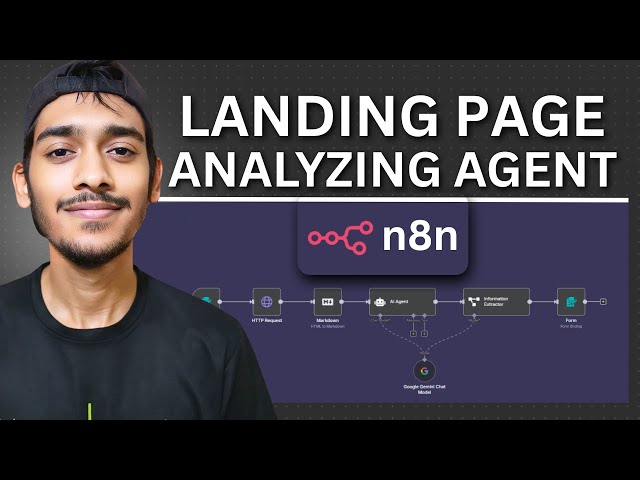](https://youtu.be/gsFl25jw-7I)"
},
"typeVersion": 1
}
],
"active": false,
"pinData": {},
"settings": {
"executionOrder": "v1"
},
"versionId": "0f6ecd02-d6ef-4d36-a122-4f8f07852ecd",
"connections": {
"1254e722-ebdc-4421-af8c-fa61e3096944": {
"main": [
[
{
"node": "1db518d9-3c1f-4c20-84f4-167684f959e9",
"type": "main",
"index": 0
}
]
]
},
"3f28ef06-fdbf-4488-8136-7826a1a0293a": {
"main": [
[
{
"node": "1254e722-ebdc-4421-af8c-fa61e3096944",
"type": "main",
"index": 0
}
]
]
},
"fcede911-8351-4b6b-9daa-3a6fa9d68473": {
"main": [
[
{
"node": "3f28ef06-fdbf-4488-8136-7826a1a0293a",
"type": "main",
"index": 0
}
]
]
},
"18698e25-23ce-4ca2-834c-e7cdd0521588": {
"ai_languageModel": [
[
{
"node": "1254e722-ebdc-4421-af8c-fa61e3096944",
"type": "ai_languageModel",
"index": 0
},
{
"node": "1db518d9-3c1f-4c20-84f4-167684f959e9",
"type": "ai_languageModel",
"index": 0
}
]
]
},
"950a73f5-aecb-4844-add2-c244f0a946a7": {
"main": [
[
{
"node": "fcede911-8351-4b6b-9daa-3a6fa9d68473",
"type": "main",
"index": 0
}
]
]
},
"1db518d9-3c1f-4c20-84f4-167684f959e9": {
"main": [
[
{
"node": "0d7250e0-8b9d-4626-a748-f7c056e2999b",
"type": "main",
"index": 0
}
]
]
}
}
}¿Cómo usar este flujo de trabajo?
Copie el código de configuración JSON de arriba, cree un nuevo flujo de trabajo en su instancia de n8n y seleccione "Importar desde JSON", pegue la configuración y luego modifique la configuración de credenciales según sea necesario.
¿En qué escenarios es adecuado este flujo de trabajo?
Intermedio - Resumen de IA, IA Multimodal
¿Es de pago?
Este flujo de trabajo es completamente gratuito, puede importarlo y usarlo directamente. Sin embargo, tenga en cuenta que los servicios de terceros utilizados en el flujo de trabajo (como la API de OpenAI) pueden requerir un pago por su cuenta.
Flujos de trabajo relacionados recomendados

Rakin Jakaria
@rakinjakariaCompartir este flujo de trabajo