Publicación diaria de la imagen astronómica de NASA en Instagram y envío de notificación de Telegram
Este es unContent Creation, Multimodal AIflujo de automatización del dominio deautomatización que contiene 13 nodos.Utiliza principalmente nodos como If, Set, Wait, Telegram, HttpRequest. Publicación diaria de la imagen astronómica de NASA a Instagram y notificación por Telegram
- •Bot Token de Telegram
- •Pueden requerirse credenciales de autenticación para la API de destino
Nodos utilizados (13)
Categoría
{
"meta": {
"instanceId": "0867aa2e4fb4e86d170a6ca997a164fd02d27420eb0e7cb54482c4b03d1672ac"
},
"nodes": [
{
"id": "d2f41656-6425-45f7-a1aa-3e175532a255",
"name": "Obtener APOD",
"type": "n8n-nodes-base.httpRequest",
"position": [
-1280,
176
],
"parameters": {
"url": "https://api.nasa.gov/planetary/apod",
"options": {},
"authentication": "queryAuth"
},
"credentials": {
"httpQueryAuth": {
"id": "37d7wycfdgdqWeER",
"name": "Nasa Api Key"
}
},
"typeVersion": 1
},
{
"id": "9c13d0eb-b77d-41b0-a581-361ebfc91f28",
"name": "Preparar Pie de Foto",
"type": "n8n-nodes-base.set",
"position": [
-1088,
176
],
"parameters": {
"values": {
"string": [
{
"name": "caption",
"value": "{{ $json.title }} - {{ $json.explanation }}"
},
{
"name": "imageUrl",
"value": "{{ $json.url }}"
}
]
},
"options": {}
},
"typeVersion": 2
},
{
"id": "e3014cef-b638-42fb-98c2-6b5e1b8730ef",
"name": "Preparar Publicación de IG",
"type": "n8n-nodes-base.httpRequest",
"position": [
-896,
176
],
"parameters": {
"url": "https://graph.facebook.com/v23.0/{YOUR_APP_ID}/media",
"method": "POST",
"options": {},
"sendQuery": true,
"authentication": "predefinedCredentialType",
"queryParameters": {
"parameters": [
{
"name": "image_url",
"value": "={{ $json.url }}"
},
{
"name": "caption",
"value": "={{ $json.explanation }}"
}
]
},
"nodeCredentialType": "facebookGraphApi"
},
"credentials": {
"httpHeaderAuth": {
"id": "3snGiBIkZ8OuX058",
"name": "access_token_ig"
},
"facebookGraphApi": {
"id": "wnUWNIb7gNB2KyeW",
"name": "Facebook Graph Token"
}
},
"typeVersion": 4.2
},
{
"id": "6bb50415-7e55-409b-a66d-49a1b8072600",
"name": "Obtener Estado para Publicar",
"type": "n8n-nodes-base.httpRequest",
"position": [
-512,
176
],
"parameters": {
"url": "=https://graph.facebook.com/v23.0/{{ $('Prepare IG Post').item.json.id }}",
"options": {},
"sendQuery": true,
"authentication": "predefinedCredentialType",
"queryParameters": {
"parameters": [
{
"name": "fields",
"value": "status_code,status"
}
]
},
"nodeCredentialType": "facebookGraphApi"
},
"credentials": {
"facebookGraphApi": {
"id": "wnUWNIb7gNB2KyeW",
"name": "Facebook Graph Token"
}
},
"typeVersion": 4.2
},
{
"id": "bd070f50-08d5-4016-82f7-57b4fbbb789c",
"name": "Esperar preparación de la publicación",
"type": "n8n-nodes-base.wait",
"position": [
-704,
176
],
"webhookId": "59df1ae8-40a3-4ba9-ad94-8148d17c7126",
"parameters": {},
"typeVersion": 1.1
},
{
"id": "27680fa6-5d6d-4dd7-bcf3-3942b5cb8e90",
"name": "Publicar Post",
"type": "n8n-nodes-base.httpRequest",
"position": [
-160,
96
],
"parameters": {
"url": "https://graph.facebook.com/v23.0/{YOUR_APP_ID}/media_publish",
"method": "POST",
"options": {},
"sendQuery": true,
"authentication": "predefinedCredentialType",
"queryParameters": {
"parameters": [
{
"name": "creation_id",
"value": "={{ $json.id }}"
}
]
},
"nodeCredentialType": "facebookGraphApi"
},
"credentials": {
"facebookGraphApi": {
"id": "wnUWNIb7gNB2KyeW",
"name": "Facebook Graph Token"
}
},
"typeVersion": 4.2
},
{
"id": "a08c9132-ec6a-4b69-ad80-7b45da247fdc",
"name": "If",
"type": "n8n-nodes-base.if",
"position": [
-336,
176
],
"parameters": {
"options": {},
"conditions": {
"options": {
"version": 2,
"leftValue": "",
"caseSensitive": true,
"typeValidation": "strict"
},
"combinator": "and",
"conditions": [
{
"id": "c87f4367-7fd4-4862-bfb0-ac8546999ef1",
"operator": {
"name": "filter.operator.equals",
"type": "string",
"operation": "equals"
},
"leftValue": "={{ $json.status_code }}",
"rightValue": "FINISHED"
}
]
}
},
"typeVersion": 2.2
},
{
"id": "76a2952b-d0d6-4663-8abb-c635a62280cb",
"name": "Enviar Mensaje de Finalización",
"type": "n8n-nodes-base.telegram",
"position": [
32,
96
],
"webhookId": "d78a7b0c-c02d-4853-8d67-a89b00f2665e",
"parameters": {
"text": "=PUBLISH STATUS: {{ $('If').item.json.status_code }}",
"chatId": "{YOUR_CHAT_ID}",
"forceReply": {},
"replyMarkup": "=",
"additionalFields": {},
"replyKeyboardRemove": {},
"replyKeyboardOptions": {}
},
"credentials": {
"telegramApi": {
"id": "lVwAncROWGp3l67D",
"name": "Telegram Podcast"
}
},
"typeVersion": 1.2
},
{
"id": "f2220578-15ed-46b7-b5ad-3da9ed9a5a70",
"name": "Enviar Mensaje de Fallo",
"type": "n8n-nodes-base.telegram",
"position": [
-160,
256
],
"webhookId": "9e270d6d-25d3-4dd2-891d-73d85b712f1d",
"parameters": {
"text": "The upload of the publication has failed, check logs.",
"chatId": "{YOUR_CHAT_ID}",
"additionalFields": {}
},
"credentials": {
"telegramApi": {
"id": "lVwAncROWGp3l67D",
"name": "Telegram Podcast"
}
},
"typeVersion": 1.2
},
{
"id": "fd826a78-2450-4516-96a8-e90d31f078f5",
"name": "Detener y Error",
"type": "n8n-nodes-base.stopAndError",
"position": [
32,
256
],
"parameters": {
"errorMessage": "Status Code of Publish Api Call Isn't Finished"
},
"typeVersion": 1
},
{
"id": "03e4b3dd-3d10-4283-a984-fbb7f5d3b219",
"name": "Activador Programado",
"type": "n8n-nodes-base.scheduleTrigger",
"position": [
-1456,
176
],
"parameters": {
"rule": {
"interval": [
{
"triggerAtHour": 18
}
]
}
},
"typeVersion": 1.2
},
{
"id": "812d1d81-4871-4e3f-b408-5ea9e59e793c",
"name": "Nota Adhesiva1",
"type": "n8n-nodes-base.stickyNote",
"position": [
-1440,
-384
],
"parameters": {
"width": 604,
"height": 456,
"content": "## Nasa Astronomy Picture of the Day (APOD) Image\n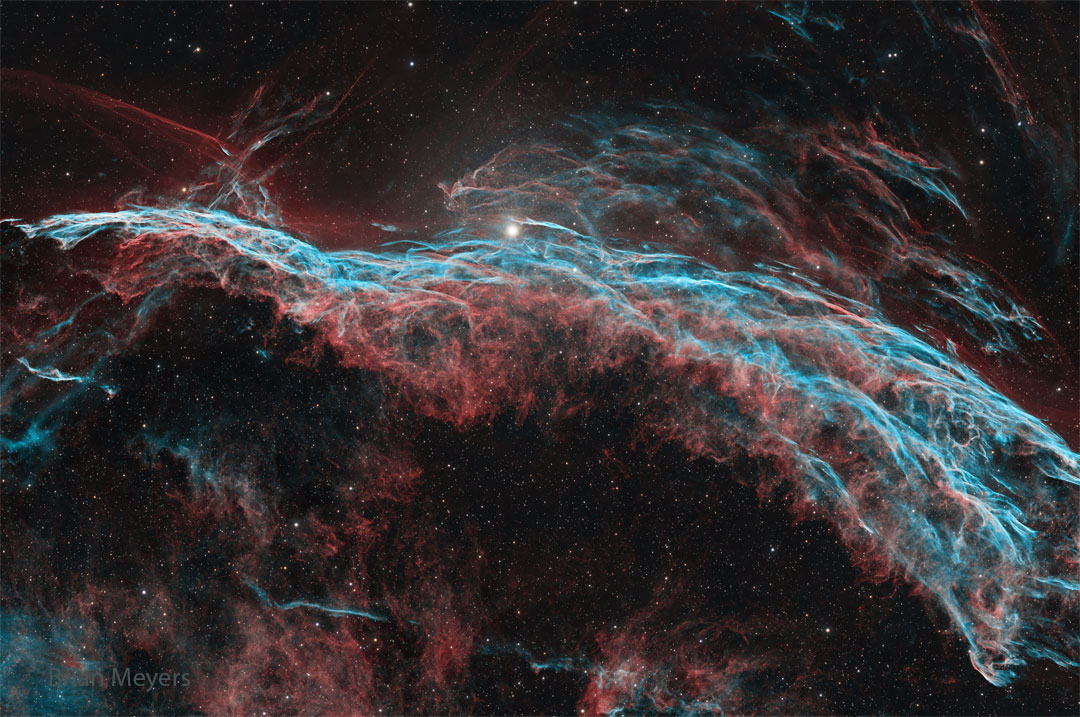"
},
"typeVersion": 1
},
{
"id": "a299e6ae-bf95-4e13-ac44-3219fec0a4cd",
"name": "Nota Adhesiva7",
"type": "n8n-nodes-base.stickyNote",
"position": [
-2048,
-608
],
"parameters": {
"width": 460,
"height": 1552,
"content": "\nThis workflow fetches NASA’s Astronomical Picture of the Day (APOD), prepares a caption combining the title and explanation, publishes the image to Instagram and sends you a Telegram notification with the result. \n\nIt runs on a schedule so you can share inspiring space images without manual effort.\n\n## Who is it for?\nDesigned for science communicators, educators, astronomy fans and social media managers who want to share the APOD each day without searching for content. It’s also helpful for anyone looking to automate daily posts while receiving clear success or failure notifications.\n\n## How it works\n1.\tA Schedule Trigger fires every day at 18:00 (adjustable) to start the workflow.\n2.\tThe Get APOD HTTP request node calls https://api.nasa.gov/planetary/apod using your NASA API key and retrieves the image URL, title and explanation.\n3.\tThe Prepare Caption node builds a caption by concatenating the title and explanation, and extracts the image URL.\n4.\tPrepare IG Post node sends a POST request to https://graph.facebook.com/v23.0/{YOUR_APP_ID}/media with the image URL and caption to create a media container on Instagram.\n5.\tA Wait node pauses the workflow while Instagram processes the media.\n6.\tThe Get Status for Publish request checks the status of the media; the If node proceeds only when the status_code equals FINISHED.\n7.\tWhen ready, the Publish Post node calls to https://graph.facebook.com/v23.0/{YOUR_APP_ID}/media_publish endpoint with the creation_id to publish the photo on Instagram.\n8.\tOn success, a Telegram node sends a message such as “PUBLISH STATUS: FINISHED” to your chat; on failure, another Telegram node notifies you that the upload failed and the workflow stops with an error.\n## Setup steps\n1.\tNode Get APOD: Configure Query Auth with your own Nasa credential.\n2.\tNode: Prepare IG Post: Create a Facebook app and generate an access token with instagram_basic and pages_manage_posts permissions; Configure the url with you ID from you Meta Graph {YOUR_APP_ID}. Configure Facebook Graph API Credential Type with your token, you can generate in your API Graph Explorer\n3.\tNode Get Status For Publish: Configure your Facebook Graph API token like before.\n4.\tNode Publish Post: Configure your Facebook Graph API token like before and configure the url with you ID from you Meta Graph {YOUR_APP_ID}.\n5.\tNode Send Finish Message: Configure your token from Telegram API and your Telegram Chat ID {YOUR_CHAT_ID}.\n6.\tNode Send Fail Message: Configure your token from Telegram API and your Telegram Chat ID {YOUR_CHAT_ID}.\n6.\tTest the workflow to ensure the image posts correctly and that the Telegram notifications reflect the status.\n## Requirements\n·\tNASA APOD API key from api.nasa.gov.\n·\tInstagram account linked to a Facebook page and a valid Facebook Graph API token with the appropriate permissions.\n·\tTelegram bot token and chat ID.\n## How to customise it\nYou can change the posting time or frequency, edit the caption template to include hashtags or links, or send success/failure notifications via email or Slack instead of Telegram. You might also save the images to cloud storage or cross‑post to other platforms, and adjust the error handling logic based on your needs.\n\n"
},
"typeVersion": 1
}
],
"pinData": {},
"connections": {
"a08c9132-ec6a-4b69-ad80-7b45da247fdc": {
"main": [
[
{
"node": "27680fa6-5d6d-4dd7-bcf3-3942b5cb8e90",
"type": "main",
"index": 0
}
],
[
{
"node": "f2220578-15ed-46b7-b5ad-3da9ed9a5a70",
"type": "main",
"index": 0
}
]
]
},
"d2f41656-6425-45f7-a1aa-3e175532a255": {
"main": [
[
{
"node": "9c13d0eb-b77d-41b0-a581-361ebfc91f28",
"type": "main",
"index": 0
}
]
]
},
"27680fa6-5d6d-4dd7-bcf3-3942b5cb8e90": {
"main": [
[
{
"node": "76a2952b-d0d6-4663-8abb-c635a62280cb",
"type": "main",
"index": 0
}
]
]
},
"9c13d0eb-b77d-41b0-a581-361ebfc91f28": {
"main": [
[
{
"node": "e3014cef-b638-42fb-98c2-6b5e1b8730ef",
"type": "main",
"index": 0
}
]
]
},
"e3014cef-b638-42fb-98c2-6b5e1b8730ef": {
"main": [
[
{
"node": "bd070f50-08d5-4016-82f7-57b4fbbb789c",
"type": "main",
"index": 0
}
]
]
},
"03e4b3dd-3d10-4283-a984-fbb7f5d3b219": {
"main": [
[
{
"node": "d2f41656-6425-45f7-a1aa-3e175532a255",
"type": "main",
"index": 0
}
]
]
},
"f2220578-15ed-46b7-b5ad-3da9ed9a5a70": {
"main": [
[
{
"node": "fd826a78-2450-4516-96a8-e90d31f078f5",
"type": "main",
"index": 0
}
]
]
},
"6bb50415-7e55-409b-a66d-49a1b8072600": {
"main": [
[
{
"node": "a08c9132-ec6a-4b69-ad80-7b45da247fdc",
"type": "main",
"index": 0
}
]
]
},
"bd070f50-08d5-4016-82f7-57b4fbbb789c": {
"main": [
[
{
"node": "6bb50415-7e55-409b-a66d-49a1b8072600",
"type": "main",
"index": 0
}
]
]
}
}
}¿Cómo usar este flujo de trabajo?
Copie el código de configuración JSON de arriba, cree un nuevo flujo de trabajo en su instancia de n8n y seleccione "Importar desde JSON", pegue la configuración y luego modifique la configuración de credenciales según sea necesario.
¿En qué escenarios es adecuado este flujo de trabajo?
Intermedio - Creación de contenido, IA Multimodal
¿Es de pago?
Este flujo de trabajo es completamente gratuito, puede importarlo y usarlo directamente. Sin embargo, tenga en cuenta que los servicios de terceros utilizados en el flujo de trabajo (como la API de OpenAI) pueden requerir un pago por su cuenta.
Flujos de trabajo relacionados recomendados

Adrian
@nafriExperienced tech professional with 10+ years in Big Data, AI, and automation, former bootcamp director, and passionate about innovation and strategic growth.
Compartir este flujo de trabajo