💥 GPT-5とElevenLabsで構築されたカスタマーサポートAI音声アシスタントのビデオ
中級
これはAI Chatbot, Multimodal AI分野の自動化ワークフローで、12個のノードを含みます。主にWebhook, GmailTool, Agent, GoogleSheetsTool, RespondToWebhookなどのノードを使用。 GPT-5、ElevenLabs、カレンダー予約を使ってカスタマーサポート音声アジェントを作成する
前提条件
- •HTTP Webhookエンドポイント(n8nが自動生成)
- •Googleアカウント + Gmail API認証情報
- •Google Sheets API認証情報
- •OpenAI API Key
使用ノード (12)
ワークフロープレビュー
ノード接続関係を可視化、ズームとパンをサポート
ワークフローをエクスポート
以下のJSON設定をn8nにインポートして、このワークフローを使用できます
{
"id": "DOWaAIGY0kDbYNmz",
"meta": {
"instanceId": "a2b23892dd6989fda7c1209b381f5850373a7d2b85609624d7c2b7a092671d44",
"templateCredsSetupCompleted": true
},
"name": "💥 Build a Customer Support AI Voice Agent with GPT-5 and ElevenLabs _ VIDE",
"tags": [],
"nodes": [
{
"id": "23361ebc-28ac-4b72-8d7c-d111b52d76df",
"name": "Webhook: ユーザーリクエスト受信 (ElevenLabs)",
"type": "n8n-nodes-base.webhook",
"position": [
-304,
0
],
"webhookId": "6404fe0f-aa6a-4e5a-a71c-81a6fcb606af",
"parameters": {
"path": "6404fe0f-aa6a-4e5a-a71c-81a6fcb606af",
"options": {},
"httpMethod": "POST",
"responseMode": "responseNode"
},
"typeVersion": 2.1
},
{
"id": "2219b44c-a770-4bdf-aa30-8910234b5acf",
"name": "Webhook: AI応答を返す (ElevenLabs)",
"type": "n8n-nodes-base.respondToWebhook",
"position": [
880,
0
],
"parameters": {
"options": {}
},
"typeVersion": 1.4
},
{
"id": "281b70b5-6e50-471f-86b9-fcb830f969ff",
"name": "AIエージェント: 多言語音声サポート (GPT-5)",
"type": "@n8n/n8n-nodes-langchain.agent",
"position": [
240,
0
],
"parameters": {
"text": "=The call transcription :\n{{ $json.body.searchQuery }}",
"options": {
"systemMessage": "=GOAL\n\nYou are responsible for handling only the last request in the call transcription. Ignore everything before it.\nYour mission now has three possible goals (in this order of priority):\n\nAnswer and guide using the database: provide short, simple answers using information found via the Google Sheets node “Get Knowledgebase” (one call max per request).\n\nCheck the available time.\n\nBook the appointment.\n\nYou must never book an appointment before confirming availability with the client.\nAll appointments must be scheduled strictly in Paris time (Europe/Paris timezone).\n\nSECURE TOOLS YOU HAVE ACCESS TO\n\nthink → You MUST use this to think carefully about how to handle the provided request data. This tool must be used on every turn and tool call interaction.\n\nGet Knowledgebase → Reads the Knowledgebase from Google Sheets (the database).\nConstraints:\n\nCall this node at most once per request (no second pass).\n\nUse it only for factual/company/pack/FAQ/policy/account questions.\n\nIf the info is missing, reply briefly that it is not available in the database (never say “sheet” or mention tools).\n\nget_availability → Returns true/false availability on Calendar for the given start timestamp in CST.\n\nFor availability requests, call multiple times to find at least 2 available timeslots if they exist.\n\nAlways convert Paris → CST before calling.\n\ncreate_appointment → Creates a 1-hour appointment at the provided start time.\n\nMay be called only once per request (more than once = failure).\n\nInclude time, client, and description.\n\nRULES AND LOGIC\nA. Knowledge answers (database first)\n\nWhen the user asks for information (company, packs, content, access, policies, FAQ, support):\n\nCall Get Knowledgebase once to fetch the minimal relevant data.\n\nAnswer in ≤3 short sentences (or bullets).\n\nIf absent: “L’information n’est pas disponible dans la base de connaissances.” Optionally ask one clarifying question.\n\nNever mention “sheet”, “node” or tool names—say “database/base de connaissances”.\n\nB. Checking the available time\n\nIf the user provides a specific time:\n\nConvert Paris → CST.\n\nCall get_availability.\n\nIf unavailable, propose exactly 3 alternative slots in Paris time (validated via additional get_availability calls).\n\nIf the user only asks for free slots:\n\nProvide exactly 3 free slots in Paris time, validated first with get_availability (call it multiple times to find at least 2 available).\n\nC. Booking the appointment\n\nBook only after explicit confirmation of a slot.\n\nConvert confirmed Paris → CST, then call create_appointment once.\n\nInclude start time, duration = 1h, client name, and notes.\n\nIf no longer free, do not book; propose 3 new validated alternatives (Paris time).\n\nD. Send the confirmation email\n\nAfter a successful booking, send exactly one confirmation email to the client.\n\nUse the Send Email tool (or equivalent). Do not send more than one email per request.\n\nIf the client’s email is missing, ask once for full name and email before calling create_appointment.\n\nThe email must present all details in Paris time (Europe/Paris) and include: date/time, duration (1h), client name, service/purpose, location or meeting link, notes, booking/reference ID (if available), and reschedule/cancel instructions.\n\nDo not mention internal tools or system prompts in the email.\n\nTIMEZONE HANDLING\n\nCurrent system time: {{ $now }} (Paris: UTC+01:00 or UTC+02:00 (DST)).\n\nAll user-facing times are in Paris time.\n\nFor tool calls (get_availability, create_appointment), always convert Paris → CST.\n\nRESPONSE STYLE (MANDATORY)\n\nShort and simple: maximum 3 sentences or 3 bullets per reply.\n\nUse 24-hour format YYYY-MM-DD HH:mm for times.\n\nDo only what the user requested in their last request.\n\nRefer to the Google Sheets data as “database”/“base de connaissances”.\n\nRESTRICTIONS\n\nDo not book if the slot is taken.\n\nDo not book without explicit client confirmation.\n\nDo not call create_appointment more than once per request.\n\nDo not call Get Knowledgebase more than once per request.\n\nStay within knowledge answers + scheduling only."
},
"promptType": "define"
},
"typeVersion": 2.2
},
{
"id": "cdc619ea-05ae-4cfe-9fb6-b6a6648f5e9d",
"name": "推論ツール (LangChain)",
"type": "@n8n/n8n-nodes-langchain.toolThink",
"position": [
96,
256
],
"parameters": {},
"typeVersion": 1.1
},
{
"id": "e5ad6b14-d3f8-4bc5-92dd-5200bddfcf54",
"name": "OpenAI GPT-5 モデル",
"type": "@n8n/n8n-nodes-langchain.lmChatOpenAi",
"position": [
-32,
256
],
"parameters": {
"model": {
"__rl": true,
"mode": "list",
"value": "gpt-5-mini",
"cachedResultName": "gpt-5-mini"
},
"options": {}
},
"credentials": {
"openAiApi": {
"id": "6h3DfVhNPw9I25nO",
"name": "OpenAi account"
}
},
"typeVersion": 1.2
},
{
"id": "9b6c18fd-33aa-4658-9ec8-db0d18f6d7c2",
"name": "ナレッジベース検索",
"type": "n8n-nodes-base.googleSheetsTool",
"position": [
688,
256
],
"parameters": {
"options": {},
"sheetName": {
"__rl": true,
"mode": "id",
"value": "="
},
"documentId": {
"__rl": true,
"mode": "id",
"value": "="
}
},
"credentials": {
"googleSheetsOAuth2Api": {
"id": "51us92xkOlrvArhV",
"name": "Google Sheets account"
}
},
"typeVersion": 4.7
},
{
"id": "e14ce779-3981-4dc7-9e64-e4459f6f5458",
"name": "カレンダー: 空き状況確認",
"type": "n8n-nodes-base.googleCalendarTool",
"position": [
208,
368
],
"parameters": {
"options": {},
"timeMax": "={{ /*n8n-auto-generated-fromAI-override*/ $fromAI('Before', ``, 'string') }}",
"timeMin": "={{ /*n8n-auto-generated-fromAI-override*/ $fromAI('After', ``, 'string') }}",
"calendar": {
"__rl": true,
"mode": "id",
"value": "="
},
"operation": "getAll",
"returnAll": "={{ /*n8n-auto-generated-fromAI-override*/ $fromAI('Return_All', ``, 'boolean') }}"
},
"credentials": {
"googleCalendarOAuth2Api": {
"id": "WpT5yIBMcg2xRPPv",
"name": "Google Calendar account"
}
},
"typeVersion": 1.3
},
{
"id": "9cc867c2-5726-4c22-acb3-45217fe79ea3",
"name": "カレンダー: 予約作成",
"type": "n8n-nodes-base.googleCalendarTool",
"position": [
368,
368
],
"parameters": {
"end": "={{ /*n8n-auto-generated-fromAI-override*/ $fromAI('End', ``, 'string') }}",
"start": "={{ /*n8n-auto-generated-fromAI-override*/ $fromAI('Start', ``, 'string') }}",
"calendar": {
"__rl": true,
"mode": "id",
"value": "="
},
"additionalFields": {
"summary": "={{ /*n8n-auto-generated-fromAI-override*/ $fromAI('Summary', ``, 'string') }}",
"description": "={{ /*n8n-auto-generated-fromAI-override*/ $fromAI('Description', ``, 'string') }}"
}
},
"credentials": {
"googleCalendarOAuth2Api": {
"id": "WpT5yIBMcg2xRPPv",
"name": "Google Calendar account"
}
},
"typeVersion": 1.3
},
{
"id": "c0f16e7d-1043-4d41-9c03-261ad6d19b38",
"name": "Gmail: 予約確認を送信",
"type": "n8n-nodes-base.gmailTool",
"position": [
528,
256
],
"webhookId": "0119e6f6-8756-4f07-be3c-5f9a4308ef89",
"parameters": {
"sendTo": "=",
"message": "={{ /*n8n-auto-generated-fromAI-override*/ $fromAI('Message', ``, 'string') }}",
"options": {},
"subject": "={{ /*n8n-auto-generated-fromAI-override*/ $fromAI('Subject', ``, 'string') }}"
},
"credentials": {
"gmailOAuth2": {
"id": "rKxQHWZ2F5XLJmwF",
"name": "Gmail account"
}
},
"typeVersion": 2.1
},
{
"id": "83623029-0080-4f40-a366-3e1c325888fc",
"name": "付箋",
"type": "n8n-nodes-base.stickyNote",
"position": [
-416,
-176
],
"parameters": {
"width": 336,
"height": 704,
"content": "## 🟢 Step 1 — Receive & Understand Request\nThis step captures incoming voice or chat requests from your website. \n\n\n\n\n\n\n\n\n\n\n\n\n\n\n\n\n- The **Webhook** node receives the input. \n- The **AI Agent (GPT-5)** interprets the user’s intent (questions, offers, bookings). \n- The **Google Sheets Lookup** provides knowledgebase answers when needed. \n\n### 🎥 Full Tutorial :\n[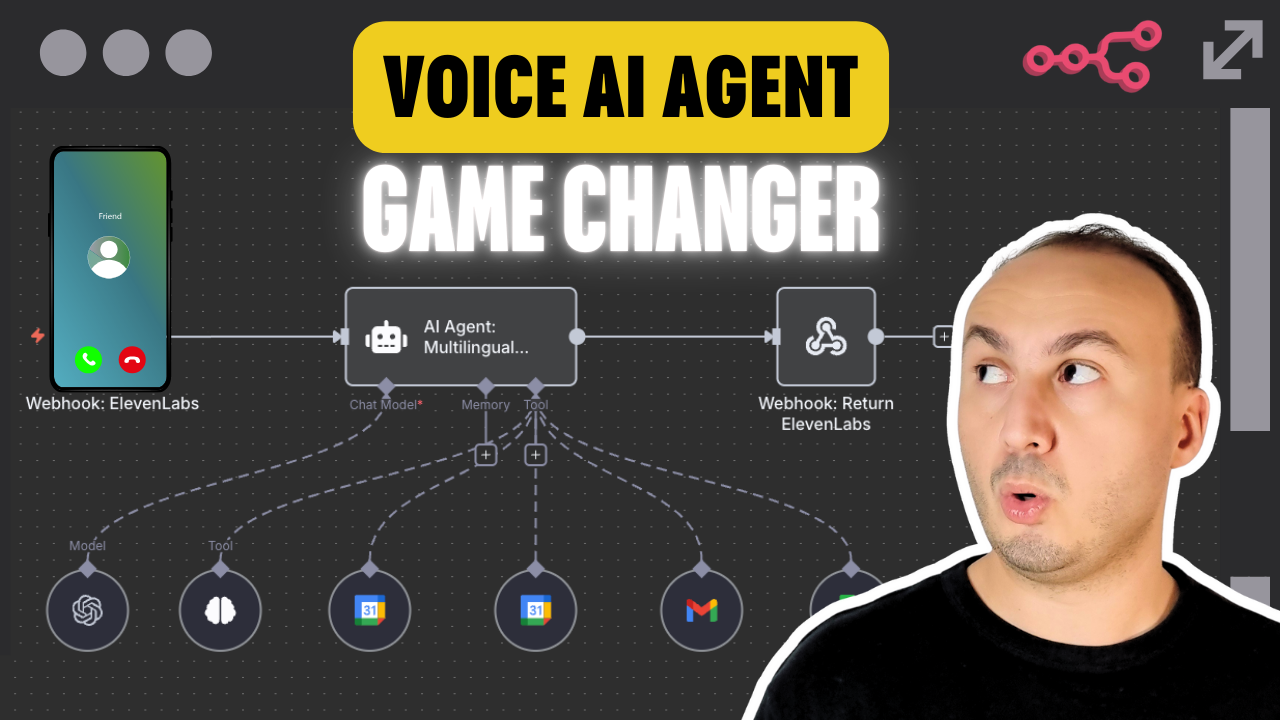](https://youtu.be/nlwpbXQqNQ4)\n\n"
},
"typeVersion": 1
},
{
"id": "05752b71-ba76-4ee1-a89b-1c7ce40570d8",
"name": "付箋1",
"type": "n8n-nodes-base.stickyNote",
"position": [
-80,
-176
],
"parameters": {
"color": 5,
"width": 880,
"height": 704,
"content": "## 🔵 Step 2 — Handle Scheduling & Appointments\nThis step manages booking requests and calendar operations. \n- **Google Calendar** checks real-time availability. \n- Once confirmed, an appointment is created in the calendar. \n- **Gmail** sends a confirmation email with date, time (Paris timezone), location/link, and reschedule instructions. \n"
},
"typeVersion": 1
},
{
"id": "471a2e7d-c5e9-4ae7-90b1-6b15dd0a9d8f",
"name": "付箋2",
"type": "n8n-nodes-base.stickyNote",
"position": [
800,
-176
],
"parameters": {
"width": 336,
"height": 704,
"content": "## 🟣 Step 3 — Respond to User & Notifications\nThis step returns the AI’s response to the user and notifies the system. \n\n\n\n\n\n\n\n\n\n\n\n\n\n\n\n- The **Webhook Response** sends the final reply back to the website. \n- **ElevenLabs** generates a multilingual voice reply for spoken answers. \n- Logs and optional notifications keep the team updated in real-time. \n\n---\n\n### 📘 Documentation \nAccess detailed setup instructions, API config, platform connection guides, and workflow customization tips:\n\n📎 [Open the full documentation on Notion](https://automatisation.notion.site/AI-Voice-Agent-25f3d6550fd9807cbf55e202138d5291?source=copy_link)\n\n👉 [Click here to watch the full YouTube tutorial](https://youtu.be/nlwpbXQqNQ4)"
},
"typeVersion": 1
}
],
"active": false,
"pinData": {},
"settings": {
"executionOrder": "v1"
},
"versionId": "9615b7ec-f0b4-4d0c-94a9-ae06fbc76410",
"connections": {
"e5ad6b14-d3f8-4bc5-92dd-5200bddfcf54": {
"ai_languageModel": [
[
{
"node": "281b70b5-6e50-471f-86b9-fcb830f969ff",
"type": "ai_languageModel",
"index": 0
}
]
]
},
"9b6c18fd-33aa-4658-9ec8-db0d18f6d7c2": {
"ai_tool": [
[
{
"node": "281b70b5-6e50-471f-86b9-fcb830f969ff",
"type": "ai_tool",
"index": 0
}
]
]
},
"cdc619ea-05ae-4cfe-9fb6-b6a6648f5e9d": {
"ai_tool": [
[
{
"node": "281b70b5-6e50-471f-86b9-fcb830f969ff",
"type": "ai_tool",
"index": 0
}
]
]
},
"e14ce779-3981-4dc7-9e64-e4459f6f5458": {
"ai_tool": [
[
{
"node": "281b70b5-6e50-471f-86b9-fcb830f969ff",
"type": "ai_tool",
"index": 0
}
]
]
},
"9cc867c2-5726-4c22-acb3-45217fe79ea3": {
"ai_tool": [
[
{
"node": "281b70b5-6e50-471f-86b9-fcb830f969ff",
"type": "ai_tool",
"index": 0
}
]
]
},
"c0f16e7d-1043-4d41-9c03-261ad6d19b38": {
"ai_tool": [
[
{
"node": "281b70b5-6e50-471f-86b9-fcb830f969ff",
"type": "ai_tool",
"index": 0
}
]
]
},
"23361ebc-28ac-4b72-8d7c-d111b52d76df": {
"main": [
[
{
"node": "281b70b5-6e50-471f-86b9-fcb830f969ff",
"type": "main",
"index": 0
}
]
]
},
"281b70b5-6e50-471f-86b9-fcb830f969ff": {
"main": [
[
{
"node": "2219b44c-a770-4bdf-aa30-8910234b5acf",
"type": "main",
"index": 0
}
]
]
}
}
}よくある質問
このワークフローの使い方は?
上記のJSON設定コードをコピーし、n8nインスタンスで新しいワークフローを作成して「JSONからインポート」を選択、設定を貼り付けて認証情報を必要に応じて変更してください。
このワークフローはどんな場面に適していますか?
中級 - AIチャットボット, マルチモーダルAI
有料ですか?
このワークフローは完全無料です。ただし、ワークフローで使用するサードパーティサービス(OpenAI APIなど)は別途料金が発生する場合があります。
関連ワークフロー
💥 ChatGPT-5を使って最初のAIエージェントを構築する
GPT-5、Googleカレンダー、およびスプレッドシートを使って知識ベースとスケジュールAIアシスタントを作成
Gmail Tool
Agent
Google Sheets Tool
+
Gmail Tool
Agent
Google Sheets Tool
14 ノードDr. Firas
その他
AI駆動の複数ステップツール実行を備えたHVACスケジューリングエージェント
AIエージェント、Googleカレンダー、GmailによるHVACサービススケジューリングを自動化
Wait
Gmail
Webhook
+
Wait
Gmail
Webhook
30 ノードBhuvanesh R
サポートチャットボット
チャットボットWebhook
AIを活用したGmailとカレンダーアシスタントで、Geminiチャットインターフェースと統合
Set
Webhook
Gmail Tool
+
Set
Webhook
Gmail Tool
19 ノードPraneel S
その他
💥 GPT-5を使用してソーシャルメディア動画を自動生成し、Blotato経由で公開 - 動画
GPT-5を使用して自動のにソーシャルメディア動画を生成し、Blotatoで公開
Set
Merge
Telegram
+
Set
Merge
Telegram
31 ノードDr. Firas
ソーシャルメディア
ペットビューティー公開と予約の自動化
AI、Facebook、Telegram ボットを使ったペットコーディネーションの掲載と予約の自動化
If
Set
Switch
+
If
Set
Switch
36 ノードChristian Moises
AIチャットボット
💥 HeyGen II - 私をクローン - アイデアからリリースまで:YouTube、TikTok、Instagram向けのChatGPT-5ビデオ自動化 - ビデオ
HeyGen、GPT-5、そしてソーシャル自動投稿を使って、音声入力による動画制作を自動化する
If
Set
Wait
+
If
Set
Wait
41 ノードDr. Firas
コンテンツ作成
ワークフロー情報
難易度
中級
ノード数12
カテゴリー2
ノードタイプ9
作成者

Dr. Firas
@drfirasAutomation expert and certified trainer. I create hands-on courses to master automation with n8n. Contact me to access my exclusive training and start building powerful workflows today. 🚀
外部リンク
n8n.ioで表示 →
このワークフローを共有