ナノ🍌
中級
これはContent Creation, Multimodal AI分野の自動化ワークフローで、10個のノードを含みます。主にSet, Code, Form, FormTrigger, HttpRequestなどのノードを使用。 OpenRouterを通じてGemini AIを使用してファッションモデルのプロダクト広告を生成
前提条件
- •ターゲットAPIの認証情報が必要な場合あり
ワークフロープレビュー
ノード接続関係を可視化、ズームとパンをサポート
ワークフローをエクスポート
以下のJSON設定をn8nにインポートして、このワークフローを使用できます
{
"id": "S1ljxgDqXGEf3jTi",
"meta": {
"instanceId": "125e3b631be5af75b5d8304f7125cd5c84e5ea96c148171cca4bfb3fcc88fe9b",
"templateCredsSetupCompleted": true
},
"name": "Nano 🍌",
"tags": [],
"nodes": [
{
"id": "42aa6ec4-6cfb-418f-a31a-844ef6870c31",
"name": "フォーム送信時",
"type": "n8n-nodes-base.formTrigger",
"position": [
128,
224
],
"webhookId": "3b255328-041e-4e2e-bca8-176e9846ac7e",
"parameters": {
"options": {
"buttonLabel": "Generate ✨",
"appendAttribution": false
},
"formTitle": "Advertise Image Generator",
"formFields": {
"values": [
{
"fieldType": "file",
"fieldLabel": "Product Image",
"multipleFiles": false,
"requiredField": true,
"acceptFileTypes": ".jpg, .png"
},
{
"fieldType": "dropdown",
"fieldLabel": "Character Model",
"fieldOptions": {
"values": [
{
"option": "Male"
},
{
"option": "Female"
}
]
}
}
]
},
"formDescription": "Convert Simple Product Images to High Quality Advertise Images"
},
"typeVersion": 2.2
},
{
"id": "e0f74ffe-df13-47bc-a7a9-ef9e1b53f661",
"name": "フィールド編集",
"type": "n8n-nodes-base.set",
"position": [
784,
224
],
"parameters": {
"options": {},
"assignments": {
"assignments": [
{
"id": "6355ac9e-1f4c-42a3-8167-8bb8298cd369",
"name": "data",
"type": "string",
"value": "={{ $json.choices[0].message.images[0].image_url.url }}"
},
{
"id": "dc98bc1c-4048-4fcb-80c5-73dc99b78ddd",
"name": "base",
"type": "string",
"value": "={{ $json.choices[0].message.images[0].image_url.url.split(',')[1] }}"
},
{
"id": "8033a47e-f50c-43ae-b404-99d0fb5cf4eb",
"name": "mime",
"type": "string",
"value": "={{ $json.choices[0].message.images[0].image_url.url.split(';')[0].split(':')[1] }}"
},
{
"id": "0e516163-02cc-4242-ba70-ac2bce94d2dd",
"name": "fileName",
"type": "string",
"value": ".png"
}
]
}
},
"typeVersion": 3.4
},
{
"id": "9adba7f4-44db-4598-b248-e84cf60840b8",
"name": "ファイルに変換",
"type": "n8n-nodes-base.convertToFile",
"position": [
960,
224
],
"parameters": {
"options": {},
"operation": "toBinary",
"sourceProperty": "base"
},
"typeVersion": 1.1
},
{
"id": "b69deac9-3191-4a1f-9df7-6a1812fb689f",
"name": "ファイルから抽出",
"type": "n8n-nodes-base.extractFromFile",
"position": [
304,
224
],
"parameters": {
"options": {},
"operation": "binaryToPropery",
"binaryPropertyName": "Product_Image"
},
"typeVersion": 1
},
{
"id": "13e6ff65-5bbd-4724-a6e4-0f1d52dca7ab",
"name": "コード",
"type": "n8n-nodes-base.code",
"position": [
464,
224
],
"parameters": {
"jsCode": "const items = $input.all();\nconst updatedItems = items.map((item) => {\n const base64Url = item?.json?.data;\n const url = `data:image/png;base64,${base64Url}`;\n return { url };\n});\nreturn updatedItems;\n"
},
"typeVersion": 2
},
{
"id": "cf9b77d0-3172-4bdf-b7a9-7c35144a6aa6",
"name": "フォーム",
"type": "n8n-nodes-base.form",
"position": [
1120,
224
],
"webhookId": "60191061-42cf-4116-ba6a-a93931099c53",
"parameters": {
"options": {},
"operation": "completion",
"respondWith": "returnBinary",
"completionTitle": "Image Generation Completed",
"completionMessage": "Generated Image Will be Automatically Downloaded in Your Device"
},
"typeVersion": 1
},
{
"id": "b627e7a3-f07b-4f9b-aadb-a7b8ee2a6379",
"name": "ナノ🍌",
"type": "n8n-nodes-base.httpRequest",
"position": [
624,
224
],
"parameters": {
"url": "https://openrouter.ai/api/v1/chat/completions",
"method": "POST",
"options": {},
"jsonBody": "={\n \"model\": \"google/gemini-2.5-flash-image-preview:free\",\n \"messages\": [\n {\n \"role\": \"user\",\n \"content\": [\n {\n \"type\": \"text\",\n \"text\": \"This image is a picture of a product. Generate a new, photorealistic image of a {{ $('On form submission').item.json['Character Model'] }} fashion model actively using this exact product in a natural setting. The {{ $('On form submission').item.json['Character Model'] }} model should look happy and engaged with the product. Pay close attention to the product's design, colors, and details from the reference image.\"\n },\n {\n \"type\": \"image_url\",\n \"image_url\": {\n \"url\": \"{{ $json.url }}\"\n }\n }\n ]\n }\n ]\n}",
"sendBody": true,
"sendHeaders": true,
"specifyBody": "json",
"authentication": "predefinedCredentialType",
"headerParameters": {
"parameters": [
{
"name": "Authorization",
"value": "Bearer $OPENROUTER_API_KEY"
}
]
},
"nodeCredentialType": "openRouterApi"
},
"credentials": {
"openRouterApi": {
"id": "393kOAsHfUJpG8EB",
"name": "OpenRouter account"
},
"httpHeaderAuth": {
"id": "fS11SjNqBiNnF7L3",
"name": "Header Auth account"
}
},
"typeVersion": 4.2
},
{
"id": "288fd023-d62c-4bb4-a82f-a49dc39f55b6",
"name": "付箋",
"type": "n8n-nodes-base.stickyNote",
"position": [
64,
96
],
"parameters": {
"color": 7,
"width": 1280,
"height": 368,
"content": "# Nano 🍌"
},
"typeVersion": 1
},
{
"id": "8ee789d2-81dc-4d25-a792-e46448f0c812",
"name": "付箋1",
"type": "n8n-nodes-base.stickyNote",
"position": [
64,
-560
],
"parameters": {
"width": 608,
"height": 608,
"content": "---\n\n# 🛠 Setup Guide\n\nFollow these steps to get started:\n\n1. **Set up the Image Upload Form**\n Customize the form fields (Product Image, Character Model) in the **Form Trigger** node. This is how users will submit their product images and model preferences.\n\n2. **Configure your [OpenRouter](https://openrouter.ai/) API credentials**\n Add your OpenRouter API key in the **HTTP Request** node credentials. This connects to Google's Gemini model for image generation.\n\n3. **Verify image processing settings**\n The workflow automatically handles base64 conversion and file processing through the **Code** and **Convert to File** nodes. No additional configuration needed here.\n\n4. **Customize the output form**\n Adjust the completion message and download settings in the **Form** node to match your branding.\n\n5. **Test with sample product images**\n Once configured, upload product images to generate high-quality advertisements featuring models using your products.\n\nOnce all connections are set, your workflow will **accept product images, generate professional advertisements with models, and deliver downloadable results** 🚀"
},
"typeVersion": 1
},
{
"id": "d2a21307-97b9-49e8-bebe-36d4be8405f7",
"name": "付箋3",
"type": "n8n-nodes-base.stickyNote",
"position": [
720,
-400
],
"parameters": {
"width": 480,
"height": 448,
"content": "## Start here: Step-by Step Youtube Tutorial :star:\n[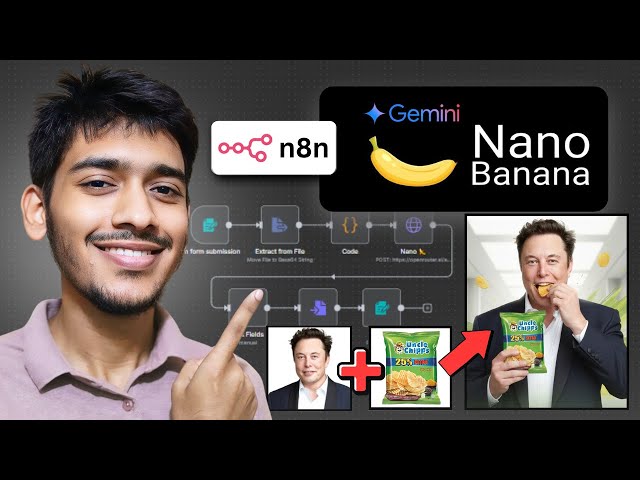](https://youtu.be/UGf01FYaAzY?si=xaO5N1xeXotZ0tYN)"
},
"typeVersion": 1
}
],
"active": false,
"pinData": {},
"settings": {
"executionOrder": "v1"
},
"versionId": "11ea2c53-5d02-4008-836f-3b67bee93b10",
"connections": {
"13e6ff65-5bbd-4724-a6e4-0f1d52dca7ab": {
"main": [
[
{
"node": "b627e7a3-f07b-4f9b-aadb-a7b8ee2a6379",
"type": "main",
"index": 0
}
]
]
},
"b627e7a3-f07b-4f9b-aadb-a7b8ee2a6379": {
"main": [
[
{
"node": "e0f74ffe-df13-47bc-a7a9-ef9e1b53f661",
"type": "main",
"index": 0
}
]
]
},
"e0f74ffe-df13-47bc-a7a9-ef9e1b53f661": {
"main": [
[
{
"node": "9adba7f4-44db-4598-b248-e84cf60840b8",
"type": "main",
"index": 0
}
]
]
},
"9adba7f4-44db-4598-b248-e84cf60840b8": {
"main": [
[
{
"node": "cf9b77d0-3172-4bdf-b7a9-7c35144a6aa6",
"type": "main",
"index": 0
}
]
]
},
"b69deac9-3191-4a1f-9df7-6a1812fb689f": {
"main": [
[
{
"node": "13e6ff65-5bbd-4724-a6e4-0f1d52dca7ab",
"type": "main",
"index": 0
}
]
]
},
"42aa6ec4-6cfb-418f-a31a-844ef6870c31": {
"main": [
[
{
"node": "b69deac9-3191-4a1f-9df7-6a1812fb689f",
"type": "main",
"index": 0
}
]
]
}
}
}よくある質問
このワークフローの使い方は?
上記のJSON設定コードをコピーし、n8nインスタンスで新しいワークフローを作成して「JSONからインポート」を選択、設定を貼り付けて認証情報を必要に応じて変更してください。
このワークフローはどんな場面に適していますか?
中級 - コンテンツ作成, マルチモーダルAI
有料ですか?
このワークフローは完全無料です。ただし、ワークフローで使用するサードパーティサービス(OpenAI APIなど)は別途料金が発生する場合があります。
関連ワークフロー
YouTube 動画をブログ記事に変換
Mistral AIとGemini画像生成を利用してYouTube動画からブログ記事を作成
Set
Code
Merge
+
Set
Code
Merge
56 ノードZakwan
コンテンツ作成
NanoBanana 🍌と Telegram を使用した UGC 画像生成のフォーム提交ツール
Google Formsの送信からGoogle GeminiとTelegramでUGC画像生成
Set
Code
Merge
+
Set
Code
Merge
15 ノードJaures NYA
コンテンツ作成
Instagramの趨勢電卓ブックからSEOコンテンツを生成して保存(SharePoint/Drive/Dropbox)
GPT-4o、FAL AI、複数ストレージによるトレンドの自動SEOコンテンツ生成
If
Set
Code
+
If
Set
Code
47 ノードplemeo
コンテンツ作成
開発完了 - Veo3を使って商品広告を生成
AI動画広告生成にはGoogle Veo 3、Gemini、Airtableを活用しましょう
Code
Form
Wait
+
Code
Form
Wait
16 ノードIntuz
コンテンツ作成
WordPressブログの自動化プロフェッショナル版(先端研究)v2.1マーケットプラグイン
GPT-4o、Perplexity AI、そして多言語対応を使ったSEO最適化ブログ作成の自動化
If
Set
Xml
+
If
Set
Xml
125 ノードDaniel Ng
コンテンツ作成
OpenAI、ElevenLabs、Fal.ai を使用した動画・パ odcast・ASM R向けのウイルス性コンテンツ自動作成
OpenAI、ElevenLabs、そして Fal.ai を使って動画、ポッドキャスト、ASMR に向けたウイルスのコンテンツ作成を自動化
Set
Code
Wait
+
Set
Code
Wait
97 ノードAdam Crafts
コンテンツ作成
