毎日のNASA天文写真をInstagramへ公開し、Telegram通知を送信
中級
これはContent Creation, Multimodal AI分野の自動化ワークフローで、13個のノードを含みます。主にIf, Set, Wait, Telegram, HttpRequestなどのノードを使用。 毎日のNASA天文図をInstagramに投稿し、Telegram通知を送信
前提条件
- •Telegram Bot Token
- •ターゲットAPIの認証情報が必要な場合あり
ワークフロープレビュー
ノード接続関係を可視化、ズームとパンをサポート
ワークフローをエクスポート
以下のJSON設定をn8nにインポートして、このワークフローを使用できます
{
"meta": {
"instanceId": "0867aa2e4fb4e86d170a6ca997a164fd02d27420eb0e7cb54482c4b03d1672ac"
},
"nodes": [
{
"id": "d2f41656-6425-45f7-a1aa-3e175532a255",
"name": "Get APOD",
"type": "n8n-nodes-base.httpRequest",
"position": [
-1280,
176
],
"parameters": {
"url": "https://api.nasa.gov/planetary/apod",
"options": {},
"authentication": "queryAuth"
},
"credentials": {
"httpQueryAuth": {
"id": "37d7wycfdgdqWeER",
"name": "Nasa Api Key"
}
},
"typeVersion": 1
},
{
"id": "9c13d0eb-b77d-41b0-a581-361ebfc91f28",
"name": "キャプションを準備",
"type": "n8n-nodes-base.set",
"position": [
-1088,
176
],
"parameters": {
"values": {
"string": [
{
"name": "caption",
"value": "{{ $json.title }} - {{ $json.explanation }}"
},
{
"name": "imageUrl",
"value": "{{ $json.url }}"
}
]
},
"options": {}
},
"typeVersion": 2
},
{
"id": "e3014cef-b638-42fb-98c2-6b5e1b8730ef",
"name": "IG投稿を準備",
"type": "n8n-nodes-base.httpRequest",
"position": [
-896,
176
],
"parameters": {
"url": "https://graph.facebook.com/v23.0/{YOUR_APP_ID}/media",
"method": "POST",
"options": {},
"sendQuery": true,
"authentication": "predefinedCredentialType",
"queryParameters": {
"parameters": [
{
"name": "image_url",
"value": "={{ $json.url }}"
},
{
"name": "caption",
"value": "={{ $json.explanation }}"
}
]
},
"nodeCredentialType": "facebookGraphApi"
},
"credentials": {
"httpHeaderAuth": {
"id": "3snGiBIkZ8OuX058",
"name": "access_token_ig"
},
"facebookGraphApi": {
"id": "wnUWNIb7gNB2KyeW",
"name": "Facebook Graph Token"
}
},
"typeVersion": 4.2
},
{
"id": "6bb50415-7e55-409b-a66d-49a1b8072600",
"name": "公開ステータスを取得",
"type": "n8n-nodes-base.httpRequest",
"position": [
-512,
176
],
"parameters": {
"url": "=https://graph.facebook.com/v23.0/{{ $('Prepare IG Post').item.json.id }}",
"options": {},
"sendQuery": true,
"authentication": "predefinedCredentialType",
"queryParameters": {
"parameters": [
{
"name": "fields",
"value": "status_code,status"
}
]
},
"nodeCredentialType": "facebookGraphApi"
},
"credentials": {
"facebookGraphApi": {
"id": "wnUWNIb7gNB2KyeW",
"name": "Facebook Graph Token"
}
},
"typeVersion": 4.2
},
{
"id": "bd070f50-08d5-4016-82f7-57b4fbbb789c",
"name": "投稿の準備を待機",
"type": "n8n-nodes-base.wait",
"position": [
-704,
176
],
"webhookId": "59df1ae8-40a3-4ba9-ad94-8148d17c7126",
"parameters": {},
"typeVersion": 1.1
},
{
"id": "27680fa6-5d6d-4dd7-bcf3-3942b5cb8e90",
"name": "投稿を公開",
"type": "n8n-nodes-base.httpRequest",
"position": [
-160,
96
],
"parameters": {
"url": "https://graph.facebook.com/v23.0/{YOUR_APP_ID}/media_publish",
"method": "POST",
"options": {},
"sendQuery": true,
"authentication": "predefinedCredentialType",
"queryParameters": {
"parameters": [
{
"name": "creation_id",
"value": "={{ $json.id }}"
}
]
},
"nodeCredentialType": "facebookGraphApi"
},
"credentials": {
"facebookGraphApi": {
"id": "wnUWNIb7gNB2KyeW",
"name": "Facebook Graph Token"
}
},
"typeVersion": 4.2
},
{
"id": "a08c9132-ec6a-4b69-ad80-7b45da247fdc",
"name": "If",
"type": "n8n-nodes-base.if",
"position": [
-336,
176
],
"parameters": {
"options": {},
"conditions": {
"options": {
"version": 2,
"leftValue": "",
"caseSensitive": true,
"typeValidation": "strict"
},
"combinator": "and",
"conditions": [
{
"id": "c87f4367-7fd4-4862-bfb0-ac8546999ef1",
"operator": {
"name": "filter.operator.equals",
"type": "string",
"operation": "equals"
},
"leftValue": "={{ $json.status_code }}",
"rightValue": "FINISHED"
}
]
}
},
"typeVersion": 2.2
},
{
"id": "76a2952b-d0d6-4663-8abb-c635a62280cb",
"name": "完了メッセージを送信",
"type": "n8n-nodes-base.telegram",
"position": [
32,
96
],
"webhookId": "d78a7b0c-c02d-4853-8d67-a89b00f2665e",
"parameters": {
"text": "=PUBLISH STATUS: {{ $('If').item.json.status_code }}",
"chatId": "{YOUR_CHAT_ID}",
"forceReply": {},
"replyMarkup": "=",
"additionalFields": {},
"replyKeyboardRemove": {},
"replyKeyboardOptions": {}
},
"credentials": {
"telegramApi": {
"id": "lVwAncROWGp3l67D",
"name": "Telegram Podcast"
}
},
"typeVersion": 1.2
},
{
"id": "f2220578-15ed-46b7-b5ad-3da9ed9a5a70",
"name": "失敗メッセージを送信",
"type": "n8n-nodes-base.telegram",
"position": [
-160,
256
],
"webhookId": "9e270d6d-25d3-4dd2-891d-73d85b712f1d",
"parameters": {
"text": "The upload of the publication has failed, check logs.",
"chatId": "{YOUR_CHAT_ID}",
"additionalFields": {}
},
"credentials": {
"telegramApi": {
"id": "lVwAncROWGp3l67D",
"name": "Telegram Podcast"
}
},
"typeVersion": 1.2
},
{
"id": "fd826a78-2450-4516-96a8-e90d31f078f5",
"name": "停止とエラー",
"type": "n8n-nodes-base.stopAndError",
"position": [
32,
256
],
"parameters": {
"errorMessage": "Status Code of Publish Api Call Isn't Finished"
},
"typeVersion": 1
},
{
"id": "03e4b3dd-3d10-4283-a984-fbb7f5d3b219",
"name": "スケジュールトリガー",
"type": "n8n-nodes-base.scheduleTrigger",
"position": [
-1456,
176
],
"parameters": {
"rule": {
"interval": [
{
"triggerAtHour": 18
}
]
}
},
"typeVersion": 1.2
},
{
"id": "812d1d81-4871-4e3f-b408-5ea9e59e793c",
"name": "付箋1",
"type": "n8n-nodes-base.stickyNote",
"position": [
-1440,
-384
],
"parameters": {
"width": 604,
"height": 456,
"content": "## Nasa Astronomy Picture of the Day (APOD) Image\n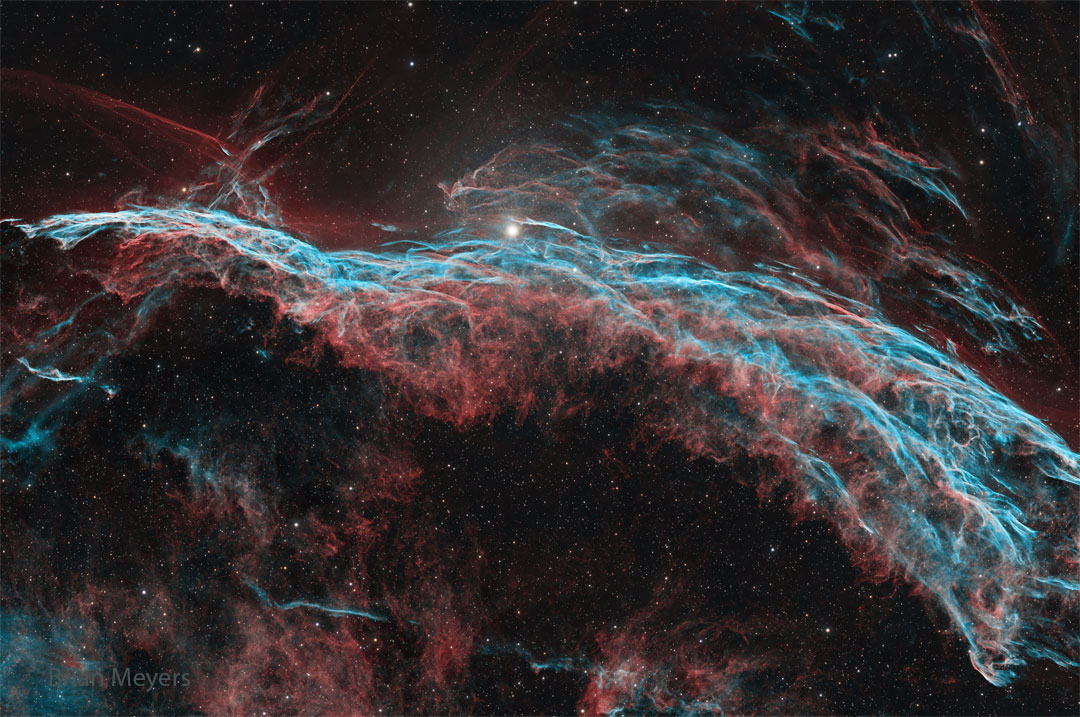"
},
"typeVersion": 1
},
{
"id": "a299e6ae-bf95-4e13-ac44-3219fec0a4cd",
"name": "付箋7",
"type": "n8n-nodes-base.stickyNote",
"position": [
-2048,
-608
],
"parameters": {
"width": 460,
"height": 1552,
"content": "\nThis workflow fetches NASA’s Astronomical Picture of the Day (APOD), prepares a caption combining the title and explanation, publishes the image to Instagram and sends you a Telegram notification with the result. \n\nIt runs on a schedule so you can share inspiring space images without manual effort.\n\n## Who is it for?\nDesigned for science communicators, educators, astronomy fans and social media managers who want to share the APOD each day without searching for content. It’s also helpful for anyone looking to automate daily posts while receiving clear success or failure notifications.\n\n## How it works\n1.\tA Schedule Trigger fires every day at 18:00 (adjustable) to start the workflow.\n2.\tThe Get APOD HTTP request node calls https://api.nasa.gov/planetary/apod using your NASA API key and retrieves the image URL, title and explanation.\n3.\tThe Prepare Caption node builds a caption by concatenating the title and explanation, and extracts the image URL.\n4.\tPrepare IG Post node sends a POST request to https://graph.facebook.com/v23.0/{YOUR_APP_ID}/media with the image URL and caption to create a media container on Instagram.\n5.\tA Wait node pauses the workflow while Instagram processes the media.\n6.\tThe Get Status for Publish request checks the status of the media; the If node proceeds only when the status_code equals FINISHED.\n7.\tWhen ready, the Publish Post node calls to https://graph.facebook.com/v23.0/{YOUR_APP_ID}/media_publish endpoint with the creation_id to publish the photo on Instagram.\n8.\tOn success, a Telegram node sends a message such as “PUBLISH STATUS: FINISHED” to your chat; on failure, another Telegram node notifies you that the upload failed and the workflow stops with an error.\n## Setup steps\n1.\tNode Get APOD: Configure Query Auth with your own Nasa credential.\n2.\tNode: Prepare IG Post: Create a Facebook app and generate an access token with instagram_basic and pages_manage_posts permissions; Configure the url with you ID from you Meta Graph {YOUR_APP_ID}. Configure Facebook Graph API Credential Type with your token, you can generate in your API Graph Explorer\n3.\tNode Get Status For Publish: Configure your Facebook Graph API token like before.\n4.\tNode Publish Post: Configure your Facebook Graph API token like before and configure the url with you ID from you Meta Graph {YOUR_APP_ID}.\n5.\tNode Send Finish Message: Configure your token from Telegram API and your Telegram Chat ID {YOUR_CHAT_ID}.\n6.\tNode Send Fail Message: Configure your token from Telegram API and your Telegram Chat ID {YOUR_CHAT_ID}.\n6.\tTest the workflow to ensure the image posts correctly and that the Telegram notifications reflect the status.\n## Requirements\n·\tNASA APOD API key from api.nasa.gov.\n·\tInstagram account linked to a Facebook page and a valid Facebook Graph API token with the appropriate permissions.\n·\tTelegram bot token and chat ID.\n## How to customise it\nYou can change the posting time or frequency, edit the caption template to include hashtags or links, or send success/failure notifications via email or Slack instead of Telegram. You might also save the images to cloud storage or cross‑post to other platforms, and adjust the error handling logic based on your needs.\n\n"
},
"typeVersion": 1
}
],
"pinData": {},
"connections": {
"a08c9132-ec6a-4b69-ad80-7b45da247fdc": {
"main": [
[
{
"node": "27680fa6-5d6d-4dd7-bcf3-3942b5cb8e90",
"type": "main",
"index": 0
}
],
[
{
"node": "f2220578-15ed-46b7-b5ad-3da9ed9a5a70",
"type": "main",
"index": 0
}
]
]
},
"d2f41656-6425-45f7-a1aa-3e175532a255": {
"main": [
[
{
"node": "9c13d0eb-b77d-41b0-a581-361ebfc91f28",
"type": "main",
"index": 0
}
]
]
},
"27680fa6-5d6d-4dd7-bcf3-3942b5cb8e90": {
"main": [
[
{
"node": "76a2952b-d0d6-4663-8abb-c635a62280cb",
"type": "main",
"index": 0
}
]
]
},
"9c13d0eb-b77d-41b0-a581-361ebfc91f28": {
"main": [
[
{
"node": "e3014cef-b638-42fb-98c2-6b5e1b8730ef",
"type": "main",
"index": 0
}
]
]
},
"e3014cef-b638-42fb-98c2-6b5e1b8730ef": {
"main": [
[
{
"node": "bd070f50-08d5-4016-82f7-57b4fbbb789c",
"type": "main",
"index": 0
}
]
]
},
"03e4b3dd-3d10-4283-a984-fbb7f5d3b219": {
"main": [
[
{
"node": "d2f41656-6425-45f7-a1aa-3e175532a255",
"type": "main",
"index": 0
}
]
]
},
"f2220578-15ed-46b7-b5ad-3da9ed9a5a70": {
"main": [
[
{
"node": "fd826a78-2450-4516-96a8-e90d31f078f5",
"type": "main",
"index": 0
}
]
]
},
"6bb50415-7e55-409b-a66d-49a1b8072600": {
"main": [
[
{
"node": "a08c9132-ec6a-4b69-ad80-7b45da247fdc",
"type": "main",
"index": 0
}
]
]
},
"bd070f50-08d5-4016-82f7-57b4fbbb789c": {
"main": [
[
{
"node": "6bb50415-7e55-409b-a66d-49a1b8072600",
"type": "main",
"index": 0
}
]
]
}
}
}よくある質問
このワークフローの使い方は?
上記のJSON設定コードをコピーし、n8nインスタンスで新しいワークフローを作成して「JSONからインポート」を選択、設定を貼り付けて認証情報を必要に応じて変更してください。
このワークフローはどんな場面に適していますか?
中級 - コンテンツ作成, マルチモーダルAI
有料ですか?
このワークフローは完全無料です。ただし、ワークフローで使用するサードパーティサービス(OpenAI APIなど)は別途料金が発生する場合があります。
関連ワークフロー
再生リスト詳細設定ボットコピー
Suno、GPT-4、Runway、Creatomate を使って AI 生成の YouTube ミュージックプレイリストを作成
If
Set
Code
+
If
Set
Code
203 ノードJoseph
コンテンツ作成
AI駆動型動画制作&Instagram/TikTok/YouTubeへの自動アップロード
クラウドドライブからAI駆動の動画作成およびInstagram、TikTok、YouTubeへのアップロード
If
Set
Code
+
If
Set
Code
53 ノードDevCode Journey
コンテンツ作成
Veo-3、Perplexity、FFmpegを使って1080pの短い動画を自動生成して投稿
Veo-3、Perplexity、FFmpegを使って1080pの短い動画を自動生成して投稿する
If
Set
Wait
+
If
Set
Wait
21 ノードSulieman Said
コンテンツ作成
LinkedInおよびXウイルスのなコンテンツ自動エンジン
AIを使ってLinkedInとXにウイルスのなコンテンツを自動生成して公開する
If
Set
Wait
+
If
Set
Wait
156 ノードDiptamoy Barman
コンテンツ作成
Sora-2、GPT、YouTubeを使用してアフィリエイト商品動画を作成・公開
Sora-2、GPT、YouTubeを使用してアフィリエイト製品ビデオを作成・配信
If
Set
Code
+
If
Set
Code
34 ノードAmjid Ali
コンテンツ作成
マージ
Suno API、Claude、Telegramボットを使って完全な20曲YouTubeプレイリストを作成
If
Set
Code
+
If
Set
Code
150 ノードJoseph
コンテンツ作成
ワークフロー情報
難易度
中級
ノード数13
カテゴリー2
ノードタイプ8
作成者

Adrian
@nafriExperienced tech professional with 10+ years in Big Data, AI, and automation, former bootcamp director, and passionate about innovation and strategic growth.
外部リンク
n8n.ioで表示 →
このワークフローを共有