브랜드화 AI 추동 웹사이트 채팅 로봇 생성
고급
이것은Product, AI, Marketing분야의자동화 워크플로우로, 24개의 노드를 포함합니다.주로 If, Set, Code, Switch, HttpRequest 등의 노드를 사용하며인공지능 기술을 결합하여 스마트 자동화를 구현합니다. 브랜드화된 AI 드라이브드 웹사이트 채팅 로봇 생성
사전 요구사항
- •대상 API의 인증 정보가 필요할 수 있음
- •HTTP Webhook 엔드포인트(n8n이 자동으로 생성)
- •OpenAI API Key
사용된 노드 (24)
워크플로우 미리보기
노드 연결 관계를 시각적으로 표시하며, 확대/축소 및 이동을 지원합니다
워크플로우 내보내기
다음 JSON 구성을 복사하여 n8n에 가져오면 이 워크플로우를 사용할 수 있습니다
{
"meta": {
"instanceId": "67d4d33d8b0ad4e5e12f051d8ad92fc35893d7f48d7f801bc6da4f39967b3592",
"templateCredsSetupCompleted": true
},
"nodes": [
{
"id": "22c8d63b-ce3c-4aab-b3f6-4bae8c1b9ec5",
"name": "윈도우 버퍼 메모리",
"type": "@n8n/n8n-nodes-langchain.memoryBufferWindow",
"position": [
1460,
880
],
"parameters": {
"sessionKey": "={{ $json.sessionId }}",
"sessionIdType": "customKey",
"contextWindowLength": 20
},
"typeVersion": 1.2
},
{
"id": "45403d5c-6e85-424f-b40b-c6214b57457b",
"name": "Respond to Webhook 트리거",
"type": "n8n-nodes-base.respondToWebhook",
"position": [
1880,
580
],
"parameters": {
"options": {}
},
"typeVersion": 1.1
},
{
"id": "1111262a-1743-4bae-abf1-f69d2e1a580c",
"name": "OpenAI 채팅 모델",
"type": "@n8n/n8n-nodes-langchain.lmChatOpenAi",
"position": [
1360,
760
],
"parameters": {
"model": "gpt-4o-2024-08-06",
"options": {
"temperature": 0.4
}
},
"credentials": {
"openAiApi": {
"id": "XWFTuTtx9oWglhNn",
"name": "OpenAi account"
}
},
"typeVersion": 1
},
{
"id": "df891547-c715-4dc6-bfcc-c0ac5cfcaf02",
"name": "Make Appointment",
"type": "@n8n/n8n-nodes-langchain.toolHttpRequest",
"position": [
1820,
840
],
"parameters": {
"url": "https://graph.microsoft.com/v1.0/me/events",
"method": "POST",
"jsonBody": "{\n \"subject\": \"Meetings with <name> at <company>\",\n \"start\": {\n \"dateTime\": \"{dateStartTime}\",\n \"timeZone\": \"Europe/London\"\n },\n \"end\": {\n \"dateTime\": \"{dateEndTime}\",\n \"timeZone\": \"Europe/London\"\n },\n \"body\": {\n \"contentType\": \"HTML\",\n \"content\": \"{reason}\"\n },\n \"attendees\": [\n {\n \"emailAddress\": {\n \"address\": \"{email}\",\n \"name\": \"{name}\"\n },\n \"type\": \"required\"\n }\n ],\n \"location\": {\n \"displayName\": \"Online Meeting\"\n },\n \"isOnlineMeeting\": true,\n \"onlineMeetingProvider\": \"teamsForBusiness\",\n \"showAs\": \"busy\",\n \"categories\": [\n \"Meeting\"\n ]\n}",
"sendBody": true,
"sendQuery": true,
"specifyBody": "json",
"authentication": "predefinedCredentialType",
"parametersQuery": {
"values": [
{
"name": "Content-Type",
"value": "application/json",
"valueProvider": "fieldValue"
}
]
},
"toolDescription": "Call this tool to make the appointment, ensure you send the user email, name, company, reason for the meeting and the appointment start time and the date in ISO String format with timezone for <timezone>. When creating an appointment, always send JSON.",
"nodeCredentialType": "microsoftOutlookOAuth2Api",
"placeholderDefinitions": {
"values": [
{
"name": "dateStartTime",
"type": "string",
"description": "The date and start time of the appointment in toISOString format with timezone for Europe/London"
},
{
"name": "dateEndTime",
"type": "string",
"description": "The date and end time of the appointment in toISOString format, always 30 minutes after the dateStartTime, format with timezone for Europe/London"
},
{
"name": "reason",
"type": "string",
"description": "Detailed description of the meeting, will be sent to us and the customer"
},
{
"name": "email",
"type": "string",
"description": "The customers email address."
},
{
"name": "name",
"type": "string",
"description": "The customers full name, must be second and last name"
}
]
}
},
"credentials": {
"microsoftOutlookOAuth2Api": {
"id": "E0WY3yUNKgrxIwLU",
"name": "Microsoft Outlook Business"
}
},
"typeVersion": 1.1
},
{
"id": "44141c44-de49-4707-b287-24007c84ca21",
"name": "워크플로우 실행 트리거",
"type": "n8n-nodes-base.executeWorkflowTrigger",
"position": [
2160,
580
],
"parameters": {},
"typeVersion": 1
},
{
"id": "795e1451-57d8-4563-8b86-5a75df2427b6",
"name": "varResponse",
"type": "n8n-nodes-base.set",
"position": [
3120,
460
],
"parameters": {
"options": {},
"assignments": {
"assignments": [
{
"id": "c0b6e779-0f7b-41f0-81f8-457f2b31ccfe",
"name": "response",
"type": "array",
"value": "={{ $json.freeTimeSlots.toJsonString() }}"
}
]
}
},
"typeVersion": 3.4
},
{
"id": "4283635f-649c-4cc7-84b9-37524ddb6ce0",
"name": "freeTimeSlots",
"type": "n8n-nodes-base.code",
"position": [
2900,
460
],
"parameters": {
"jsCode": "// Input: An array with objects containing a 'value' array of events.\nconst businessHoursStart = \"08:00:00Z\"; // Business hours start time\nconst businessHoursEnd = \"17:30:00Z\"; // Business hours end time\n\nconst inputData = items[0].json.value; // Assuming the input data is in the 'value' array of the first item\n\n// Function to convert ISO datetime string to a Date object with specified time\nfunction getDateWithTime(dateString, time) {\n const datePart = new Date(dateString).toISOString().split(\"T\")[0]; // Extract the date part (YYYY-MM-DD)\n return new Date(`${datePart}T${time}`);\n}\n\n// Function to get day of the week from a date string\nfunction getDayOfWeek(dateString) {\n const daysOfWeek = [\"Sunday\", \"Monday\", \"Tuesday\", \"Wednesday\", \"Thursday\", \"Friday\", \"Saturday\"];\n return daysOfWeek[new Date(dateString).getUTCDay()];\n}\n\n// Function to add days to a date\nfunction addDays(date, days) {\n const result = new Date(date);\n result.setDate(result.getDate() + days);\n return result;\n}\n\n// Function to format date as YYYY-MM-DD\nfunction formatDate(date) {\n return date.toISOString().split('T')[0];\n}\n\n// Determine the default timezone from input data\nconst defaultTimeZone = inputData.length > 0 && inputData[0].start && inputData[0].start.timeZone \n ? inputData[0].start.timeZone \n : \"UTC\";\n\n// Find min and max dates in the input\nlet minDate = null;\nlet maxDate = null;\n\ninputData.forEach(event => {\n if (event.start && event.start.dateTime) {\n const eventDate = new Date(event.start.dateTime);\n if (!minDate || eventDate < minDate) {\n minDate = eventDate;\n }\n if (!maxDate || eventDate > maxDate) {\n maxDate = eventDate;\n }\n }\n});\n\n// If we have valid dates, ensure they're at the start of the day\nif (minDate && maxDate) {\n minDate = new Date(minDate.toISOString().split('T')[0]);\n maxDate = new Date(maxDate.toISOString().split('T')[0]);\n}\n\n// Organise events by date\nconst eventsByDate = {};\ninputData.forEach(event => {\n if (event.start && event.start.dateTime) {\n const eventDate = new Date(event.start.dateTime).toISOString().split(\"T\")[0]; // Extract the date\n if (!eventsByDate[eventDate]) {\n eventsByDate[eventDate] = [];\n }\n if (event.showAs === \"busy\") {\n eventsByDate[eventDate].push({\n start: new Date(event.start.dateTime),\n end: new Date(event.end.dateTime),\n timeZone: event.start.timeZone || defaultTimeZone\n });\n }\n }\n});\n\n// Find free slots within business hours for each date\nconst freeTimeSlots = [];\n\n// Process all dates in the range\nif (minDate && maxDate) {\n for (let currentDate = new Date(minDate); currentDate <= maxDate; currentDate = addDays(currentDate, 1)) {\n const dateStr = formatDate(currentDate);\n const busyEvents = eventsByDate[dateStr] || [];\n \n // Define business start and end times for the current date\n const businessStart = getDateWithTime(dateStr, businessHoursStart);\n const businessEnd = getDateWithTime(dateStr, businessHoursEnd);\n \n // If there are no busy events for this date, add the entire business day as free\n if (busyEvents.length === 0) {\n freeTimeSlots.push({\n date: dateStr,\n dayOfWeek: getDayOfWeek(dateStr),\n freeStart: businessStart.toISOString(),\n freeEnd: businessEnd.toISOString(),\n timeZone: defaultTimeZone\n });\n continue; // Skip to the next date\n }\n \n // Sort events by their start time\n busyEvents.sort((a, b) => a.start - b.start);\n \n // Check if there's free time before the first busy event\n if (busyEvents[0].start > businessStart) {\n freeTimeSlots.push({\n date: dateStr,\n dayOfWeek: getDayOfWeek(dateStr),\n freeStart: businessStart.toISOString(),\n freeEnd: busyEvents[0].start.toISOString(),\n timeZone: busyEvents[0].timeZone\n });\n }\n \n // Check for gaps between busy events\n for (let i = 0; i < busyEvents.length - 1; i++) {\n if (busyEvents[i].end < busyEvents[i+1].start) {\n freeTimeSlots.push({\n date: dateStr,\n dayOfWeek: getDayOfWeek(dateStr),\n freeStart: busyEvents[i].end.toISOString(),\n freeEnd: busyEvents[i+1].start.toISOString(),\n timeZone: busyEvents[i].timeZone\n });\n }\n }\n \n // Check if there's free time after the last busy event\n if (busyEvents[busyEvents.length - 1].end < businessEnd) {\n freeTimeSlots.push({\n date: dateStr,\n dayOfWeek: getDayOfWeek(dateStr),\n freeStart: busyEvents[busyEvents.length - 1].end.toISOString(),\n freeEnd: businessEnd.toISOString(),\n timeZone: busyEvents[busyEvents.length - 1].timeZone\n });\n }\n }\n}\n\n// Output the free time slots\nreturn [{ json: { freeTimeSlots } }];\n"
},
"typeVersion": 2
},
{
"id": "0786b561-449e-4c8f-bddb-c2bbd95dc197",
"name": "Get Events",
"type": "n8n-nodes-base.httpRequest",
"position": [
2680,
460
],
"parameters": {
"url": "=https://graph.microsoft.com/v1.0/me/calendarView",
"options": {},
"sendQuery": true,
"sendHeaders": true,
"authentication": "predefinedCredentialType",
"queryParameters": {
"parameters": [
{
"name": "startDateTime",
"value": "={{ new Date(new Date().setDate(new Date().getDate() + 2)).toISOString() }}"
},
{
"name": "endDateTime",
"value": "={{ new Date(new Date().setDate(new Date().getDate() + 16)).toISOString() }}"
},
{
"name": "$top",
"value": "50"
},
{
"name": "select",
"value": "start,end,categories,importance,isAllDay,recurrence,showAs,subject,type"
},
{
"name": "orderby",
"value": "start/dateTime asc"
}
]
},
"headerParameters": {
"parameters": [
{
"name": "Prefer",
"value": "outlook.timezone=\"Europe/London\""
}
]
},
"nodeCredentialType": "microsoftOutlookOAuth2Api"
},
"credentials": {
"microsoftOutlookOAuth2Api": {
"id": "E0WY3yUNKgrxIwLU",
"name": "Microsoft Outlook Business"
}
},
"typeVersion": 4.2
},
{
"id": "55c4233e-d395-4193-9a1d-1884faed6f1e",
"name": "Get Availability",
"type": "@n8n/n8n-nodes-langchain.toolWorkflow",
"position": [
1760,
1080
],
"parameters": {
"name": "Get_availability",
"fields": {
"values": [
{
"name": "route",
"stringValue": "availability"
}
]
},
"workflowId": {
"__rl": true,
"mode": "list",
"value": "KD21RG8VeXYDS2Vf",
"cachedResultName": "Website Chatbot"
},
"description": "Call this tool to check my calendar for availability before booking an appointment. This will result in all events for the next 2 weeks. Review all events and do not double book."
},
"typeVersion": 1.2
},
{
"id": "096d1962-31e6-4b3b-ba75-7956f70a6a32",
"name": "Send Message",
"type": "@n8n/n8n-nodes-langchain.toolWorkflow",
"position": [
1620,
1080
],
"parameters": {
"name": "Send_email",
"fields": {
"values": [
{
"name": "route",
"stringValue": "message"
}
]
},
"workflowId": {
"__rl": true,
"mode": "list",
"value": "KD21RG8VeXYDS2Vf",
"cachedResultName": "Website Chatbot"
},
"description": "Call this tool when the customer wants to speak to a human, or is not ready to make an appointment or if the customer has questions outside of your remit. The tool will send an email to our founder, <insert name>. Always send the customer's full name, company and email address along with a detailed message about the enquiry. You must always gather project details.",
"jsonSchemaExample": "{\n\t\"email\": \"the customer's email\",\n \"subject\": \"the subject of the email\",\n \"message\": \"The customer's enquiry, must be a detailed description of their enquiry\",\n \"name\": \"the customer's full name\",\n \"company\": \"the customer company name\"\n}",
"specifyInputSchema": true
},
"typeVersion": 1.2
},
{
"id": "285ddd31-5412-4d1c-ab80-d9960ec902bb",
"name": "채팅 트리거",
"type": "@n8n/n8n-nodes-langchain.chatTrigger",
"disabled": true,
"position": [
620,
600
],
"webhookId": "f406671e-c954-4691-b39a-66c90aa2f103",
"parameters": {
"mode": "webhook",
"public": true,
"options": {
"responseMode": "responseNode",
"allowedOrigins": "*"
}
},
"typeVersion": 1
},
{
"id": "032a26e9-6853-490d-991b-b2af2d845f58",
"name": "스위치",
"type": "n8n-nodes-base.switch",
"position": [
2380,
580
],
"parameters": {
"rules": {
"values": [
{
"outputKey": "availability",
"conditions": {
"options": {
"version": 2,
"leftValue": "",
"caseSensitive": true,
"typeValidation": "strict"
},
"combinator": "and",
"conditions": [
{
"operator": {
"type": "string",
"operation": "equals"
},
"leftValue": "={{ $json.route }}",
"rightValue": "availability"
}
]
},
"renameOutput": true
},
{
"outputKey": "message",
"conditions": {
"options": {
"version": 2,
"leftValue": "",
"caseSensitive": true,
"typeValidation": "strict"
},
"combinator": "and",
"conditions": [
{
"id": "52fd844b-cc8d-471f-a56a-40e119b66194",
"operator": {
"name": "filter.operator.equals",
"type": "string",
"operation": "equals"
},
"leftValue": "={{ $json.route }}",
"rightValue": "message"
}
]
},
"renameOutput": true
}
]
},
"options": {}
},
"typeVersion": 3.2
},
{
"id": "c74905ce-4fd9-486c-abc4-b0b1d57d71a8",
"name": "varMessageResponse",
"type": "n8n-nodes-base.set",
"position": [
2900,
700
],
"parameters": {
"options": {
"ignoreConversionErrors": false
},
"assignments": {
"assignments": [
{
"id": "0d2ad084-9707-4979-84e4-297d1c21f725",
"name": "response",
"type": "string",
"value": "={{ $json }}"
}
]
}
},
"typeVersion": 3.4
},
{
"id": "04c5d43c-1629-4e11-a6bb-ae73369d7002",
"name": "Send Message1",
"type": "n8n-nodes-base.microsoftOutlook",
"position": [
2680,
700
],
"webhookId": "d8acc2cb-fcba-4312-a743-e74abe76d071",
"parameters": {
"subject": "={{ $('Execute Workflow Trigger').item.json.query.subject }}",
"bodyContent": "=<!DOCTYPE html PUBLIC \"-//W3C//DTD XHTML 1.0 Transitional//EN\" \"http://www.w3.org/TR/xhtml1/DTD/xhtml1-transitional.dtd\">\n<html xmlns=\"http://www.w3.org/1999/xhtml\">\n<head>\n <meta http-equiv=\"Content-Type\" content=\"text/html; charset=UTF-8\" />\n <meta name=\"viewport\" content=\"width=device-width, initial-scale=1.0\" />\n <title>New Webchat Customer Enquiry</title>\n <style type=\"text/css\">\n /* Client-specific styles */\n body, table, td, a { -webkit-text-size-adjust: 100%; -ms-text-size-adjust: 100%; }\n table, td { mso-table-lspace: 0pt; mso-table-rspace: 0pt; }\n img { -ms-interpolation-mode: bicubic; }\n\n /* Reset styles */\n body { margin: 0; padding: 0; }\n img { border: 0; height: auto; line-height: 100%; outline: none; text-decoration: none; }\n table { border-collapse: collapse !important; }\n body { height: 100% !important; margin: 0; padding: 0; width: 100% !important; }\n\n /* iOS BLUE LINKS */\n a[x-apple-data-detectors] {\n color: inherit !important;\n text-decoration: none !important;\n font-size: inherit !important;\n font-family: inherit !important;\n font-weight: inherit !important;\n line-height: inherit !important;\n }\n\n /* Styles for Outlook and other email clients */\n .ExternalClass { width: 100%; }\n .ExternalClass, .ExternalClass p, .ExternalClass span, .ExternalClass font, .ExternalClass td, .ExternalClass div { line-height: 100%; }\n \n /* Responsive styles */\n @media screen and (max-width: 600px) {\n .container { width: 100% !important; }\n .content { padding: 15px !important; }\n .field { padding: 10px !important; }\n .header h1 { font-size: 20px !important; }\n .header p { font-size: 12px !important; }\n }\n </style>\n</head>\n<body style=\"margin: 0; padding: 0; background-color: #f4f4f4;\">\n <table border=\"0\" cellpadding=\"0\" cellspacing=\"0\" width=\"100%\">\n <tr>\n <td>\n <table align=\"center\" border=\"0\" cellpadding=\"0\" cellspacing=\"0\" width=\"600\" style=\"border-collapse: collapse; background-color: #ffffff;\">\n <tr>\n <td align=\"center\" bgcolor=\"#1a1a1a\" style=\"padding: 30px 0; background: linear-gradient(135deg, #1a1a1a 0%, #2d1f3d 100%);\">\n <h1 style=\"color: #ffffff; font-family: Arial, sans-serif; font-size: 24px; font-weight: 700; margin: 0; text-transform: uppercase; letter-spacing: 1px;\">New Customer Enquiry</h1>\n <p style=\"color: #ffffff; font-family: Arial, sans-serif; font-size: 14px; line-height: 20px; margin: 10px 0 0; opacity: 0.8;\">A potential client has reached out through our webchat</p>\n </td>\n </tr>\n <tr>\n <td style=\"padding: 20px;\">\n <table border=\"0\" cellpadding=\"0\" cellspacing=\"0\" width=\"100%\">\n <tr>\n <td style=\"padding: 15px; background-color: #f9f9f9; border: 1px solid #e0e0e0; border-radius: 8px;\">\n <p style=\"font-family: Arial, sans-serif; font-size: 14px; line-height: 1.6; color: #6a1b9a; font-weight: bold; margin: 0 0 5px 0;\">FROM</p>\n <p style=\"font-family: Arial, sans-serif; font-size: 16px; line-height: 1.6; color: #333333; margin: 0;\">{{ $('Execute Workflow Trigger').item.json.query.name }}</p>\n </td>\n </tr>\n <tr><td height=\"20\"></td></tr>\n <tr>\n <td style=\"padding: 15px; background-color: #f9f9f9; border: 1px solid #e0e0e0; border-radius: 8px;\">\n <p style=\"font-family: Arial, sans-serif; font-size: 14px; line-height: 1.6; color: #6a1b9a; font-weight: bold; margin: 0 0 5px 0;\">EMAIL</p>\n <p style=\"font-family: Arial, sans-serif; font-size: 16px; line-height: 1.6; color: #333333; margin: 0;\">{{ $('Execute Workflow Trigger').item.json.query.email }}</p>\n </td>\n </tr>\n <tr><td height=\"20\"></td></tr>\n <tr>\n <td style=\"padding: 15px; background-color: #f9f9f9; border: 1px solid #e0e0e0; border-radius: 8px;\">\n <p style=\"font-family: Arial, sans-serif; font-size: 14px; line-height: 1.6; color: #6a1b9a; font-weight: bold; margin: 0 0 5px 0;\">COMPANY</p>\n <p style=\"font-family: Arial, sans-serif; font-size: 16px; line-height: 1.6; color: #333333; margin: 0;\">{{ $('Execute Workflow Trigger').item.json.query.company }}</p>\n </td>\n </tr>\n <tr><td height=\"20\"></td></tr>\n <tr>\n <td style=\"padding: 15px; background-color: #f9f9f9; border: 1px solid #e0e0e0; border-radius: 8px;\">\n <p style=\"font-family: Arial, sans-serif; font-size: 14px; line-height: 1.6; color: #6a1b9a; font-weight: bold; margin: 0 0 5px 0;\">MESSAGE</p>\n <p style=\"font-family: Arial, sans-serif; font-size: 16px; line-height: 1.6; color: #333333; margin: 0;\">{{ $('Execute Workflow Trigger').item.json.query.message }}</p>\n </td>\n </tr>\n </table>\n </td>\n </tr>\n <tr>\n <td align=\"center\" bgcolor=\"#e90ebb\" style=\"padding: 20px; background: linear-gradient(135deg, #e90ebb 0%, #6a1b9a 100%);\">\n <p style=\"font-family: Arial, sans-serif; font-size: 14px; line-height: 20px; color: #ffffff; margin: 0;\">This enquiry was automatically generated from our website's chat interface.</p>\n </td>\n </tr>\n </table>\n </td>\n </tr>\n </table>\n</body>\n</html>",
"toRecipients": "you@yourdomain.com",
"additionalFields": {
"importance": "High",
"bodyContentType": "html"
}
},
"credentials": {
"microsoftOutlookOAuth2Api": {
"id": "E0WY3yUNKgrxIwLU",
"name": "Microsoft Outlook Business"
}
},
"typeVersion": 2
},
{
"id": "5a2636f1-47d3-4421-840b-56553bf14d82",
"name": "메모",
"type": "n8n-nodes-base.stickyNote",
"position": [
1580,
1000
],
"parameters": {
"width": 311.6936390497898,
"height": 205.34013605442183,
"content": "Ensure these referance this workflow, replace placeholders"
},
"typeVersion": 1
},
{
"id": "a9fe05d4-6b86-4313-9f11-b20e3ce7db89",
"name": "메모1",
"type": "n8n-nodes-base.stickyNote",
"position": [
2600,
380
],
"parameters": {
"width": 468,
"height": 238,
"content": "modify business hours\nmodify timezones"
},
"typeVersion": 1
},
{
"id": "5dfda5c9-eeeb-421a-a80d-f42c94602080",
"name": "AI 에이전트",
"type": "@n8n/n8n-nodes-langchain.agent",
"position": [
1460,
580
],
"parameters": {
"text": "={{ $json.chatInput }}",
"options": {
"systemMessage": "=You are an intelligent personal assistant to Wayne, Founder at nocodecreative.io (ai consultancy and software development agency) responsible for coordinating appointments and gathering relevant information from customers. Your tasks are to:\n\n- Understand when the customer is available by asking for suitable days and times (ensuring they are aware we are in a UK timezone)\n- Check the calendar to identify available slots that match their preferences. Pay attention to each event's start and end time and do not double book, you will be given all events for the next 14 days\n- Ask the customer what they would like to discuss during the appointment to ensure proper preparation.\n- Get the customer's name, company name and email address to book the appointment\n- Make the conversation friendly and natural. Confirm the appointment details with the customer and let them know I’ll be ready to discuss what they’d like.\n- After you have checked the calendar, book the appointment accordingly, without double booking. Confirm the customer's timezone and adjust the appointment for EU/London.\n- If the customer isn't ready to book, you can send an email for a human to respond to, ensure you gather a detailed enquiry from the customer including contact details and project information.Ensure the message contains enough information for a human to respond, always include project details, if the customer hasn't provided project details, ask.\n- Alwways suggest an appointment before sending a message, appointment are you primary goal, message are a fall back\n\nExample questions:\n\n\"Hi there! we'd love to help arrange a time that works for us to meet. Could you let us know which days and times are best for you? We’ll check the calendar and book in a suitable slot.\"\n\n\"Could you please let us know what you’d like to discuss during the appointment? This helps us prepare in advance and make our time together as productive as possible.\"\n\n\"Before we put you in touch with a human, please can you provide more information about the project you have in mind?\" //You must gather project info at all times, even if the enquiry is about pricing/costs.\n\nIf the time the customer suggests is not available, suggest the nearest alternative appointment based on existing events, do not book an appointment outside of freeTimeSlots\n\nImportant information:\n- All appointments need 48 hours' notice from {{ \n new Date().toLocaleString(\"en-GB\", { timeZone: \"Europe/London\", hour12: false })\n .split(\", \")[0].split(\"/\").reverse().join(\"-\") \n + \"T\" + new Date().toLocaleTimeString(\"en-GB\", { timeZone: \"Europe/London\", hour12: false }) + \":00.000Z\" \n}} (current date and time in the UK) // this is non-negotiable, but discuss with care and be friendly, only let the customer know this if required\n- Business hours are 8am - 6pm Monday to Friday only Europe/London timezone, ensure the customer is aware of this and help them book during UK hours, you must confirm their timezone to do this!\n- Do not book appointments on a Saturday or sunday\n- Do not book appointments outside of freeTimeSlots\n- Always check the next 14 days, and review all events before providing availability \n- All appointments are for a max of 30 minutes\n- You must never offer an appointment without checking the calendar, if you cannot check the calendar, you cannot book and must let the customer know you can not book an appointment right now.\n- Always offer the soonest appointment available if the customer's preferred time is unavailable\n- When confirming an appointment, be thankful and excited!\n- Initial 30 minute consultation are free of charge\n\n\nMessages and description:\n- When creating descriptions or sending messages, always ensure enough detail is provided for preparation, meaning you can ask follow-up questions to extract further information as required. For example, if a customer asks about pricing, gather some information about the project so our team can provide accurate pricing, and apply this logic throughout\n\nComments:\n//!IMPORTANT! Do not offer any times without checking the calendar, do not make availability up\n//**Do not discuss anything other than appointment booking, if the query does not relate to an appointment, advise them you cannot help at this time.** be friendly and always offer to book an appointment to discuss their query\n//When the appointment is confirmed, let the customer know, by name, that they will be meeting our founder, Wayne for a 30 minute consultation, and that they will receive a calendar invite by email, ensure they accept the invite to confirm the appointment.\n//Always respond as a highly professional executive PA, remember this is the customer's first engagement, they do not know us or Wayne at this stage\n//Do not refer to yourself as me or I, instead communicate like an organisation, using terms like 'us'\n//Always gather project for descriptions and messages"
},
"promptType": "define"
},
"typeVersion": 1.6
},
{
"id": "6156ab7e-d411-46b9-ac44-52ad56ee563d",
"name": "If",
"type": "n8n-nodes-base.if",
"position": [
840,
600
],
"parameters": {
"options": {},
"conditions": {
"options": {
"version": 2,
"leftValue": "",
"caseSensitive": true,
"typeValidation": "strict"
},
"combinator": "and",
"conditions": [
{
"id": "158a0b91-534d-4745-b10e-8a7c97050861",
"operator": {
"type": "string",
"operation": "exists",
"singleValue": true
},
"leftValue": "={{ $json.chatInput }}",
"rightValue": ""
}
]
}
},
"typeVersion": 2.2
},
{
"id": "c94171a9-a71d-4f63-bef6-e90361c57abd",
"name": "Respond With Initial Message",
"type": "n8n-nodes-base.respondToWebhook",
"position": [
1140,
720
],
"parameters": {
"options": {},
"respondWith": "json",
"responseBody": "{\n \"output\": \"Hi, how can I help you today?\"\n}"
},
"typeVersion": 1.1
},
{
"id": "43129771-e976-41af-8adb-88cb5465628d",
"name": "메모8",
"type": "n8n-nodes-base.stickyNote",
"position": [
1340,
-240
],
"parameters": {
"color": 6,
"width": 668,
"height": 111,
"content": "# Custom Branded n8n Chatbot\nBuilt by [Wayne Simpson](https://www.linkedin.com/in/simpsonwayne/) at [nocodecreative.io](https://nocodecreative.io)\n☕ If you find this useful, feel free to [buy me a coffee](https://ko-fi.com/waynesimpson)"
},
"typeVersion": 1
},
{
"id": "bb890f44-caf0-4b7d-b95e-0c05c70e8f45",
"name": "메모9",
"type": "n8n-nodes-base.stickyNote",
"position": [
1000,
-80
],
"parameters": {
"color": 7,
"width": 667,
"height": 497,
"content": "# Watch the Setup Video 📺\n### Watch Set Up Video 👇\n[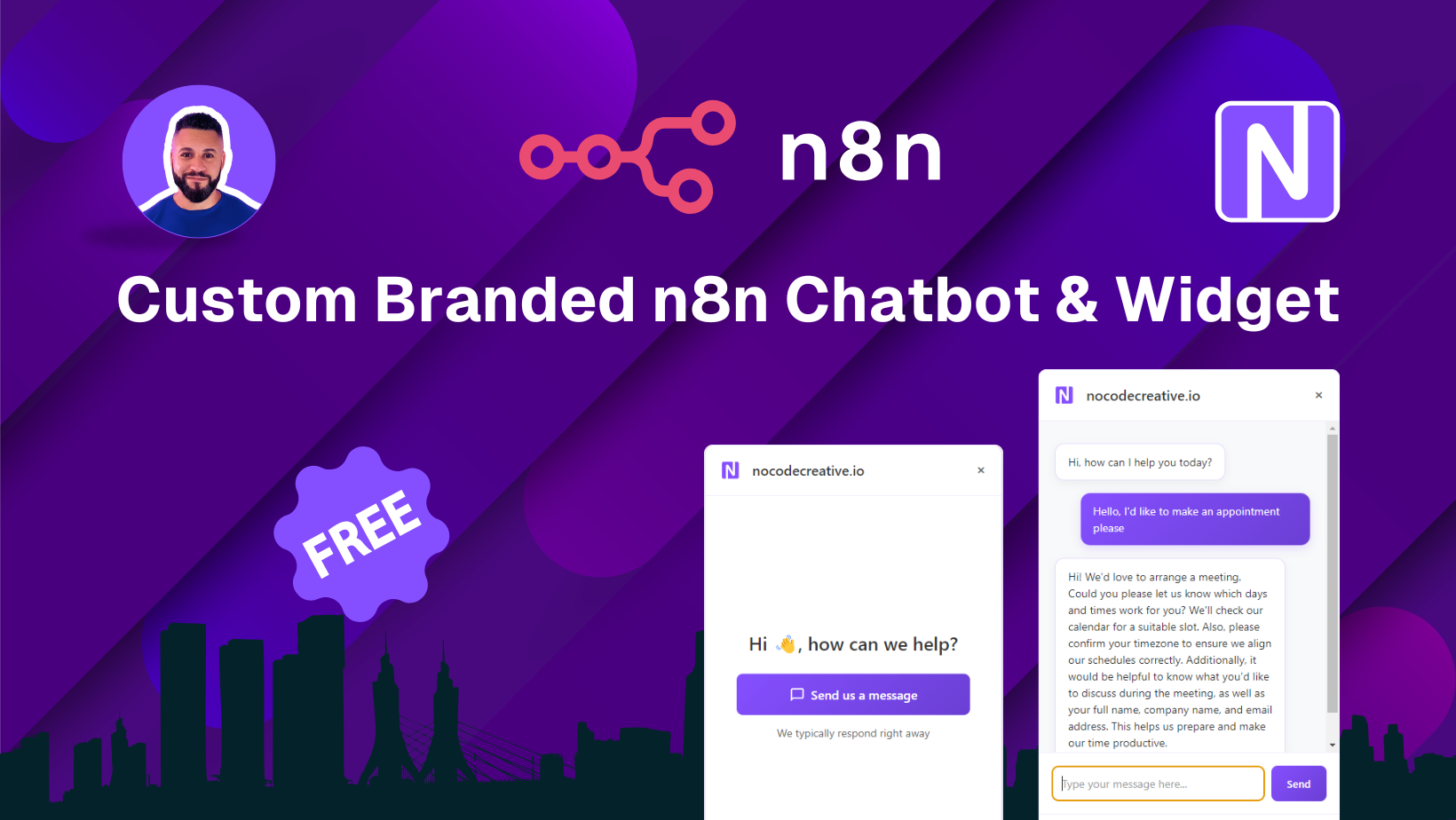](https://youtu.be/xQ1tCQZhLaI)\n\n"
},
"typeVersion": 1
},
{
"id": "f0b054cc-f961-4c48-846c-a80ea5e49924",
"name": "메모2",
"type": "n8n-nodes-base.stickyNote",
"position": [
1700,
-80
],
"parameters": {
"color": 7,
"width": 600,
"height": 500,
"content": "## Read to blog post to get started 📝\n**Follow along to add a custom branded chat widget to your webiste**\n\n[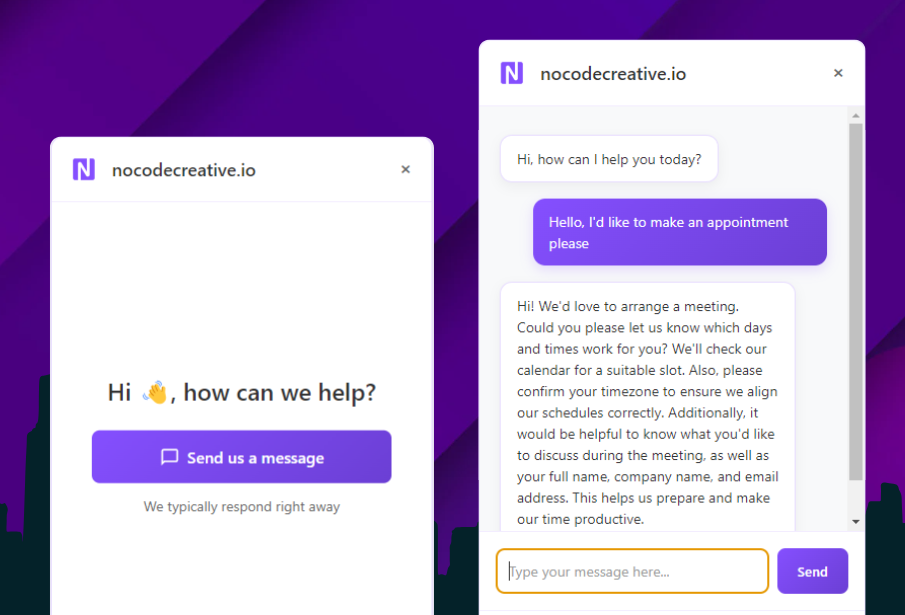](https://blog.nocodecreative.io/create-a-branded-ai-powered-website-chatbot-with-n8n/)"
},
"typeVersion": 1
},
{
"id": "210cef85-6fbe-413e-88b6-b0fed76212ac",
"name": "메모3",
"type": "n8n-nodes-base.stickyNote",
"position": [
2600,
640
],
"parameters": {
"color": 4,
"width": 260,
"height": 240,
"content": "Customise the email template"
},
"typeVersion": 1
},
{
"id": "17abc6bd-06c3-48e7-8380-e10024daa9f5",
"name": "메모4",
"type": "n8n-nodes-base.stickyNote",
"position": [
1760,
740
],
"parameters": {
"color": 6,
"width": 208,
"height": 238,
"content": "modify timezones"
},
"typeVersion": 1
}
],
"pinData": {
"Execute Workflow Trigger": [
{
"query": "Check availability for Monday at 9am",
"route": "availability"
}
]
},
"connections": {
"6156ab7e-d411-46b9-ac44-52ad56ee563d": {
"main": [
[
{
"node": "AI Agent",
"type": "main",
"index": 0
}
],
[
{
"node": "c94171a9-a71d-4f63-bef6-e90361c57abd",
"type": "main",
"index": 0
}
]
]
},
"Switch": {
"main": [
[
{
"node": "0786b561-449e-4c8f-bddb-c2bbd95dc197",
"type": "main",
"index": 0
}
],
[
{
"node": "04c5d43c-1629-4e11-a6bb-ae73369d7002",
"type": "main",
"index": 0
}
]
]
},
"AI Agent": {
"main": [
[
{
"node": "Respond to Webhook",
"type": "main",
"index": 0
}
]
]
},
"0786b561-449e-4c8f-bddb-c2bbd95dc197": {
"main": [
[
{
"node": "4283635f-649c-4cc7-84b9-37524ddb6ce0",
"type": "main",
"index": 0
}
]
]
},
"Chat Trigger": {
"main": [
[
{
"node": "6156ab7e-d411-46b9-ac44-52ad56ee563d",
"type": "main",
"index": 0
}
]
]
},
"096d1962-31e6-4b3b-ba75-7956f70a6a32": {
"ai_tool": [
[
{
"node": "AI Agent",
"type": "ai_tool",
"index": 0
}
]
]
},
"04c5d43c-1629-4e11-a6bb-ae73369d7002": {
"main": [
[
{
"node": "c74905ce-4fd9-486c-abc4-b0b1d57d71a8",
"type": "main",
"index": 0
}
]
]
},
"4283635f-649c-4cc7-84b9-37524ddb6ce0": {
"main": [
[
{
"node": "795e1451-57d8-4563-8b86-5a75df2427b6",
"type": "main",
"index": 0
}
]
]
},
"55c4233e-d395-4193-9a1d-1884faed6f1e": {
"ai_tool": [
[
{
"node": "AI Agent",
"type": "ai_tool",
"index": 0
}
]
]
},
"df891547-c715-4dc6-bfcc-c0ac5cfcaf02": {
"ai_tool": [
[
{
"node": "AI Agent",
"type": "ai_tool",
"index": 0
}
]
]
},
"OpenAI Chat Model": {
"ai_languageModel": [
[
{
"node": "AI Agent",
"type": "ai_languageModel",
"index": 0
}
]
]
},
"Window Buffer Memory": {
"ai_memory": [
[
{
"node": "AI Agent",
"type": "ai_memory",
"index": 0
}
]
]
},
"Execute Workflow Trigger": {
"main": [
[
{
"node": "Switch",
"type": "main",
"index": 0
}
]
]
}
}
}자주 묻는 질문
이 워크플로우를 어떻게 사용하나요?
위의 JSON 구성 코드를 복사하여 n8n 인스턴스에서 새 워크플로우를 생성하고 "JSON에서 가져오기"를 선택한 후, 구성을 붙여넣고 필요에 따라 인증 설정을 수정하세요.
이 워크플로우는 어떤 시나리오에 적합한가요?
고급 - 제품, 인공지능, 마케팅
유료인가요?
이 워크플로우는 완전히 무료이며 직접 가져와 사용할 수 있습니다. 다만, 워크플로우에서 사용하는 타사 서비스(예: OpenAI API)는 사용자 직접 비용을 지불해야 할 수 있습니다.
관련 워크플로우 추천
GPT-4.1, Outlook 및 Mem.ai를 사용한 Microsoft Teams 회의 분석 자동화
GPT-4.1, Outlook 및 Mem.ai를 사용한 자동화된 Microsoft Teams 회의 분석
If
Set
Code
+
If
Set
Code
61 노드Wayne Simpson
인사
자동화 뉴스-브리핑 AI 에이전트 v13
AI 뉴스 연구 팀: 24/7 브리핑 자동화, Perplexity 인용 포함
Set
Code
Gmail
+
Set
Code
Gmail
37 노드Derek Cheung
제품
✨🩷 자동화 소셜 미디어 콘텐츠 배포 공장 + 시스템 튜닝 조합
✨🩷 자동화 소셜 미디어 콘텐츠 배포 공장 + 시스템 튜링 조합
If
Set
Code
+
If
Set
Code
100 노드Joseph LePage
마케팅
시각화 참조 라이브러리에서 n8n 노드를 탐색
可视化 참조 라이브러리에서 n8n 노드를 탐색
If
Ftp
Set
+
If
Ftp
Set
113 노드I versus AI
기타
⚡📽️ 최종 AI 추동 YouTube 요약 및 분석 챗봇
⚡📽️ YouTube 요약 및 분석에 사용되는 모든 기능을 갖춘 AI 채팅 로봇
Set
Code
Merge
+
Set
Code
Merge
29 노드Joseph LePage
인공지능
[템플릿] AI 반려동물 가게 v8
🐶 AI 펫 샵 어시스턴트 - GPT-4o, Google 캘린더 및 WhatsApp/Instagram/Facebook 통합
If
N8n
Set
+
If
N8n
Set
244 노드Amanda Benks
영업
워크플로우 정보
난이도
고급
노드 수24
카테고리3
노드 유형15
저자

Wayne Simpson
@nocodecreativeI’m Wayne, an AI, automation & low-code consultant, passionate about helping businesses unlock their potential through smart, practical solutions.
외부 링크
n8n.io에서 보기 →
이 워크플로우 공유