Telegram + Supabase의 AI 문서 비서를 통해
고급
이것은Support, AI, IT Ops분야의자동화 워크플로우로, 28개의 노드를 포함합니다.주로 Set, Code, Switch, SplitOut, Telegram 등의 노드를 사용하며인공지능 기술을 결합하여 스마트 자동화를 구현합니다. 기반 Gemini AI 및 Supabase 벡터 검색의 Telegram 문서 질문 답변 챗봇
사전 요구사항
- •Telegram Bot Token
- •Google Gemini API Key
- •Supabase URL과 API Key
사용된 노드 (28)
워크플로우 미리보기
노드 연결 관계를 시각적으로 표시하며, 확대/축소 및 이동을 지원합니다
워크플로우 내보내기
다음 JSON 구성을 복사하여 n8n에 가져오면 이 워크플로우를 사용할 수 있습니다
{
"id": "LL0TBxEbXoK2zhqp",
"meta": {
"instanceId": "af80dcc2dbd3882359ca17a5fe5b2d4bd4ca3cf3cbe39546ecc263e2e97807e5",
"templateId": "self-building-ai-agent",
"templateCredsSetupCompleted": true
},
"name": "AI Document Assistant via Telegram + Supabase",
"tags": [
{
"id": "Fo1OtHUY0RXxPbjJ",
"name": "google-gemini",
"createdAt": "2025-05-01T23:10:32.399Z",
"updatedAt": "2025-05-01T23:10:32.399Z"
},
{
"id": "HcgCSAB27xdCFyCf",
"name": "vectorstore",
"createdAt": "2025-05-01T23:10:13.148Z",
"updatedAt": "2025-05-01T23:10:13.148Z"
},
{
"id": "NFkP0TdshXJdwIOG",
"name": "chatbot",
"createdAt": "2025-05-01T23:09:53.855Z",
"updatedAt": "2025-05-01T23:09:53.855Z"
},
{
"id": "QXeMQNrN4XlEXs1I",
"name": "telegram",
"createdAt": "2025-05-01T23:09:23.634Z",
"updatedAt": "2025-05-01T23:09:23.634Z"
},
{
"id": "RLZgltwJo60sK1Dm",
"name": "embeddings",
"createdAt": "2025-05-01T23:10:20.621Z",
"updatedAt": "2025-05-01T23:10:20.621Z"
},
{
"id": "fMH2im2pHJBOzkXp",
"name": "document-qa",
"createdAt": "2025-05-01T23:10:07.948Z",
"updatedAt": "2025-05-01T23:10:07.948Z"
},
{
"id": "ghpuX9kkAqpLyIVR",
"name": "n8n-ai",
"createdAt": "2025-05-01T23:10:38.373Z",
"updatedAt": "2025-05-01T23:10:38.373Z"
},
{
"id": "tSHEttl48VrqMYiV",
"name": "supabase",
"createdAt": "2025-05-01T23:10:16.583Z",
"updatedAt": "2025-05-01T23:10:16.583Z"
}
],
"nodes": [
{
"id": "0213dfab-a1b2-42c9-9ab1-8a0f1de4c4c0",
"name": "Google Gemini 채팅 모델",
"type": "@n8n/n8n-nodes-langchain.lmChatGoogleGemini",
"position": [
480,
40
],
"parameters": {
"options": {},
"modelName": "models/gemini-2.5-flash-preview-04-17"
},
"credentials": {
"googlePalmApi": {
"id": "QuysglXiB421WI90",
"name": "Google Gemini(PaLM) Api account"
}
},
"typeVersion": 1
},
{
"id": "9c166f83-8ea4-4dc7-8ea2-92ec186c9f32",
"name": "OpenWeatherMap",
"type": "n8n-nodes-base.openWeatherMapTool",
"position": [
740,
-100
],
"parameters": {
"cityName": "={{ /*n8n-auto-generated-fromAI-override*/ $fromAI('City', ``, 'string') }}"
},
"credentials": {
"openWeatherMapApi": {
"id": "MCzSGdWHBJE7l1aN",
"name": "OpenWeatherMap account"
}
},
"typeVersion": 1
},
{
"id": "aa0abeff-b5e9-497b-9d9c-8f79721a5c11",
"name": "AI 에이전트",
"type": "@n8n/n8n-nodes-langchain.agent",
"position": [
480,
-320
],
"parameters": {
"text": "={{ $json.message.text }}",
"options": {
"systemMessage": "=4. If the user sends you a message starting with / sign, it means this is a Telegram bot command. For example, all users send /start command as their first message. Try to figure out what these commands mean and reply accodringly.\nUser can only send pdf files and text messages and let them know that this type is not supported if it was not a PDF file or text.\nAt first let them know that they can ask questions about sent PDF files you can use your own capabilities as well. \nGenerate a detailed, well-structured response ,\nFormat the response strictly using Telegram's supported HTML syntax. Use tags like <b>, <i>, <u>, <s>, <span class=\"tg-spoiler\">, <code>, <pre> (with optional <code class=\"language-...\"> inside), <a href=\"...\">, and <blockquote> where appropriate.\n\nStructure the content logically using paragraphs and distinct sections. **Be mindful that this text might need to be split into multiple messages due to character limits (Telegram's limit is around 4096 characters per message). Try to make sections or paragraphs relatively self-contained where possible to facilitate splitting.**\n\n**Ensure all <, >, and & symbols within the *text content* (i.e., not part of an HTML tag or entity) are replaced with the corresponding HTML entities: < with <, > with >, and & with &.**\n\nMaintain proper nesting of HTML tags according to Telegram's rules. While the final splitting will be handled by a script, aim for a structure that is easy to break into logical parts without leaving tags improperly open mid-message."
},
"promptType": "define",
"hasOutputParser": true
},
"typeVersion": 1.9
},
{
"id": "72b85aff-4fe7-4705-a07c-463f381cb806",
"name": "Telegram 트리거",
"type": "n8n-nodes-base.telegramTrigger",
"position": [
-20,
100
],
"webhookId": "d4f286b2-8094-40e3-aeb2-813eb1895ecf",
"parameters": {
"updates": [
"message"
],
"additionalFields": {}
},
"credentials": {
"telegramApi": {
"id": "jOxapcl3g1n1HrCE",
"name": "Telegram account"
}
},
"typeVersion": 1.2
},
{
"id": "ea716dba-2856-40a8-ad73-86132f52dda8",
"name": "Telegram",
"type": "n8n-nodes-base.telegram",
"onError": "continueErrorOutput",
"position": [
1540,
-320
],
"webhookId": "137d8d2f-a941-4803-8646-8932525360c3",
"parameters": {
"text": "={{ $json.text }}",
"chatId": "={{ $json.chatId }}",
"additionalFields": {
"parse_mode": "HTML",
"appendAttribution": false
}
},
"credentials": {
"telegramApi": {
"id": "jOxapcl3g1n1HrCE",
"name": "Telegram account"
}
},
"typeVersion": 1.2,
"alwaysOutputData": true
},
{
"id": "59a22620-0d26-4e19-940a-5c07efccbdfa",
"name": "Think",
"type": "@n8n/n8n-nodes-langchain.toolThink",
"position": [
640,
-100
],
"parameters": {},
"typeVersion": 1
},
{
"id": "7bb66887-c9c6-4057-bbc0-306d1e20ea12",
"name": "Google Gemini 임베딩",
"type": "@n8n/n8n-nodes-langchain.embeddingsGoogleGemini",
"position": [
840,
340
],
"parameters": {
"modelName": "models/text-embedding-004"
},
"credentials": {
"googlePalmApi": {
"id": "QuysglXiB421WI90",
"name": "Google Gemini(PaLM) Api account"
}
},
"typeVersion": 1
},
{
"id": "668db8fd-3d5f-433a-8ccb-4bea237107ce",
"name": "Default Data Loader",
"type": "@n8n/n8n-nodes-langchain.documentDefaultDataLoader",
"position": [
1220,
460
],
"parameters": {
"options": {}
},
"typeVersion": 1
},
{
"id": "d1495354-bfc0-4ef1-9102-dc3577580d5b",
"name": "재귀적 문자 텍스트 분할기",
"type": "@n8n/n8n-nodes-langchain.textSplitterRecursiveCharacterTextSplitter",
"position": [
1440,
620
],
"parameters": {
"options": {}
},
"typeVersion": 1
},
{
"id": "6a8e5ce6-4c52-4ca0-962f-045ea42dac7c",
"name": "파일에서 추출",
"type": "n8n-nodes-base.extractFromFile",
"position": [
1020,
480
],
"parameters": {
"options": {},
"operation": "pdf"
},
"typeVersion": 1,
"alwaysOutputData": true
},
{
"id": "3f4a9da9-0364-4861-a6f3-33b1d5c501e0",
"name": "Answer questions with a vector store",
"type": "@n8n/n8n-nodes-langchain.toolVectorStore",
"position": [
860,
-60
],
"parameters": {
"description": "Use this data if the user's question appears to reference an uploaded file, document content, or specific information that might be stored in prior user documents. If not relevant, ignore this source."
},
"typeVersion": 1.1
},
{
"id": "933a93c7-9401-4bac-9b9c-395866b46d61",
"name": "Supabase 벡터 스토어",
"type": "@n8n/n8n-nodes-langchain.vectorStoreSupabase",
"position": [
760,
80
],
"parameters": {
"options": {
"queryName": "match_documents"
},
"tableName": {
"__rl": true,
"mode": "list",
"value": "user_knowledge_base",
"cachedResultName": "user_knowledge_base"
}
},
"credentials": {
"supabaseApi": {
"id": "jq6dt73fwyUImYqH",
"name": "Supabase account"
}
},
"typeVersion": 1.1
},
{
"id": "5f37c202-a1ca-4ee0-9de0-267349adffbd",
"name": "메모10",
"type": "n8n-nodes-base.stickyNote",
"position": [
360,
200
],
"parameters": {
"color": 5,
"width": 1625,
"height": 779,
"content": "✅ Scenario 2 – Document Upload and Embedding\n\nFlow for downloading a document sent via Telegram, extracting its text, generating embeddings, and inserting them into Supabase Vector Store."
},
"typeVersion": 1
},
{
"id": "6e9c1070-90bc-4ab7-a8a0-62461bede708",
"name": "메모11",
"type": "n8n-nodes-base.stickyNote",
"position": [
360,
-420
],
"parameters": {
"color": 5,
"width": 1625,
"height": 599,
"content": "✅ Scenario 1 – Chatbot Interaction\n\nFlow for handling user messages sent to the bot. Includes accessing weather data, answering questions based on user-uploaded documents, and running code using a code execution tool."
},
"typeVersion": 1
},
{
"id": "3b211a14-6813-459f-8d23-b40fc0eb4bd6",
"name": "Telegram - Embedding Complete",
"type": "n8n-nodes-base.telegram",
"position": [
1760,
320
],
"webhookId": "4eaead72-f9a7-49a3-95ca-b3bc8f6b9a95",
"parameters": {
"text": "=✅ Document saved!\nFeel free to start asking questions about it.",
"chatId": "={{ $('Command Router').item.json.message.chat.id }}",
"additionalFields": {
"appendAttribution": false
}
},
"credentials": {
"telegramApi": {
"id": "jOxapcl3g1n1HrCE",
"name": "Telegram account"
}
},
"typeVersion": 1.2
},
{
"id": "05703266-aaed-491d-87a6-ed7f96a9c49a",
"name": "Supabase - Save 임베딩",
"type": "@n8n/n8n-nodes-langchain.vectorStoreSupabase",
"position": [
1200,
320
],
"parameters": {
"mode": "insert",
"options": {},
"tableName": {
"__rl": true,
"mode": "list",
"value": "user_knowledge_base",
"cachedResultName": "user_knowledge_base"
}
},
"credentials": {
"supabaseApi": {
"id": "jq6dt73fwyUImYqH",
"name": "Supabase account"
}
},
"typeVersion": 1.1,
"alwaysOutputData": false
},
{
"id": "3b7db0e6-b551-4698-921a-306e837ceffc",
"name": "Command Router",
"type": "n8n-nodes-base.switch",
"position": [
160,
100
],
"parameters": {
"rules": {
"values": [
{
"outputKey": "document",
"conditions": {
"options": {
"version": 2,
"leftValue": "",
"caseSensitive": true,
"typeValidation": "loose"
},
"combinator": "and",
"conditions": [
{
"id": "895b32db-777d-4d8e-b1d3-596cc9863d09",
"operator": {
"type": "boolean",
"operation": "exists",
"singleValue": true
},
"leftValue": "={{ $json.message.document }}",
"rightValue": "={{ $json.message.document }}"
}
]
},
"renameOutput": true
},
{
"outputKey": "text",
"conditions": {
"options": {
"version": 2,
"leftValue": "",
"caseSensitive": true,
"typeValidation": "loose"
},
"combinator": "and",
"conditions": [
{
"id": "26c12573-8e00-4832-8410-73d2d739c455",
"operator": {
"type": "boolean",
"operation": "exists",
"singleValue": true
},
"leftValue": "={{ $json.message.text }}",
"rightValue": ""
}
]
},
"renameOutput": true
}
]
},
"options": {
"fallbackOutput": "extra"
},
"looseTypeValidation": true
},
"typeVersion": 3.2
},
{
"id": "fa06fc6c-3661-4065-81fc-09f93d6a4a25",
"name": "Telegram - Download file",
"type": "n8n-nodes-base.telegram",
"position": [
600,
540
],
"webhookId": "11b8f884-34bc-401c-8978-b28507d96e40",
"parameters": {
"fileId": "={{ $('Telegram Trigger').item.json.message.document.file_id }}",
"resource": "file"
},
"credentials": {
"telegramApi": {
"id": "jOxapcl3g1n1HrCE",
"name": "Telegram account"
}
},
"typeVersion": 1.2
},
{
"id": "756a36aa-187d-48ca-894c-f8c9a79a4794",
"name": "집계",
"type": "n8n-nodes-base.aggregate",
"notes": "This is used to flag the end of progress—no real aggregation.",
"position": [
1580,
320
],
"parameters": {
"options": {},
"fieldsToAggregate": {
"fieldToAggregate": [
{}
]
}
},
"notesInFlow": true,
"typeVersion": 1
},
{
"id": "3b49f357-5d21-4710-bd32-3218d23b1bd9",
"name": "Fallback- No formatting",
"type": "n8n-nodes-base.telegram",
"notes": "This is used if, even after HTML formatting,g Telegram wasn't able to process the text, so we send it without formatting.",
"position": [
1740,
-260
],
"webhookId": "dd2182fe-0b11-4d96-9838-30d60bf8c229",
"parameters": {
"text": "={{ $('Manual Mapping').item.json.text }}",
"chatId": "={{ $('Manual Mapping').item.json.chatId }}",
"additionalFields": {
"appendAttribution": false
}
},
"credentials": {
"telegramApi": {
"id": "jOxapcl3g1n1HrCE",
"name": "Telegram account"
}
},
"notesInFlow": true,
"typeVersion": 1.2
},
{
"id": "eafdbacb-17e5-4de6-a4e9-b986140353e5",
"name": "분할 출력",
"type": "n8n-nodes-base.splitOut",
"position": [
1120,
-320
],
"parameters": {
"options": {},
"fieldToSplitOut": "output"
},
"typeVersion": 1
},
{
"id": "538be3ed-4bd6-4295-ac11-e4d46b943f5a",
"name": "심플 메모리",
"type": "@n8n/n8n-nodes-langchain.memoryBufferWindow",
"position": [
540,
-100
],
"parameters": {
"sessionKey": "={{ $('Telegram Trigger').item.json.message.from.id }}",
"sessionIdType": "customKey"
},
"typeVersion": 1.3
},
{
"id": "0afca77d-0e08-4f04-a6d3-b107c1dd54f9",
"name": "Handle formatting and split",
"type": "n8n-nodes-base.code",
"notes": "This is used to prevent Markdown issues in Telegram while sending messages.",
"position": [
900,
-320
],
"parameters": {
"language": "python",
"pythonCode": "import re\nimport html\n\ngemini_output_text = _('AI Agent').first().json.output;\n# Regex to match any HTML tag <...>\nHTML_TAG_PATTERN = re.compile(r'(<[^>]*?>)', re.IGNORECASE)\n\n# List of UNSUPPORTED Telegram HTML tag names\nUNSUPPORTED_TAG_NAMES = [\n 'p', 'li', 'h1', 'h2', 'h3', 'h4', 'h5', 'h6', 'ul', 'ol',\n 'table', 'thead', 'tbody', 'tr', 'td', 'th', 'div', 'br', 'font',\n 'span', # Span is unsupported *unless* it has the specific class\n 'a' # A is unsupported *unless* it has the href attribute\n # Add more unsupported tags if you encounter them\n]\n\n# Regex to match unsupported opening or closing tags based on the names list\n# This pattern is simplified and might misinterpret complex attributes\nUNSUPPORTED_TAG_PATTERN = re.compile(r'<\\/?(' + '|'.join(UNSUPPORTED_TAG_NAMES) + r')\\b[^>]*?>', re.IGNORECASE)\n\n# Regex to match a span tag *without* the class=\"tg-spoiler\" attribute\n# This tries to capture the tag and its content to remove both\nUNSUPPORTED_SPAN_FULL_PATTERN = re.compile(r'<span(?! class=\"tg-spoiler\"\\b)[^>]*?>.*?<\\/span>', re.IGNORECASE | re.DOTALL) # DOTALL allows . to match newlines\n\n# Regex to match an a tag *without* an href attribute\n# This tries to capture the tag and its content to remove both\nUNSUPPORTED_A_FULL_PATTERN = re.compile(r'<a(?![^>]*href=)[^>]*?>.*?<\\/a>', re.IGNORECASE | re.DOTALL)\n\n\n# --- Cleaning Function (Regex Only) ---\n\ndef unescape_common_html_entities(text):\n \"\"\"\n Unescapes a limited set of common HTML entities in text.\n Does NOT use html.unescape for maximum compatibility with \"no external library\" rule.\n \"\"\"\n # Order matters: & must be replaced first!\n text = text.replace('&', '&')\n text = text.replace('<', '<')\n text = text.replace('>', '>')\n text = text.replace('"', '\"')\n text = text.replace(''', \"'\")\n # Add more common entities here if needed, e.g., text = text.replace(' ', ' ')\n return text\n\n\ndef clean_html_regex_only(html_string):\n \"\"\"\n Cleans HTML string using regex: removes unsupported tags and escapes text content.\n Handles ' and other basic entities.\n WARNING: This is a regex-based approach and is NOT as robust as using an HTML parser.\n It may fail on complex or malformed HTML.\n\n Args:\n html_string (str): The input HTML string.\n\n Returns:\n str: The cleaned HTML string.\n \"\"\"\n # 1. Remove unsupported tags and their content where specific attributes are missing\n # Process specific full patterns first\n cleaned_text = UNSUPPORTED_SPAN_FULL_PATTERN.sub('', html_string)\n cleaned_text = UNSUPPORTED_A_FULL_PATTERN.sub('', cleaned_text)\n\n # 2. Remove remaining unsupported opening/closing tags, leaving content behind\n cleaned_text = UNSUPPORTED_TAG_PATTERN.sub('', cleaned_text)\n\n # 3. Split the remaining string into tags and text segments\n # This pattern captures the tags themselves so we can differentiate them from text\n parts = HTML_TAG_PATTERN.split(cleaned_text)\n\n cleaned_parts = []\n for part in parts:\n if not part:\n continue\n\n if HTML_TAG_PATTERN.fullmatch(part):\n # If the part is a tag (matches the full tag pattern)\n # We assume at this point it's a supported tag due to previous removal steps.\n # Keep the tag as is.\n cleaned_parts.append(part)\n else:\n # If the part is text content\n # 1. Unescape common HTML entities (like ') that might be in the text\n unescaped_text = unescape_common_html_entities(part)\n\n # 2. Escape the literal characters <, >, & that are *in* the text content\n # This ensures only the characters themselves are escaped, not entities.\n # Need to escape & first to avoid issues with '&' if it resulted from unescaping or was original.\n re_escaped_text = unescaped_text.replace('&', '&').replace('<', '<').replace('>', '>')\n\n cleaned_parts.append(re_escaped_text)\n\n # Join the processed parts back into a single string\n return \"\".join(cleaned_parts)\n\n# --- Splitting Logic ---\nSPLIT_PATTERN_REGEX_ONLY = re.compile(r'(<\\/blockquote>|<\\/pre>|\\n\\n|\\s{2,}|(?<=[.!?])\\s+|<[a-z]+[^>]*?>|<\\/[a-z]+>)', flags=re.IGNORECASE)\n\n\ndef split_telegram_message_regex_only(text, max_length=4096):\n \"\"\"\n Splits text into multiple messages based on character count and basic patterns.\n Operates on text already cleaned by clean_html_regex_only.\n Does NOT guarantee HTML tag integrity across splits due to lack of parsing.\n\n Args:\n text (str): The input text (preferably cleaned by clean_html_regex_only).\n max_length (int): The maximum length for each message part.\n\n Returns:\n list: A list of strings, where each string is a message part.\n \"\"\"\n if len(text) <= max_length:\n return [text]\n\n messages = []\n current_chunk = \"\"\n\n # Split by the defined pattern\n parts = SPLIT_PATTERN_REGEX_ONLY.split(text)\n\n for part in parts:\n # Handle parts that are None (can happen with split) or just short whitespace\n if part is None or (not part.strip() and len(part) < 2 and part != '\\n\\n'):\n if part is not None and len(part) > 0: # Keep meaningful whitespace splits like \\n\\n\n if len(current_chunk) + len(part) <= max_length:\n current_chunk += part\n else:\n # Split happens within meaningful whitespace, finalize chunk\n if current_chunk.strip(): # Only add if chunk has content\n messages.append(current_chunk.strip())\n current_chunk = part # Start new chunk with the whitespace\n continue # Skip to next part\n\n\n # Check if adding the current part exceeds the max length\n if len(current_chunk) + len(part) > max_length:\n # If the current chunk is empty or only whitespace after stripping,\n # it means the 'part' itself is too long to fit in a new chunk.\n if not current_chunk.strip():\n # Handle very long individual parts (e.g., a huge code block line, a very long word, a single huge tag)\n # Hard split the long part. WARNING: This can break tags, words, or escape sequences.\n while len(part) > max_length:\n messages.append(part[:max_length])\n part = part[max_length:]\n if part.strip():\n current_chunk = part # Remaining part starts a new chunk\n else:\n current_chunk = \"\" # If remainder is just whitespace, clear\n else:\n # The current part makes the chunk too long, finalize the current chunk\n messages.append(current_chunk.strip())\n # Start a new chunk with the current part\n current_chunk = part # Keep original part for the new chunk\n\n else:\n # Add the current part to the chunk\n current_chunk += part\n\n # Add the last chunk\n if current_chunk.strip(): # Only add if the final chunk has content\n messages.append(current_chunk.strip())\n\n # Clean up any empty messages that might have been created\n messages = [msg for msg in messages if msg.strip()]\n\n return messages\n \ncleaned_html_regex = clean_html_regex_only(gemini_output_text)\nmessage_parts_regex = split_telegram_message_regex_only(cleaned_html_regex)\n\nreturn dict({'output': message_parts_regex })"
},
"typeVersion": 2
},
{
"id": "dbea9e13-6ad4-4eb3-8da1-9db9e2116283",
"name": "메모",
"type": "n8n-nodes-base.stickyNote",
"position": [
2000,
-420
],
"parameters": {
"width": 1960,
"height": 3520,
"content": "# 🤖 Telegram AI Assistant for Your Documents (n8n + Supabase + Gemini)\n\nThis project transforms a standard **Telegram bot** into your dedicated AI assistant – designed to understand and answer questions based on **your own documents**. It seamlessly integrates the power of **Google Gemini** for advanced language capabilities and **Supabase's vector database** for efficient, intelligent document retrieval. Built entirely within the no-code platform **n8n**, it allows you to deploy a sophisticated document chatbot without writing a single line of code.\n\nSimply upload any PDF document to the bot, and instantly gain the ability to chat with it, querying its contents as if it were a knowledgeable expert on your uploaded files.\n\n---\n## 📹 Watch the Bot in Action\n\n[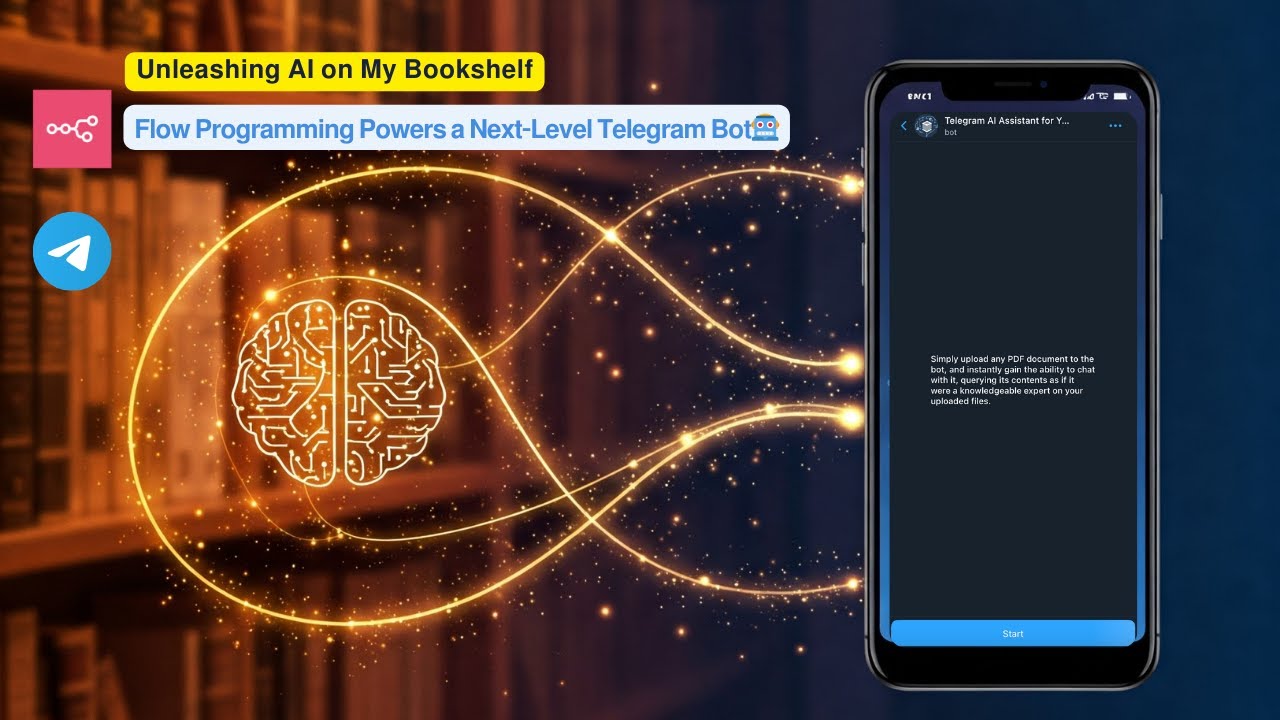](https://www.youtube.com/watch?v=r_KGyJApy5M)\n\n**▶️ Click the image above to watch a live demo on YouTube.** \n\nThis video provides a live demonstration of the bot's core features and how it interacts. See a quick walkthrough of its capabilities and user flow.\n\n---\n\n## ✨ Ignite Your Workflow: Use Cases\n\nThis project empowers two core interactions:\n\n### 1. Conversational AI Interface (User Inquiry → Telegram Bot → Intelligent Answers)\n- Users pose questions directly to the Telegram bot.\n- The bot generates relevant, informative answers using the cutting-edge capabilities of the Google Gemini LLM.\n- Leveraging a powerful vector search mechanism, it can pull specific, contextual information from previously uploaded documents to provide highly relevant and informed responses.\n- (Optional) Augment answers with real-time data, like current **weather information**.\n\n### 2. Effortless Document Integration (User Upload PDF → Processing → Searchable Knowledge)\n- Users upload a PDF document directly to the bot.\n- The workflow automatically parses the document content, converts it into numerical representations called embeddings using Gemini's embedding models.\n- These embeddings, alongside the document's text content, are then securely stored in a dedicated **Supabase vector table**, creating a searchable knowledge base.\n- Immediately after successful processing, the document becomes part of the bot's memory, enabling users to ask questions about its contents via the standard chat interface.\n\n---\n## 🧠 Core Intelligence Features\n\n- ✅ **Pure No-Code**: Developed and managed entirely within the intuitive [n8n](https://n8n.io) automation platform.\n- 📄 **Seamless PDF Integration**: Easily upload and process PDF documents to expand the bot's knowledge.\n- 🧠 **Powered by Google Gemini**: Utilizes Gemini for both generating document embeddings and formulating intelligent conversational responses.\n- 🗂 **Vector Database Memory (Supabase)**: Employs **Supabase as a robust vector database** for storing and efficiently searching document embeddings, providing the bot with long-term memory about your content.\n- **⚡️ Rapid & Private Retrieval**: The vector search allows for swift identification and retrieval of the most relevant document snippets based on the user's query. This approach enhances response speed and significantly improves data privacy, as **the original document content remains securely stored in your Supabase instance, and only the user's query and the retrieved relevant chunks are sent to the LLM for generating a response.**\n- 🧹 **Intelligent HTML Post-processing**: Cleans the LLM's responses by removing HTML tags not supported by Telegram while preserving essential formatting and correctly escaping special characters in the text content.\n- 📤 **Adaptive Message Chunking**: Splits lengthy AI-generated answers into multiple messages that adhere to Telegram's 4096-character limit, ensuring the full response is delivered cleanly.\n- 🌦️ **Dynamic Weather Data**: (Optional) Integrates with OpenWeatherMap to provide current weather information upon request.\n- **📝 Note on Usage**: This workflow is designed primarily for **personal, single-user** scenarios. It processes each message independently and **does not include multi-user session management**, making it unsuitable for public deployment where different users require separate conversational contexts. For a session-based Telegram bot implemented in Python, you may refer to this project, which is a multi-model telegram bot: [https://github.com/mohamadghaffari/gemini-tel-bot](https://github.com/mohamadghaffari/gemini-tel-bot).\n---\n\n## 🛠 Getting Started: Setup\n\n### 1. Deploy the Workflow in n8n\n\n- Click the \"Use this workflow\" button on the n8n template page.\n- This will open the workflow directly in your n8n instance, ready for configuration.\n\n\n### 2. Connect Your Services: Configure Credentials\n\nCreate API credentials for the following services within your n8n instance:\n\n| Service | Purpose |\n|------------------|------------------------------------|\n| Telegram API | Receiving user messages & sending replies |\n| Google Gemini | Generating embeddings & LLM responses |\n| Supabase | Storing & searching document vectors |\n| OpenWeatherMap | (Optional) Fetching weather data |\n\n### 3. Prepare Your Supabase Knowledge Base\n\nSet up a vector-enabled table in your Supabase project to store your document embeddings. Execute the following SQL commands in your Supabase SQL Editor:\n\n``` sql\n-- Enable the pgvector extension to work with embedding vectors\ncreate extension vector;\n\n-- Create a table to store your documents and their embeddings\ncreate table user_knowledge_base (\n id bigserial primary key,\n content text, -- Stores the text chunk from the document\n metadata jsonb, -- Stores document information (e.g., filename, page number)\n embedding vector(768) -- Stores the vector representation (embedding) generated by Gemini. Adjust dimension if using a different model.\n);\n\n-- Create a function to perform vector similarity search against your documents\ncreate function match_documents (\n query_embedding vector(768),\n match_count int default null,\n filter jsonb DEFAULT '{}'\n) returns table (\n id bigint,\n content text,\n metadata jsonb,\n similarity float\n)\nlanguage plpgsql\nas $$\n#variable_conflict use_column\nbegin\n return query\n select\n id,\n content,\n metadata,\n -- Calculate cosine similarity: 1 - cosine distance (using the '<=>' operator provided by pgvector)\n 1 - (user_knowledge_base.embedding <=> query_embedding) as similarity\n from user_knowledge_base\n where metadata @> filter -- Optional: filter results based on metadata\n order by user_knowledge_base.embedding <=> query_embedding -- Order by similarity (closest first)\n limit match_count; -- Limit the number of results\nend;\n$$;\n````\n\nThis sets up the necessary table and a function to perform vector similarity searches, allowing you to find document chunks most similar to a user's query.\n-----\n\n## 📚 Integrated Technologies\n\nThis project brings together powerful tools:\n\n - [n8n](https://n8n.io) – The central hub for workflow automation and integration.\n - [Telegram Bot API](https://core.telegram.org/bots/api) – The communication layer for user interaction.\n - [Supabase](https://supabase.com/) + [pgvector Extension](https://www.google.com/search?q=https://supabase.com/docs/guides/ai/vector-embeddings) – Provides a scalable database with powerful vector search capabilities.\n - [Google Gemini API](https://ai.google.dev/) – The intelligence engine for embeddings and text generation.\n - [OpenWeatherMap API](https://openweathermap.org/api) – (Optional) For adding real-time weather features.\n\n-----\n"
},
"typeVersion": 1
},
{
"id": "965ba2bd-747d-4718-a76e-9f7d685dcea4",
"name": "Manual Mapping",
"type": "n8n-nodes-base.set",
"position": [
1320,
-320
],
"parameters": {
"options": {},
"assignments": {
"assignments": [
{
"id": "cdeb5bf1-c91c-44ae-bebd-ab3f4ba2561a",
"name": "text",
"type": "string",
"value": "={{ $json.output }}"
},
{
"id": "7cd7d120-96fa-4539-b343-25bc9b75abb4",
"name": "chatId",
"type": "number",
"value": "={{ $('Command Router').item.json.message.from.id }}"
}
]
}
},
"typeVersion": 3.4
},
{
"id": "c6a315f1-6f0b-4127-b377-b7b12975929f",
"name": "Unsupported message",
"type": "n8n-nodes-base.telegram",
"position": [
500,
760
],
"webhookId": "52f3456a-06ef-4799-b245-0293213dcc4b",
"parameters": {
"text": "Unsupported command or file. 😓 Please upload a valid PDF document or ask your question regarding your files.",
"chatId": "={{ $('Command Router').item.json.message.chat.id }}",
"additionalFields": {
"appendAttribution": false
}
},
"credentials": {
"telegramApi": {
"id": "jOxapcl3g1n1HrCE",
"name": "Telegram account"
}
},
"typeVersion": 1.2
},
{
"id": "375bd185-3836-4f25-8708-d6dcd79b2675",
"name": "Send processing document message",
"type": "n8n-nodes-base.telegram",
"position": [
920,
720
],
"webhookId": "32ade357-f14b-4d10-91f2-02c8aa6e198e",
"parameters": {
"text": "=<b>Processing document...</b>\n<b>Please wait...⏳</b>",
"chatId": "={{ $('Command Router').item.json.message.chat.id }}",
"additionalFields": {
"parse_mode": "HTML",
"appendAttribution": false
}
},
"credentials": {
"telegramApi": {
"id": "jOxapcl3g1n1HrCE",
"name": "Telegram account"
}
},
"typeVersion": 1.2
},
{
"id": "d01f8b15-e495-46cf-bfdf-20b4399c23d7",
"name": "Send embedding 시작ed message",
"type": "n8n-nodes-base.telegram",
"position": [
1220,
660
],
"webhookId": "32ade357-f14b-4d10-91f2-02c8aa6e198e",
"parameters": {
"text": "=<b>Document processed ✅ </b> \n<b>Num of pages:</b> {{ $json.numpages }} \n<b>Creator:</b> {{ $json.info.Creator }}\n<b>Title:</b> {{ $json.info.Title }} \n<b>Version:</b> {{ $json.version }}",
"chatId": "={{ $('Command Router').item.json.message.chat.id }}",
"additionalFields": {
"parse_mode": "HTML",
"appendAttribution": false
}
},
"credentials": {
"telegramApi": {
"id": "jOxapcl3g1n1HrCE",
"name": "Telegram account"
}
},
"typeVersion": 1.2
}
],
"active": true,
"pinData": {},
"settings": {
"executionOrder": "v1"
},
"versionId": "749ec7d0-e135-478a-b02e-9241dbf4ab68",
"connections": {
"59a22620-0d26-4e19-940a-5c07efccbdfa": {
"ai_tool": [
[
{
"node": "AI Agent",
"type": "ai_tool",
"index": 0
}
]
]
},
"AI Agent": {
"main": [
[
{
"node": "0afca77d-0e08-4f04-a6d3-b107c1dd54f9",
"type": "main",
"index": 0
}
]
]
},
"ea716dba-2856-40a8-ad73-86132f52dda8": {
"main": [
[],
[
{
"node": "3b49f357-5d21-4710-bd32-3218d23b1bd9",
"type": "main",
"index": 0
}
]
]
},
"Aggregate": {
"main": [
[
{
"node": "3b211a14-6813-459f-8d23-b40fc0eb4bd6",
"type": "main",
"index": 0
}
]
]
},
"Split Out": {
"main": [
[
{
"node": "965ba2bd-747d-4718-a76e-9f7d685dcea4",
"type": "main",
"index": 0
}
]
]
},
"Simple Memory": {
"ai_memory": [
[
{
"node": "AI Agent",
"type": "ai_memory",
"index": 0
}
]
]
},
"3b7db0e6-b551-4698-921a-306e837ceffc": {
"main": [
[
{
"node": "fa06fc6c-3661-4065-81fc-09f93d6a4a25",
"type": "main",
"index": 0
}
],
[
{
"node": "AI Agent",
"type": "main",
"index": 0
}
],
[
{
"node": "c6a315f1-6f0b-4127-b377-b7b12975929f",
"type": "main",
"index": 0
}
]
]
},
"965ba2bd-747d-4718-a76e-9f7d685dcea4": {
"main": [
[
{
"node": "ea716dba-2856-40a8-ad73-86132f52dda8",
"type": "main",
"index": 0
}
]
]
},
"9c166f83-8ea4-4dc7-8ea2-92ec186c9f32": {
"ai_tool": [
[
{
"node": "AI Agent",
"type": "ai_tool",
"index": 0
}
]
]
},
"Telegram Trigger": {
"main": [
[
{
"node": "3b7db0e6-b551-4698-921a-306e837ceffc",
"type": "main",
"index": 0
}
]
]
},
"Extract from File": {
"main": [
[
{
"node": "Supabase - Save Embeddings",
"type": "main",
"index": 0
},
{
"node": "Send embedding Started message",
"type": "main",
"index": 0
}
]
]
},
"668db8fd-3d5f-433a-8ccb-4bea237107ce": {
"ai_document": [
[
{
"node": "Supabase - Save Embeddings",
"type": "ai_document",
"index": 0
}
]
]
},
"Supabase Vector Store": {
"ai_vectorStore": [
[
{
"node": "3f4a9da9-0364-4861-a6f3-33b1d5c501e0",
"type": "ai_vectorStore",
"index": 0
}
]
]
},
"Embeddings Google Gemini": {
"ai_embedding": [
[
{
"node": "Supabase - Save Embeddings",
"type": "ai_embedding",
"index": 0
},
{
"node": "Supabase Vector Store",
"type": "ai_embedding",
"index": 0
}
]
]
},
"Google Gemini Chat Model": {
"ai_languageModel": [
[
{
"node": "AI Agent",
"type": "ai_languageModel",
"index": 0
},
{
"node": "3f4a9da9-0364-4861-a6f3-33b1d5c501e0",
"type": "ai_languageModel",
"index": 0
}
]
]
},
"fa06fc6c-3661-4065-81fc-09f93d6a4a25": {
"main": [
[
{
"node": "Extract from File",
"type": "main",
"index": 0
},
{
"node": "375bd185-3836-4f25-8708-d6dcd79b2675",
"type": "main",
"index": 0
}
]
]
},
"Supabase - Save Embeddings": {
"main": [
[
{
"node": "Aggregate",
"type": "main",
"index": 0
}
]
]
},
"0afca77d-0e08-4f04-a6d3-b107c1dd54f9": {
"main": [
[
{
"node": "Split Out",
"type": "main",
"index": 0
}
]
]
},
"Send embedding Started message": {
"main": [
[]
]
},
"Recursive Character Text Splitter": {
"ai_textSplitter": [
[
{
"node": "668db8fd-3d5f-433a-8ccb-4bea237107ce",
"type": "ai_textSplitter",
"index": 0
}
]
]
},
"3f4a9da9-0364-4861-a6f3-33b1d5c501e0": {
"ai_tool": [
[
{
"node": "AI Agent",
"type": "ai_tool",
"index": 0
}
]
]
}
}
}자주 묻는 질문
이 워크플로우를 어떻게 사용하나요?
위의 JSON 구성 코드를 복사하여 n8n 인스턴스에서 새 워크플로우를 생성하고 "JSON에서 가져오기"를 선택한 후, 구성을 붙여넣고 필요에 따라 인증 설정을 수정하세요.
이 워크플로우는 어떤 시나리오에 적합한가요?
고급 - 지원, 인공지능, IT 운영
유료인가요?
이 워크플로우는 완전히 무료이며 직접 가져와 사용할 수 있습니다. 다만, 워크플로우에서 사용하는 타사 서비스(예: OpenAI API)는 사용자 직접 비용을 지불해야 할 수 있습니다.
관련 워크플로우 추천
AI 기반 RAG 문서 처리 및 챗봇 - Google Drive, Supabase, OpenAI
Google Drive, Supabase 및 OpenAI를 활용한 AI 기반 RAG 문서 처리 및 챗봇
Set
Code
Limit
+
Set
Code
Limit
35 노드Billy Christi
인공지능
AI 기반 Telegram 어시스턴트 최종 시작 가이드(PDF, Brave 검색, Google 패키지)
Gemini, RAG PDF 검색, Google Suite를 사용하여 다능한 Telegram 로봇을 구축합니다.
Set
Code
Wait
+
Set
Code
Wait
79 노드Issam AGGOUR
인공지능
⚡AI驱动의YouTube播放列表및视频摘要与분석v2
AI YouTube播放列表与视频분석채팅봇
If
Set
Code
+
If
Set
Code
72 노드dmr
기타
[템플릿] AI 반려동물 가게 v8
🐶 AI 펫 샵 어시스턴트 - GPT-4o, Google 캘린더 및 WhatsApp/Instagram/Facebook 통합
If
N8n
Set
+
If
N8n
Set
244 노드Amanda Benks
영업
AI 대리인 레스토랑 [템플릿]
🤖 WhatsApp, 인스타그램, 메신저의 AI 레스토랑 도우미
If
N8n
Set
+
If
N8n
Set
239 노드Amanda Benks
기타
🤖 WhatsApp AI个人어시스턴트:GPT-4o、记忆및日程安排功能
AI个人어시스턴트:통합GPT-4o、RAG및语音功能,사용Supabase의WhatsApp어시스턴트
If
Set
Wait
+
If
Set
Wait
76 노드Amanda Benks
인공지능
워크플로우 정보
난이도
고급
노드 수28
카테고리3
노드 유형19
저자

Mohammad Ghaffarifar
@mohamadghaffariA Senior Software Engineer with over 14 years of experience, I'm a coding enthusiast passionate about building scalable full-stack and backend cloud solutions.
외부 링크
n8n.io에서 보기 →
이 워크플로우 공유