UGC Nano Banana
고급
이것은Content Creation, Multimodal AI분야의자동화 워크플로우로, 17개의 노드를 포함합니다.주로 Set, SplitOut, GoogleDrive, HttpRequest, SplitInBatches 등의 노드를 사용하며. 사용하여 Nano Banana로 높은 품질의 UGC 이미지를 생성합니다.(더 저렴하고 더 빠르게)
사전 요구사항
- •Google Drive API 인증 정보
- •대상 API의 인증 정보가 필요할 수 있음
사용된 노드 (17)
워크플로우 미리보기
노드 연결 관계를 시각적으로 표시하며, 확대/축소 및 이동을 지원합니다
워크플로우 내보내기
다음 JSON 구성을 복사하여 n8n에 가져오면 이 워크플로우를 사용할 수 있습니다
{
"id": "",
"meta": {
"instanceId": "",
"templateCredsSetupCompleted": true
},
"name": "UGC Nano Banana",
"tags": [],
"nodes": [
{
"id": "Mistral-Cloud-Chat-Model-0",
"name": "Mistral Cloud Chat Model",
"type": "@n8n/n8n-nodes-langchain.lmChatMistralCloud",
"position": [
-192,
192
],
"parameters": {
"model": "mistral-large-latest",
"options": {}
},
"credentials": {
"mistralCloudApi": {
"id": "",
"name": "Mistral Cloud account"
}
},
"typeVersion": 1
},
{
"id": "--1",
"name": "이미지 생성",
"type": "n8n-nodes-base.httpRequest",
"onError": "continueRegularOutput",
"position": [
496,
128
],
"parameters": {
"url": "https://fal.run/fal-ai/gemini-25-flash-image/edit",
"method": "POST",
"options": {},
"jsonBody": "={\n \"prompt\": \"{{ $json.prompt }}\",\n \"image_urls\": [\n\"https://drive.google.com/uc?export=view&id={{ $('Google Drive Trigger').first().json.id }}\"\n ],\n \"num_images\": 1,\n \"output_format\": \"jpeg\",\n \"sync_mode\": false\n} ",
"sendBody": true,
"sendHeaders": true,
"specifyBody": "json",
"headerParameters": {
"parameters": [
{
"name": "Authorization",
"value": "=Key {{ $('Setup').first().json.FalAPIKey }}"
},
{
"name": "Content-Type",
"value": "application/json"
}
]
}
},
"retryOnFail": false,
"typeVersion": 4.2
},
{
"id": "Google-Drive-Trigger-2",
"name": "Google Drive Trigger",
"type": "n8n-nodes-base.googleDriveTrigger",
"position": [
-592,
-16
],
"parameters": {
"event": "fileCreated",
"options": {},
"pollTimes": {
"item": [
{
"mode": "everyMinute"
}
]
},
"triggerOn": "specificFolder",
"folderToWatch": {
"__rl": true,
"mode": "list",
"value": "",
"cachedResultUrl": "https://drive.google.com/drive/folders/",
"cachedResultName": "UGC"
}
},
"credentials": {
"googleDriveOAuth2Api": {
"id": "",
"name": "Google Drive account"
}
},
"typeVersion": 1
},
{
"id": "--3",
"name": "항목 루프 처리",
"type": "n8n-nodes-base.splitInBatches",
"position": [
352,
-16
],
"parameters": {
"options": {}
},
"typeVersion": 3
},
{
"id": "--4",
"name": "파일 업로드",
"type": "n8n-nodes-base.googleDrive",
"position": [
864,
128
],
"parameters": {
"name": "={{ $('Google Drive Trigger').first().json.name.match(/^[^.]+/)[0].concat($('Loop Over Items').item.json.prompt_number) }}",
"driveId": {
"__rl": true,
"mode": "list",
"value": "My Drive"
},
"options": {},
"folderId": {
"__rl": true,
"mode": "list",
"value": "",
"cachedResultUrl": "https://drive.google.com/drive/folders/",
"cachedResultName": "UGC"
}
},
"credentials": {
"googleDriveOAuth2Api": {
"id": "",
"name": "Google Drive account"
}
},
"typeVersion": 3
},
{
"id": "Structured-Output-Parser-5",
"name": "Structured Output Parser",
"type": "@n8n/n8n-nodes-langchain.outputParserStructured",
"position": [
-16,
192
],
"parameters": {
"jsonSchemaExample": "{\n \"ugc_prompts\": [\n {\n \"prompt_number\": \"integer\",\n \"prompt\": \"string\"\n }\n ]\n}\n"
},
"typeVersion": 1.3
},
{
"id": "--6",
"name": "작업 없음",
"type": "n8n-nodes-base.noOp",
"position": [
560,
-32
],
"parameters": {},
"typeVersion": 1
},
{
"id": "--7",
"name": "이미지 검색",
"type": "n8n-nodes-base.httpRequest",
"position": [
672,
128
],
"parameters": {
"url": "={{ $json.images[0].url }}",
"options": {}
},
"typeVersion": 4.2
},
{
"id": "--8",
"name": "설정",
"type": "n8n-nodes-base.set",
"position": [
-384,
-16
],
"parameters": {
"options": {},
"assignments": {
"assignments": [
{
"id": "",
"name": "FalAPIKey",
"type": "string",
"value": "[YOUR_API_KEY]"
}
]
}
},
"typeVersion": 3.4
},
{
"id": "--9",
"name": "프롬프트 생성",
"type": "@n8n/n8n-nodes-langchain.chainLlm",
"position": [
-176,
-16
],
"parameters": {
"text": "You are an expert content creator specializing in UGC (User-Generated Content) style marketing images. ",
"batching": {},
"messages": {
"messageValues": [
{
"type": "HumanMessagePromptTemplate",
"message": "=The product the Promote is a {{ $('Google Drive Trigger').item.json.name.match(/^[^.]+/)[0] }}\n\nYour task is to generate 50 creative, diverse, and realistic situations prompts for an image-to-image generation model. Each prompt should describe a different situation or scenario where the product is being used. \n\nRequirements for each prompt:\n1. Specify the environment or setting (e.g., home, office, kitchen). \n2. Include a human or realistic context interacting with the product (e.g., holding it, using it, displaying it). \n3. Highlight at least one functionality or feature of the product in the scene. \n4. Keep the prompts concise (1–2 sentences), vivid, and visually descriptive. \n5. Maintain diversity: do not repeat the same type of scene. Include different times of day, moods, activities, or locations.\n\nOutput format (JSON array):\n{\n \"ugc_prompts\": [\n {\"prompt\": \"First prompt here...\"},\n {\"prompt\": \"Second prompt here...\"},\n ...\n {\"prompt\": \"Fiftieth prompt here...\"}\n ]\n}\n\nExample input: \nProduct: \"Smart Water Bottle\" \n\nExample output:\n{\n \"ugc_prompts\": [\n {\"prompt\": \"A young woman jogging in a park, drinking from the Smart Water Bottle, enjoying cold water on a sunny morning.\"},\n {\"prompt\": \"A man sitting at his office desk, checking water intake on his Smart Water Bottle synced with his phone.\"},\n {\"prompt\": \"A family hiking on a trail, each carrying a Smart Water Bottle to stay hydrated.\"},...\n ]\n}\n\nDON'T RETURN ANYTHING ELSE THAN THE JSON!"
}
]
},
"promptType": "define",
"hasOutputParser": true
},
"typeVersion": 1.7
},
{
"id": "--10",
"name": "분할 출력",
"type": "n8n-nodes-base.splitOut",
"position": [
144,
-16
],
"parameters": {
"options": {},
"fieldToSplitOut": "output.ugc_prompts"
},
"typeVersion": 1
},
{
"id": "-6-11",
"name": "스티키 노트6",
"type": "n8n-nodes-base.stickyNote",
"position": [
128,
-608
],
"parameters": {
"width": 700,
"height": 512,
"content": "## How to set up?\n### 1. Accounts & APIs\nIn the **Edit Field \"Setup\" Node** replace all **[YOUR_API_TOKEN]** with your API Token :\n- Fal.ai (gemini-25-flash-image/edit): https://fal.ai/models/fal-ai/gemini-25-flash-image/edit/api\n\nIn **Credentials** on your n8n Dashboard, connect the following accounts using **Client ID / Secret**: \n- Google Drive: https://docs.n8n.io/integrations/builtin/credentials/google/\n\n### 2. Requirements\n- Base Image of your Product preferably have a **White Background**\n- Your Google Drive Folder and every Files it contains should be **publicly available**\n\n### 3. Customizations\n- Change the amount of total UGC Generated: In Generate Prompts → Message → \"Your task is to generate 50\"\n- Modify the instructions to generate the UGC Prompts: In Generate Prompts → Message\n- Change the amount of Base Image: In Generate Image → Body Parameters → JSON → image_urls\n- Change the amount of UGC Generated per prompt: In Generate Image → Body Parameters → JSON → num_images\n- Modify the Folder where UGC Generated are stored: In Upload File → Parent Folder"
},
"typeVersion": 1
},
{
"id": "-5-12",
"name": "스티키 노트5",
"type": "n8n-nodes-base.stickyNote",
"position": [
-400,
-608
],
"parameters": {
"width": 516,
"height": 512,
"content": "## How it works?\n**1 -** Trigger: Upload a new Product Image (with white background) to a Folder in your Google Drive\n**2 -** Generate 50 different Image Prompts for your Product\n**3 -** Loop over each Prompt Generated\n**4 -** Generate UGC Content thanks to Fal.ai (Nano Banana)\n**5 -** Upload UGC Content on the initial Google Drive Folder\n\n**📺 Youtube Video Tutorial :**\n[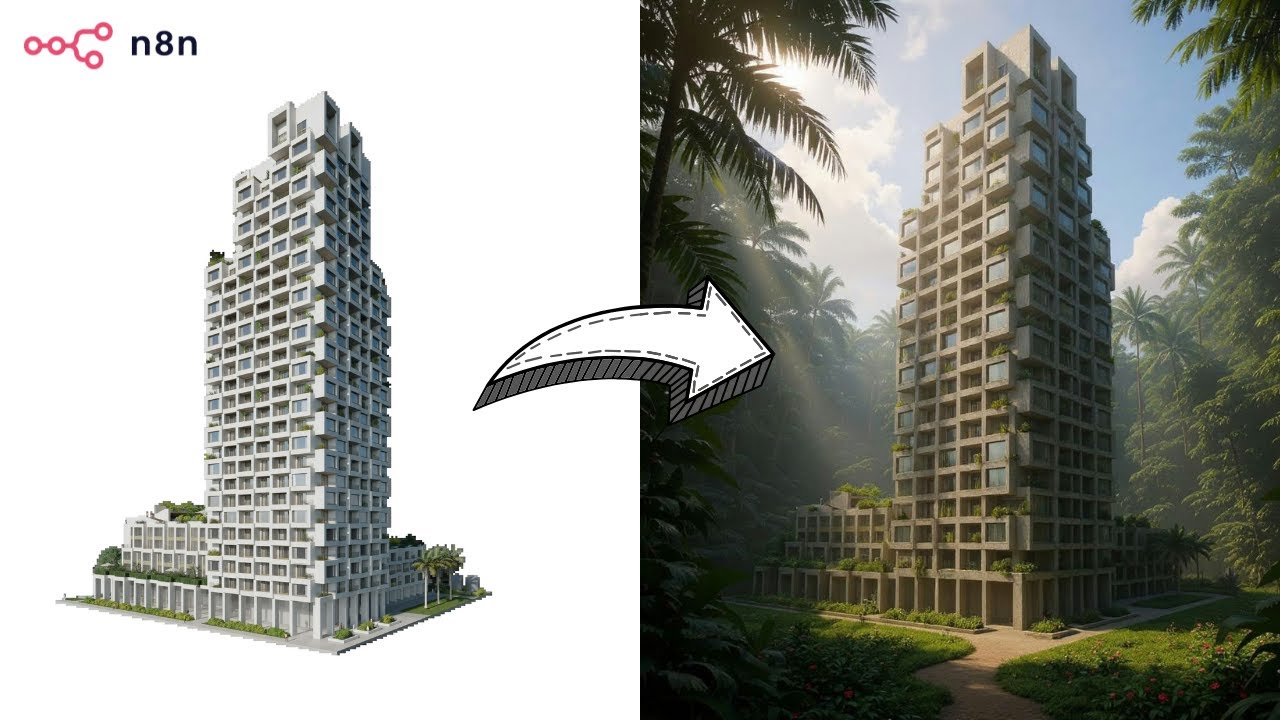](https://www.youtube.com/watch?v=0SVj70-dA0Q)"
},
"typeVersion": 1
},
{
"id": "--13",
"name": "스티키 노트",
"type": "n8n-nodes-base.stickyNote",
"position": [
-656,
-80
],
"parameters": {
"color": 7,
"width": 908,
"height": 432,
"content": "## **Prompts Generation**"
},
"typeVersion": 1
},
{
"id": "-1-14",
"name": "스티키 노트1",
"type": "n8n-nodes-base.stickyNote",
"position": [
272,
-80
],
"parameters": {
"color": 7,
"width": 780,
"height": 432,
"content": "## **UGC Production**\n"
},
"typeVersion": 1
},
{
"id": "-7-15",
"name": "스티키 노트7",
"type": "n8n-nodes-base.stickyNote",
"position": [
848,
-608
],
"parameters": {
"width": 204,
"height": 512,
"content": "## BASE IMAGE\n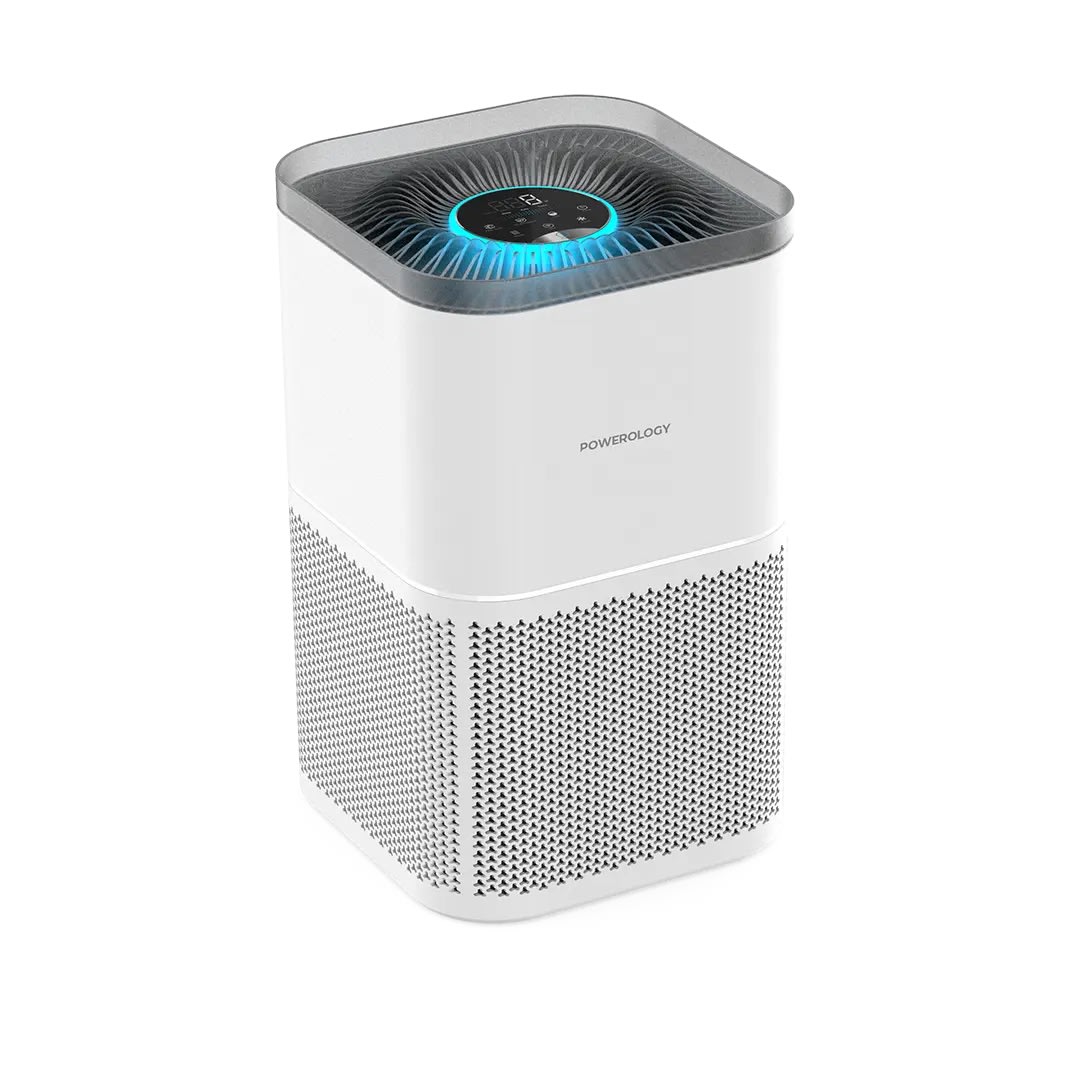\n## OUTPUT \n"
},
"typeVersion": 1
},
{
"id": "-9-16",
"name": "스티키 노트9",
"type": "n8n-nodes-base.stickyNote",
"position": [
-656,
-608
],
"parameters": {
"width": 244,
"height": 512,
"content": "## Who’s it for?\n- Content Creators\n- E-commerce Stores\n- Marketing Team\n\n**Description**: Generate unique UGC images for your products. Simply upload a product image into a Google Drive folder, and the workflow will instantly generate 50 unique, high-quality AI UGC images using **Nano Banana** via Fal.ai. \nAll results are automatically saved back into the same folder, **ready to use** across social media, e-commerce stores, and marketing campaigns.\n\n**Cost: 0.039$ / image**"
},
"typeVersion": 1
}
],
"active": false,
"pinData": {},
"settings": {
"executionOrder": "v1"
},
"versionId": "",
"connections": {
"--8": {
"main": [
[
{
"node": "--9",
"type": "main",
"index": 0
}
]
]
},
"--10": {
"main": [
[
{
"node": "--3",
"type": "main",
"index": 0
}
]
]
},
"--4": {
"main": [
[
{
"node": "--3",
"type": "main",
"index": 0
}
]
]
},
"--1": {
"main": [
[
{
"node": "--7",
"type": "main",
"index": 0
}
]
]
},
"--7": {
"main": [
[
{
"node": "--4",
"type": "main",
"index": 0
}
]
]
},
"--3": {
"main": [
[
{
"node": "--6",
"type": "main",
"index": 0
}
],
[
{
"node": "--1",
"type": "main",
"index": 0
}
]
]
},
"--9": {
"main": [
[
{
"node": "--10",
"type": "main",
"index": 0
}
]
]
},
"Google-Drive-Trigger-2": {
"main": [
[
{
"node": "--8",
"type": "main",
"index": 0
}
]
]
},
"Mistral-Cloud-Chat-Model-0": {
"ai_languageModel": [
[
{
"node": "--9",
"type": "ai_languageModel",
"index": 0
}
]
]
},
"Structured-Output-Parser-5": {
"ai_outputParser": [
[
{
"node": "--9",
"type": "ai_outputParser",
"index": 0
}
]
]
}
}
}자주 묻는 질문
이 워크플로우를 어떻게 사용하나요?
위의 JSON 구성 코드를 복사하여 n8n 인스턴스에서 새 워크플로우를 생성하고 "JSON에서 가져오기"를 선택한 후, 구성을 붙여넣고 필요에 따라 인증 설정을 수정하세요.
이 워크플로우는 어떤 시나리오에 적합한가요?
고급 - 콘텐츠 제작, 멀티모달 AI
유료인가요?
이 워크플로우는 완전히 무료이며 직접 가져와 사용할 수 있습니다. 다만, 워크플로우에서 사용하는 타사 서비스(예: OpenAI API)는 사용자 직접 비용을 지불해야 할 수 있습니다.
관련 워크플로우 추천
OpenAI, RunwayML, ElevenLabs를 사용한 무면식 숏폼 비디오 자동화
OpenAI, RunwayML, ElevenLabs를 사용한 무면쇼트 비디오 자동화: 스크립트부터 소셜 미디어까지
Set
Code
Wait
+
Set
Code
Wait
56 노드LeeWei
콘텐츠 제작
GPT-5와 fal.ai 이미지를 사용한 키워드에서 WordPress까지 자동화 SEO 블로그 프로세스
GPT-5 및 fal.ai 이미지를 사용한 키워드 to WordPress SEO 블로그 프로세스 자동화
Set
Code
Wait
+
Set
Code
Wait
96 노드Paul
콘텐츠 제작
WordPress 블로그 자동화 프로페셔널 에디션(심층 연구) v2.1 마켓
GPT-4o, Perplexity AI 및 다국어 지원을 사용한 SEO 최적화 블로그 생성 자동화
If
Set
Xml
+
If
Set
Xml
125 노드Daniel Ng
콘텐츠 제작
자동화 재무 문서 처리
Google Gemini OCR를 사용한 자동 재정 문서 처리
Set
Code
Merge
+
Set
Code
Merge
76 노드Didac Fernandez
콘텐츠 제작
자동화된 팟캐스트 제작: 문서에서 동적 오디오로
GPT-4o 및 OpenAI TTS를 사용하여 문서를 팟캐스트 오디오로 변환
Set
Split Out
Aggregate
+
Set
Split Out
Aggregate
19 노드NanaB
콘텐츠 제작
Perplexity와 GPT를 사용하여 WordPress에 SEO 최적화 블로그 생성, 키워드와 미디어 포함
Perplexity와 GPT를 사용하여 WordPress에 SEO 최적화 블로그를 만들어 키워드와 미디어 포함
Set
Code
Limit
+
Set
Code
Limit
124 노드Paul
콘텐츠 제작
