n8n と Gemini AI を使って画像編集で分離された画像を結合
上級
これはDesign, AI, Marketing分野の自動化ワークフローで、20個のノードを含みます。主にSet, Merge, Aggregate, GoogleDrive, HttpRequestなどのノードを使用、AI技術を活用したスマート自動化を実現。 n8nとGemini AIを使った画像編集による画像の分離と接合
前提条件
- •Google Drive API認証情報
- •ターゲットAPIの認証情報が必要な場合あり
使用ノード (20)
ワークフロープレビュー
ノード接続関係を可視化、ズームとパンをサポート
ワークフローをエクスポート
以下のJSON設定をn8nにインポートして、このワークフローを使用できます
{
"meta": {
"instanceId": "408f9fb9940c3cb18ffdef0e0150fe342d6e655c3a9fac21f0f644e8bedabcd9"
},
"nodes": [
{
"id": "bd94ff7b-0f66-45f7-bbab-bb2be0406532",
"name": "ワークフロー実行時",
"type": "n8n-nodes-base.manualTrigger",
"position": [
-540,
320
],
"parameters": {},
"typeVersion": 1
},
{
"id": "fdd66c07-8168-4f94-8ff5-ba4ceed476a9",
"name": "画像コンテンツ取得",
"type": "n8n-nodes-base.set",
"position": [
1400,
320
],
"parameters": {
"options": {},
"assignments": {
"assignments": [
{
"id": "021aad70-de11-4387-844e-7e7dfd3b1044",
"name": "image",
"type": "string",
"value": "={{ $json.candidates[0].content.parts.find(part => part.inlineData).inlineData.data }}"
},
{
"id": "62877ef7-2057-4d35-a44b-1d58fa1f1769",
"name": "mimeType",
"type": "string",
"value": "={{ $json.candidates[0].content.parts.find(part => part.inlineData).inlineData.mimeType }}"
}
]
}
},
"typeVersion": 3.4
},
{
"id": "e23db650-d0fa-4d87-87ea-3ab2e78292d8",
"name": "Driveにアップロード",
"type": "n8n-nodes-base.googleDrive",
"position": [
2020,
320
],
"parameters": {
"name": "=file_restored_{{ $itemIndex }}.{{ $binary.data.fileExtension }}",
"driveId": {
"__rl": true,
"mode": "list",
"value": "My Drive"
},
"options": {},
"folderId": {
"__rl": true,
"mode": "list",
"value": "root",
"cachedResultName": "/ (Root folder)"
}
},
"credentials": {
"googleDriveOAuth2Api": {
"id": "yOwz41gMQclOadgu",
"name": "Google Drive account"
}
},
"typeVersion": 3
},
{
"id": "0a8bd3f0-a6e9-4862-942c-20ce336ab24e",
"name": "付箋2",
"type": "n8n-nodes-base.stickyNote",
"position": [
1020,
60
],
"parameters": {
"color": 7,
"width": 640,
"height": 460,
"content": "## 2. Use Gemini LLM to Compose Images Together\n[Read more about Gemini's Text and Image to Image Editing](https://ai.google.dev/gemini-api/docs/image-generation#gemini-image-editing)\n\nComposing or \"Stitching\" images together may not seem particularly exciting but with Text-and-image-to-image capability, we can instruct the AI on \"how\" to put the images together. This is incredibly powerful feature when you need to use existing imagery or graphics in new pieces of work."
},
"typeVersion": 1
},
{
"id": "8a87bcea-7b60-46d8-9070-380397d9d0d8",
"name": "ファイルに変換",
"type": "n8n-nodes-base.convertToFile",
"onError": "continueRegularOutput",
"position": [
1820,
320
],
"parameters": {
"options": {
"mimeType": "={{ $json.mimeType }}"
},
"operation": "toBinary",
"sourceProperty": "image"
},
"typeVersion": 1.1
},
{
"id": "0ea0a3bf-e4fb-4beb-8a02-405602e17558",
"name": "付箋3",
"type": "n8n-nodes-base.stickyNote",
"position": [
1700,
60
],
"parameters": {
"color": 7,
"width": 560,
"height": 460,
"content": "## 3. Upload to Google Drive\n[Read more about Google Drive node](https://docs.n8n.io/integrations/builtin/app-nodes/n8n-nodes-base.googledrive)\n\nGemini outputs the image data as a base64 string so conversion to binary is sometimes necessary such as when uploading to Google Drive. We're using Google drive here but you can upload to any destination of your choosing."
},
"typeVersion": 1
},
{
"id": "f6f9410f-f3ef-4b7b-88fe-774c30fe4e29",
"name": "ファイルから抽出",
"type": "n8n-nodes-base.extractFromFile",
"position": [
600,
320
],
"parameters": {
"options": {},
"operation": "binaryToPropery"
},
"typeVersion": 1
},
{
"id": "c41e5653-bd37-4b17-9226-e9edf3d58899",
"name": "マージ1",
"type": "n8n-nodes-base.merge",
"position": [
380,
320
],
"parameters": {
"numberInputs": 3
},
"typeVersion": 3.2
},
{
"id": "0fe5cc27-e378-4a62-8477-1b666c4dcbe6",
"name": "集計1",
"type": "n8n-nodes-base.aggregate",
"position": [
820,
320
],
"parameters": {
"options": {},
"aggregate": "aggregateAllItemData"
},
"typeVersion": 1
},
{
"id": "cd489b5f-0447-4d3e-84d1-a22142d02708",
"name": "キャラクター",
"type": "n8n-nodes-base.httpRequest",
"position": [
-300,
120
],
"parameters": {
"url": "https://res.cloudinary.com/daglih2g8/image/upload/f_auto,q_auto/v1/n8n-workflows/qwitjyhejockuxfvkk5g",
"options": {}
},
"typeVersion": 4.2
},
{
"id": "74e05106-26c0-4d59-adf9-274f2a1ddd7b",
"name": "ダルメシアン",
"type": "n8n-nodes-base.httpRequest",
"position": [
-180,
320
],
"parameters": {
"url": "https://res.cloudinary.com/daglih2g8/image/upload/f_auto,q_auto/v1/n8n-workflows/gxcc0xnghpbthwt8fpec",
"options": {}
},
"typeVersion": 4.2
},
{
"id": "2bd84982-3984-4c22-a3de-0c871f5bc2ea",
"name": "付箋",
"type": "n8n-nodes-base.stickyNote",
"position": [
2300,
60
],
"parameters": {
"width": 480,
"height": 540,
"content": "## Final Output\n"
},
"typeVersion": 1
},
{
"id": "4e3155bf-983b-46b4-b6cb-38278edc34fb",
"name": "付箋1",
"type": "n8n-nodes-base.stickyNote",
"position": [
-300,
-180
],
"parameters": {
"width": 220,
"height": 280,
"content": "## Character\n"
},
"typeVersion": 1
},
{
"id": "01486147-0ddf-4055-9ebf-5bc6a884852c",
"name": "付箋4",
"type": "n8n-nodes-base.stickyNote",
"position": [
-40,
120
],
"parameters": {
"height": 300,
"content": "## Dalmation\n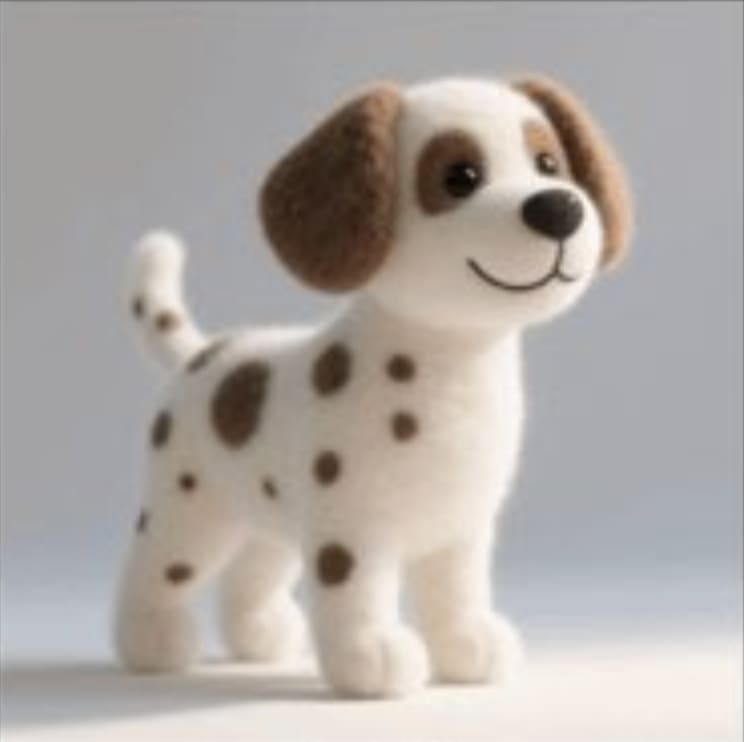"
},
"typeVersion": 1
},
{
"id": "e2153852-33b3-41dc-adcf-122027ada5a6",
"name": "付箋5",
"type": "n8n-nodes-base.stickyNote",
"position": [
-180,
520
],
"parameters": {
"height": 300,
"content": "## Sofa\n"
},
"typeVersion": 1
},
{
"id": "510619c4-1e9c-4466-95f1-5eaa72d6ecc5",
"name": "ソファ",
"type": "n8n-nodes-base.httpRequest",
"position": [
100,
520
],
"parameters": {
"url": "https://res.cloudinary.com/daglih2g8/image/upload/f_auto,q_auto/v1/n8n-workflows/nyghscauxtcfl4dve6of",
"options": {}
},
"typeVersion": 4.2
},
{
"id": "522cdb05-558c-4bd4-a4af-1a400bc641f9",
"name": "付箋6",
"type": "n8n-nodes-base.stickyNote",
"position": [
300,
60
],
"parameters": {
"color": 7,
"width": 680,
"height": 460,
"content": "## 1. Convert Separate Images to Base64 Strings\n[Read more about the Extract from File node](https://docs.n8n.io/integrations/builtin/core-nodes/n8n-nodes-base.extractfromfile)\n\nTo use our images in this workflow, we will need to convert the binary data to base64 strings. This is later passed to the Gemini API to work on."
},
"typeVersion": 1
},
{
"id": "ce28bdf0-a03e-486c-9dd4-2aeb0896519e",
"name": "付箋7",
"type": "n8n-nodes-base.stickyNote",
"position": [
-1080,
-220
],
"parameters": {
"width": 460,
"height": 960,
"content": "## Try It Out!\n### This n8n template demonstrates how to use AI to compose or \"stitch\" separate images together to generate a new image which retains the source assets and consistent style.\n\nUse cases are many: Try producing storyboard scenes with consistent characters, marketing material with existing product assets or trying on different articles on fashion!\n\n### How it works\n* We'll import our required assets via our Cloud storage using the HTTP node.\n* The images are then converted to base64 strings and aggregated so we can use it for our AI model.\n* Gemini's image generation model is used which takes all 3 images and a prompt that we define. Our prompt instructs the model on how to compose the final image.\n* Gemini generates a new image but uses the original 3 assets to do so. The consistency to the source images is very high and shows little signs of hallucinations!\n* Gemini's output is base64 so we use a \"Convert to file\" node to convert the data to binary.\n* The final binary image is then uploaded to Google Drive to complete the demonstration.\n\n### How to use\n* The manual trigger node is used as an example but feel free to replace this with other triggers such as webhook or even a form.\n* Technically, you should be able to compose even more images but of course, the generation will take longer and cost more.\n\n### Requirements\n* Gemini account for LLM and Image generation\n* Google drive for upload\n\n\n### Need Help?\nJoin the [Discord](https://discord.com/invite/XPKeKXeB7d) or ask in the [Forum](https://community.n8n.io/)!\n\nHappy Hacking!"
},
"typeVersion": 1
},
{
"id": "086cae2e-3b21-4262-917d-9d9f261d20d6",
"name": "Gemini 画像合成",
"type": "n8n-nodes-base.httpRequest",
"position": [
1180,
320
],
"parameters": {
"url": "https://generativelanguage.googleapis.com/v1beta/models/gemini-2.0-flash-preview-image-generation:generateContent",
"method": "POST",
"options": {},
"jsonBody": "={\n \"contents\": [\n {\n \"parts\": [\n {\n \"text\": \"The character is sitting on the sofa, and the dalmation is lying on the blanket sleeping on the floor. Retain the image style of the character image.\"\n },\n {\n \"inline_data\": {\n \"mime_type\": \"image/png\",\n \"data\": \"{{ $json.data[0].data }}\"\n }\n },\n {\n \"inline_data\": {\n \"mime_type\": \"image/png\",\n \"data\": \"{{ $json.data[1].data }}\"\n }\n },\n {\n \"inline_data\": {\n \"mime_type\": \"image/png\",\n \"data\": \"{{ $json.data[2].data }}\"\n }\n }\n ]\n }\n ],\n \"generationConfig\": {\n \"responseModalities\": [\n \"TEXT\",\n \"IMAGE\"\n ]\n }\n}",
"sendBody": true,
"specifyBody": "json",
"authentication": "predefinedCredentialType",
"nodeCredentialType": "googlePalmApi"
},
"credentials": {
"googlePalmApi": {
"id": "dSxo6ns5wn658r8N",
"name": "Google Gemini(PaLM) Api account"
}
},
"typeVersion": 4.2
},
{
"id": "48127e5f-441a-4c46-9c96-3953e26ae092",
"name": "付箋8",
"type": "n8n-nodes-base.stickyNote",
"position": [
-1080,
760
],
"parameters": {
"color": 5,
"width": 460,
"height": 140,
"content": "### Geo Restrictions!\nPlease note at time of writing, the Gemini Image Generation model is restricted to certain countries and regions. If you're getting model not found errors, it's possible the model may not be available in your country!"
},
"typeVersion": 1
}
],
"pinData": {},
"connections": {
"510619c4-1e9c-4466-95f1-5eaa72d6ecc5": {
"main": [
[
{
"node": "c41e5653-bd37-4b17-9226-e9edf3d58899",
"type": "main",
"index": 2
}
]
]
},
"c41e5653-bd37-4b17-9226-e9edf3d58899": {
"main": [
[
{
"node": "f6f9410f-f3ef-4b7b-88fe-774c30fe4e29",
"type": "main",
"index": 0
}
]
]
},
"cd489b5f-0447-4d3e-84d1-a22142d02708": {
"main": [
[
{
"node": "c41e5653-bd37-4b17-9226-e9edf3d58899",
"type": "main",
"index": 0
}
]
]
},
"74e05106-26c0-4d59-adf9-274f2a1ddd7b": {
"main": [
[
{
"node": "c41e5653-bd37-4b17-9226-e9edf3d58899",
"type": "main",
"index": 1
}
]
]
},
"0fe5cc27-e378-4a62-8477-1b666c4dcbe6": {
"main": [
[
{
"node": "086cae2e-3b21-4262-917d-9d9f261d20d6",
"type": "main",
"index": 0
}
]
]
},
"8a87bcea-7b60-46d8-9070-380397d9d0d8": {
"main": [
[
{
"node": "e23db650-d0fa-4d87-87ea-3ab2e78292d8",
"type": "main",
"index": 0
}
]
]
},
"f6f9410f-f3ef-4b7b-88fe-774c30fe4e29": {
"main": [
[
{
"node": "0fe5cc27-e378-4a62-8477-1b666c4dcbe6",
"type": "main",
"index": 0
}
]
]
},
"fdd66c07-8168-4f94-8ff5-ba4ceed476a9": {
"main": [
[
{
"node": "8a87bcea-7b60-46d8-9070-380397d9d0d8",
"type": "main",
"index": 0
}
]
]
},
"086cae2e-3b21-4262-917d-9d9f261d20d6": {
"main": [
[
{
"node": "fdd66c07-8168-4f94-8ff5-ba4ceed476a9",
"type": "main",
"index": 0
}
]
]
},
"bd94ff7b-0f66-45f7-bbab-bb2be0406532": {
"main": [
[
{
"node": "74e05106-26c0-4d59-adf9-274f2a1ddd7b",
"type": "main",
"index": 0
},
{
"node": "510619c4-1e9c-4466-95f1-5eaa72d6ecc5",
"type": "main",
"index": 0
},
{
"node": "cd489b5f-0447-4d3e-84d1-a22142d02708",
"type": "main",
"index": 0
}
]
]
}
}
}よくある質問
このワークフローの使い方は?
上記のJSON設定コードをコピーし、n8nインスタンスで新しいワークフローを作成して「JSONからインポート」を選択、設定を貼り付けて認証情報を必要に応じて変更してください。
このワークフローはどんな場面に適していますか?
上級 - デザイン, 人工知能, マーケティング
有料ですか?
このワークフローは完全無料です。ただし、ワークフローで使用するサードパーティサービス(OpenAI APIなど)は別途料金が発生する場合があります。
関連ワークフロー
n8nとGemini AI画像編集を活用した画像修復サービスの構築
n8nとGemini AI画像編集による画像修復サービスの構築
Set
Split Out
Google Drive
+
Set
Split Out
Google Drive
17 ノードJimleuk
デザイン
AIを使ったブランド文風のブログ作成の自動化
AIを使ってブランドスタイルのブログを自動生成
Set
Html
Limit
+
Set
Html
Limit
27 ノードJimleuk
人工知能
ComfyUI を使用して AI メディアの生成:画像、動画、3D、オーディオ橋渡し
ComfyUI を使って AI メディアを生成する:画像、動画、3D、オーディオ連携
If
Set
Code
+
If
Set
Code
51 ノードNielo
デザイン
AI搭載YouTubeショート動画自動化:OpenAIとElevenLabsを使用して作成と公開
AI駆動のYouTube Shorts作成ツール(OpenAIスクリプトとElevenLabsボイス)
If
Set
Wait
+
If
Set
Wait
76 ノードWIKIPILOT
デザイン
第8回:Instagram インフルエンサー
GPT-4.1、Supabase、そして人間による承認を使って Instagram インフルエンサーコンテンツを自動化
If
Set
Gmail
+
If
Set
Gmail
55 ノードNICKYAI
デザイン
ブログ投稿自動化とSNSプロモーションエージェント
GPT-4、Perplexity、WordPressを使用したSEOブログ作成の自動化+ソーシャルメディア
Set
Code
Gmail
+
Set
Code
Gmail
79 ノードLukaszB
デザイン
ワークフロー情報
難易度
上級
ノード数20
カテゴリー3
ノードタイプ9
作成者

Jimleuk
@jimleukFreelance consultant based in the UK specialising in AI-powered automations. I work with select clients tackling their most challenging projects. For business enquiries, send me an email at hello@jimle.uk LinkedIn: https://www.linkedin.com/in/jimleuk/ X/Twitter: https://x.com/jimle_uk
外部リンク
n8n.ioで表示 →
このワークフローを共有