Supabase-PostgreSQL 데이터베이스와 대화하는 AI 에이전트
이것은Engineering, DevOps, Product, AI분야의자동화 워크플로우로, 11개의 노드를 포함합니다.주로 PostgresTool, Agent, ToolCode, ChatTrigger, LmChatOpenAi 등의 노드를 사용하며인공지능 기술을 결합하여 스마트 자동화를 구현합니다. 用于与Supabase/PostgreSQL데이터库对话의AI스마트体
- •PostgreSQL 데이터베이스 연결 정보
- •OpenAI API Key
{
"nodes": [
{
"id": "0a4e65b7-39be-44eb-8c66-913ebfe8a87a",
"name": "메모3",
"type": "n8n-nodes-base.stickyNote",
"position": [
1140,
840
],
"parameters": {
"color": 3,
"width": 215,
"height": 80,
"content": "**Replace password and username for Supabase**"
},
"typeVersion": 1
},
{
"id": "2cea21fc-f3fe-47b7-a7b6-12acb0bc03ac",
"name": "메모5",
"type": "n8n-nodes-base.stickyNote",
"position": [
-160,
320
],
"parameters": {
"color": 7,
"width": 280.2462120317618,
"height": 545.9087885077763,
"content": "### Set up steps\n\n#### Preparation\n1. **Create Accounts**:\n - [N8N](https://n8n.partnerlinks.io/2hr10zpkki6a): For workflow automation.\n - [Supabase](https://supabase.com/): For database hosting and management.\n - [OpenAI](https://openai.com/): For building the conversational AI agent.\n2. **Configure Database Connection**:\n - Set up a PostgreSQL database in Supabase.\n - Use appropriate credentials (`username`, `password`, `host`, and `database` name) in your workflow.\n\n#### N8N Workflow\n\nAI agent with tools:\n\n1. **Code Tool**:\n - Execute SQL queries based on user input.\n2. **Database Schema Tool**:\n - Retrieve a list of all tables in the database.\n - Use a predefined SQL query to fetch table definitions, including column names, types, and references.\n3. **Table Definition**:\n - Retrieve a list of columns with types for one table."
},
"typeVersion": 1
},
{
"id": "eacc0c8c-11d5-44fb-8ff1-10533a233693",
"name": "메모6",
"type": "n8n-nodes-base.stickyNote",
"position": [
-160,
-200
],
"parameters": {
"color": 7,
"width": 636.2128494576581,
"height": 497.1532689930921,
"content": "\n## AI Agent to chat with Supabase/PostgreSQL DB\n**Made by [Mark Shcherbakov](https://www.linkedin.com/in/marklowcoding/) from community [5minAI](https://www.skool.com/5minai-2861)**\n\nAccessing and analyzing database data often requires SQL expertise or dedicated reports, which can be time-consuming. This workflow empowers users to interact with a database conversationally through an AI-powered agent. It dynamically generates SQL queries based on user requests, streamlining data retrieval and analysis.\n\nThis workflow integrates OpenAI with a Supabase database, enabling users to interact with their data via an AI agent. The agent can:\n- Retrieve records from the database.\n- Extract and analyze JSON data stored in tables.\n- Provide summaries, aggregations, or specific data points based on user queries.\n\n"
},
"typeVersion": 1
},
{
"id": "be1559ea-1f75-4e7c-9bdd-3add8d8be70b",
"name": "메모7",
"type": "n8n-nodes-base.stickyNote",
"position": [
140,
320
],
"parameters": {
"color": 7,
"width": 330.5152611046425,
"height": 239.5888196628349,
"content": "### ... or watch set up video [20 min]\n[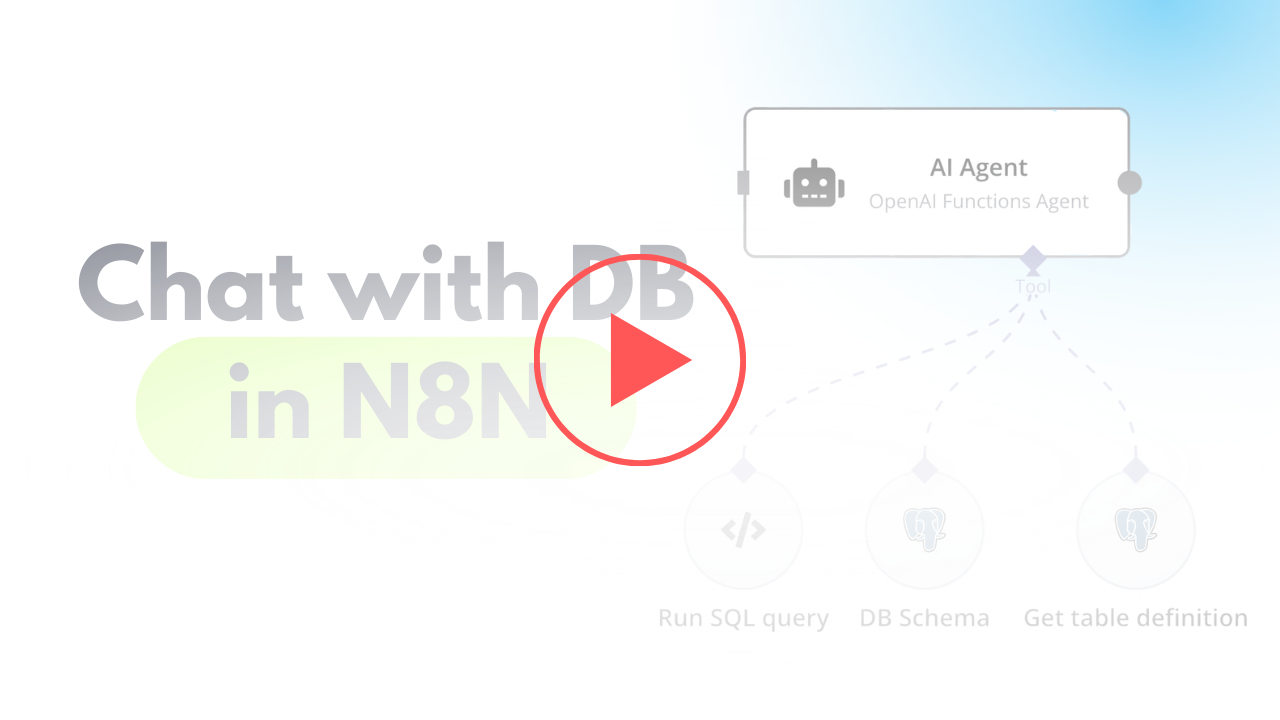](https://www.youtube.com/watch?v=-GgKzhCNxjk)\n"
},
"typeVersion": 1
},
{
"id": "4ea87754-dead-49ea-848c-ed86c98e217b",
"name": "채팅 메시지 수신 시",
"type": "@n8n/n8n-nodes-langchain.chatTrigger",
"position": [
720,
400
],
"webhookId": "6e95bc27-99a6-417c-8bf7-2831d7f7a4be",
"parameters": {
"options": {}
},
"typeVersion": 1.1
},
{
"id": "c20d6e57-eb41-4682-a7f5-5bb4323df476",
"name": "OpenAI 채팅 모델",
"type": "@n8n/n8n-nodes-langchain.lmChatOpenAi",
"position": [
760,
680
],
"parameters": {
"options": {}
},
"credentials": {
"openAiApi": {
"id": "zJhr5piyEwVnWtaI",
"name": "OpenAi club"
}
},
"typeVersion": 1
},
{
"id": "8d3b1faf-643c-4070-996d-a59cb06e1827",
"name": "DB Schema",
"type": "n8n-nodes-base.postgresTool",
"position": [
1180,
660
],
"parameters": {
"query": "SELECT table_schema, table_name\nFROM information_schema.tables\nWHERE table_type = 'BASE TABLE' AND table_schema = 'public';",
"options": {},
"operation": "executeQuery",
"descriptionType": "manual",
"toolDescription": "Get list of all tables in database"
},
"credentials": {
"postgres": {
"id": "AO9cER6p8uX7V07T",
"name": "Postgres 5minai"
}
},
"typeVersion": 2.5
},
{
"id": "d9346ade-79d1-44c2-8fa6-b337ad8b0544",
"name": "Get table definition",
"type": "n8n-nodes-base.postgresTool",
"position": [
1340,
660
],
"parameters": {
"query": "SELECT \n c.column_name,\n c.data_type,\n c.is_nullable,\n c.column_default,\n tc.constraint_type,\n ccu.table_name AS referenced_table,\n ccu.column_name AS referenced_column\nFROM \n information_schema.columns c\nLEFT JOIN \n information_schema.key_column_usage kcu \n ON c.table_name = kcu.table_name \n AND c.column_name = kcu.column_name\nLEFT JOIN \n information_schema.table_constraints tc \n ON kcu.constraint_name = tc.constraint_name\n AND tc.constraint_type = 'FOREIGN KEY'\nLEFT JOIN\n information_schema.constraint_column_usage ccu\n ON tc.constraint_name = ccu.constraint_name\nWHERE \n c.table_name = '{{ $fromAI(\"table_name\") }}' -- Your table name\n AND c.table_schema = 'public' -- Ensure it's in the right schema\nORDER BY \n c.ordinal_position;\n",
"options": {},
"operation": "executeQuery",
"descriptionType": "manual",
"toolDescription": "Get table definition to find all columns and types."
},
"credentials": {
"postgres": {
"id": "AO9cER6p8uX7V07T",
"name": "Postgres 5minai"
}
},
"typeVersion": 2.5
},
{
"id": "b88a21e0-d2ff-4431-bd84-dfd43edeb5c4",
"name": "메모",
"type": "n8n-nodes-base.stickyNote",
"position": [
960,
280
],
"parameters": {
"width": 215,
"height": 80,
"content": "**Finetune the prompt of assistant**"
},
"typeVersion": 1
},
{
"id": "fbe9eb68-5990-485c-820f-08234ea33194",
"name": "AI 에이전트",
"type": "@n8n/n8n-nodes-langchain.agent",
"position": [
940,
400
],
"parameters": {
"text": "={{ $('When chat message received').item.json.chatInput }}",
"agent": "openAiFunctionsAgent",
"options": {
"systemMessage": "You are DB assistant. You need to run queries in DB aligned with user requests.\n\nRun custom SQL query to aggregate data and response to user.\n\nFetch all data to analyse it for response if needed.\n"
},
"promptType": "define"
},
"typeVersion": 1.6
},
{
"id": "7f82d6d9-d7d6-4443-bbaa-c9b276a376e3",
"name": "Run SQL Query",
"type": "n8n-nodes-base.postgresTool",
"position": [
1040,
660
],
"parameters": {
"query": "{{ $fromAI(\"query\",\"SQL query for PostgreSQL DB in Supabase\") }}",
"options": {},
"operation": "executeQuery",
"descriptionType": "manual",
"toolDescription": "Run custom SQL queries using knowledge about Output structure to provide needed response for user request.\nUse ->> operator to extract JSON data."
},
"credentials": {
"postgres": {
"id": "AO9cER6p8uX7V07T",
"name": "Postgres 5minai"
}
},
"typeVersion": 2.5
}
],
"pinData": {},
"connections": {
"8d3b1faf-643c-4070-996d-a59cb06e1827": {
"ai_tool": [
[
{
"node": "AI Agent",
"type": "ai_tool",
"index": 0
}
]
]
},
"7f82d6d9-d7d6-4443-bbaa-c9b276a376e3": {
"ai_tool": [
[
{
"node": "AI Agent",
"type": "ai_tool",
"index": 0
}
]
]
},
"OpenAI Chat Model": {
"ai_languageModel": [
[
{
"node": "AI Agent",
"type": "ai_languageModel",
"index": 0
}
]
]
},
"d9346ade-79d1-44c2-8fa6-b337ad8b0544": {
"ai_tool": [
[
{
"node": "AI Agent",
"type": "ai_tool",
"index": 0
}
]
]
},
"When chat message received": {
"main": [
[
{
"node": "AI Agent",
"type": "main",
"index": 0
}
]
]
}
}
}이 워크플로우를 어떻게 사용하나요?
위의 JSON 구성 코드를 복사하여 n8n 인스턴스에서 새 워크플로우를 생성하고 "JSON에서 가져오기"를 선택한 후, 구성을 붙여넣고 필요에 따라 인증 설정을 수정하세요.
이 워크플로우는 어떤 시나리오에 적합한가요?
중급 - 엔지니어링, 데브옵스, 제품, 인공지능
유료인가요?
이 워크플로우는 완전히 무료이며 직접 가져와 사용할 수 있습니다. 다만, 워크플로우에서 사용하는 타사 서비스(예: OpenAI API)는 사용자 직접 비용을 지불해야 할 수 있습니다.
관련 워크플로우 추천

Mark Shcherbakov
@lowcodingdevI am a business analyst with a development background, dedicated to helping small businesses and entrepreneurs leverage cloud services for increased efficiency. My expertise lies in automating manual workflows, integrating data from multiple cloud service providers, creating insightful dashboards, and building custom CRM systems.
이 워크플로우 공유