Agent de candidature
Intermédiaire
Ceci est unMultimodal AIworkflow d'automatisation du domainecontenant 15 nœuds.Utilise principalement des nœuds comme If, Form, Markdown, GmailTool, FormTrigger. Agent d'automatisation des candidatures d'emploi
Prérequis
- •Compte Google et informations d'identification Gmail API
- •Peut nécessiter les informations d'identification d'authentification de l'API cible
- •Informations d'identification Google Sheets API
- •Clé API OpenAI
Nœuds utilisés (15)
Catégorie
Aperçu du workflow
Visualisation des connexions entre les nœuds, avec support du zoom et du déplacement
Exporter le workflow
Copiez la configuration JSON suivante dans n8n pour importer et utiliser ce workflow
{
"id": "TgerHOX1Lk3hIGiM",
"meta": {
"instanceId": "061ca141d020a6e1355b8c7fe05f92a699e37e92079ad2e150a506ee8bbe9e11"
},
"name": "Job Applying Agent",
"tags": [],
"nodes": [
{
"id": "edb25e44-ef64-4997-ba1f-a101c9cbbba3",
"name": "À la soumission du formulaire",
"type": "n8n-nodes-base.formTrigger",
"position": [
-832,
176
],
"webhookId": "cd48da96-9083-435f-8587-d4f38bec0f5a",
"parameters": {
"options": {
"appendAttribution": false
},
"formTitle": "Lead Agent",
"formFields": {
"values": [
{
"fieldLabel": "Target Business Website",
"requiredField": true
},
{
"fieldType": "dropdown",
"fieldLabel": "Applying As",
"fieldOptions": {
"values": [
{
"option": "Video Editor"
},
{
"option": "SEO Expert"
},
{
"option": "Full-Stack Developer"
},
{
"option": "Social Media Manager"
}
]
},
"requiredField": true
}
]
},
"responseMode": "lastNode",
"formDescription": "Give the Target Business URL"
},
"typeVersion": 2.2
},
{
"id": "b5b96cc7-730d-48bd-a03d-a592c417a422",
"name": "Agent IA",
"type": "@n8n/n8n-nodes-langchain.agent",
"position": [
800,
160
],
"parameters": {
"text": "=Business/Company Info: {{ $('Information Extractor').item.json.output.Summary }}\nEmaill Address: {{ $('Information Extractor').item.json.output['Email Address'] }}\n\nApplied Position: {{ $('On form submission').item.json['Applying As'] }}",
"options": {
"systemMessage": "=You task is to make a perfect Email based on the applied position for the Company/Business. And send the email with a perfect subject to the email address.\nMy Name is Jamal Mia. And my working experience data is given for the applied position in the google Sheet."
},
"promptType": "define"
},
"typeVersion": 2.1
},
{
"id": "f3a53306-65df-4baa-95bc-83e3b16f1b02",
"name": "OpenAI Modèle de Chat",
"type": "@n8n/n8n-nodes-langchain.lmChatOpenAi",
"position": [
800,
384
],
"parameters": {
"model": {
"__rl": true,
"mode": "list",
"value": "gpt-5",
"cachedResultName": "gpt-5"
},
"options": {}
},
"typeVersion": 1.2
},
{
"id": "b6871b1c-92dd-4cd5-883d-a1df5eed3a05",
"name": "Envoyer un message dans Gmail",
"type": "n8n-nodes-base.gmailTool",
"position": [
1184,
432
],
"webhookId": "4c34f0dd-0d7f-4358-a3b9-2554cc0488c8",
"parameters": {
"sendTo": "={{ /*n8n-auto-generated-fromAI-override*/ $fromAI('To', ``, 'string') }}",
"message": "={{ /*n8n-auto-generated-fromAI-override*/ $fromAI('Message', ``, 'string') }}",
"options": {
"senderName": "Jamal Mia",
"appendAttribution": false
},
"subject": "={{ /*n8n-auto-generated-fromAI-override*/ $fromAI('Subject', ``, 'string') }}",
"emailType": "text"
},
"typeVersion": 2.1
},
{
"id": "dbe11241-a8df-497a-87c1-b3f68cf2818d",
"name": "Obtenir la/les ligne(s) dans la feuille Google Sheets",
"type": "n8n-nodes-base.googleSheetsTool",
"position": [
992,
432
],
"parameters": {
"options": {},
"sheetName": {
"__rl": true,
"mode": "list",
"value": "gid=0",
"cachedResultUrl": "https://docs.google.com/spreadsheets/d/1PMZvVn239wT2EXWZ45WL5UE_12PNZOMzlH54V03DXoM/edit#gid=0",
"cachedResultName": "Sheet1"
},
"documentId": {
"__rl": true,
"mode": "list",
"value": "1PMZvVn239wT2EXWZ45WL5UE_12PNZOMzlH54V03DXoM",
"cachedResultUrl": "https://docs.google.com/spreadsheets/d/1PMZvVn239wT2EXWZ45WL5UE_12PNZOMzlH54V03DXoM/edit?usp=drivesdk",
"cachedResultName": "Working Experience Data"
}
},
"typeVersion": 4.6
},
{
"id": "d9efc3ed-4370-4440-855a-e7a2dd2b25bc",
"name": "Formulaire",
"type": "n8n-nodes-base.form",
"position": [
1328,
160
],
"webhookId": "a6e69f44-4568-4ebc-af72-100ffdc05c39",
"parameters": {
"options": {},
"operation": "completion",
"completionTitle": "Agent Response",
"completionMessage": "={{ $json.output }}"
},
"typeVersion": 1
},
{
"id": "a1da7bcc-2f62-4511-80b4-1eff9e446ff9",
"name": "HTTP Requête",
"type": "n8n-nodes-base.httpRequest",
"position": [
-624,
176
],
"parameters": {
"url": "={{ $json[\"Target Business Website\"] }}",
"options": {}
},
"typeVersion": 4.2
},
{
"id": "32d6f5b9-f806-4984-9e43-7e4f76245e4c",
"name": "Markdown",
"type": "n8n-nodes-base.markdown",
"position": [
-416,
176
],
"parameters": {
"html": "={{ $json.data }}",
"options": {}
},
"typeVersion": 1
},
{
"id": "61fae134-469e-4991-8e98-523b99c65123",
"name": "Extracteur d'Informations",
"type": "@n8n/n8n-nodes-langchain.informationExtractor",
"position": [
-208,
176
],
"parameters": {
"text": "={{ $json.data }}",
"options": {},
"attributes": {
"attributes": [
{
"name": "Email Address",
"required": true,
"description": "only 1 email address from the data in perfect email format"
},
{
"name": "Summary",
"required": true,
"description": "a simple summary about the Company/Business"
}
]
}
},
"typeVersion": 1.2
},
{
"id": "ef4190f4-487d-4f08-97a0-853c57352535",
"name": "OpenAI Modèle de Chat1",
"type": "@n8n/n8n-nodes-langchain.lmChatOpenAi",
"position": [
-160,
352
],
"parameters": {
"model": {
"__rl": true,
"mode": "list",
"value": "gpt-5",
"cachedResultName": "gpt-5"
},
"options": {}
},
"typeVersion": 1.2
},
{
"id": "2565ac6d-5423-4ded-ab2b-15db5025f158",
"name": "Si",
"type": "n8n-nodes-base.if",
"position": [
256,
176
],
"parameters": {
"options": {},
"conditions": {
"options": {
"version": 2,
"leftValue": "",
"caseSensitive": true,
"typeValidation": "strict"
},
"combinator": "and",
"conditions": [
{
"id": "44e1e352-e6ec-43fd-b49c-23f46eba15b5",
"operator": {
"type": "string",
"operation": "contains"
},
"leftValue": "={{ $json.output[\"Email Address\"] }}",
"rightValue": "@"
}
]
}
},
"typeVersion": 2.2
},
{
"id": "43dd189f-42f0-498a-af10-1f87c5ae948b",
"name": "Aucune Opération, ne rien faire",
"type": "n8n-nodes-base.noOp",
"position": [
528,
272
],
"parameters": {},
"typeVersion": 1
},
{
"id": "6bb7b6b1-04da-42f8-8f05-ed25f2cc3820",
"name": "Note adhésive",
"type": "n8n-nodes-base.stickyNote",
"position": [
0,
0
],
"parameters": {
"color": 7,
"width": 464,
"height": 80,
"content": "# Job Applier Agent - GPT 5"
},
"typeVersion": 1
},
{
"id": "1e8fdc0b-7144-4e1a-802b-e6a405fb5da2",
"name": "Note adhésive1",
"type": "n8n-nodes-base.stickyNote",
"position": [
-832,
592
],
"parameters": {
"color": 7,
"width": 768,
"height": 608,
"content": "---\n# 🛠 Setup Guide\nFollow these steps to get started:\n1. **Set up the Job Applier Form**\n Customize the form fields (Target Business Website, Applying As) in the **Form Trigger** node. Add more job positions to the dropdown (currently Video Editor, SEO Expert, Full-Stack Developer, Social Media Manager).\n\n2. **Add your [OpenAI](https://platform.openai.com/) API credentials**\n Connect your OpenAI account in both **OpenAI Chat Model** nodes to power the GPT-5 AI for information extraction and personalized email generation.\n\n3. **Connect your [Google Sheets](https://docs.google.com/spreadsheets/) with experience data**\n Link your Google Sheet in the **Get row(s) in sheet** node. Make sure your sheet contains your skills, portfolio, experience, and achievements for each job type you're applying for.\n\n4. **Link your [Gmail](https://mail.google.com/) account**\n Connect your Gmail OAuth2 credentials in the **Send a message in Gmail** node to automatically send job application emails with your personalized sender name.\n\n5. **Update your personal information**\n Change the sender name from \"Jamal Mia\" to your actual name in the Gmail node settings, and update your experience data in the connected Google Sheet.\n\n6. **Customize AI prompts**\n Modify the system message in the **AI Agent** node to reflect your unique value proposition and application style for better personalized emails.\n\nOnce all connections are set, your workflow will **scrape business websites, extract contact info, and send personalized job applications automatically** 🚀\n---"
},
"typeVersion": 1
},
{
"id": "7e1d3203-adbd-4e4d-a146-b39ba5fa62d8",
"name": "Note adhésive3",
"type": "n8n-nodes-base.stickyNote",
"position": [
0,
672
],
"parameters": {
"color": 7,
"width": 480,
"height": 464,
"content": "## Start here: Step-by Step Youtube Tutorial :star:\n\n[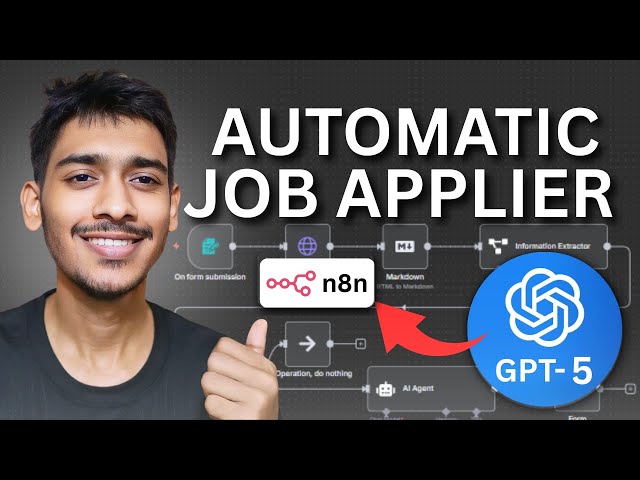](https://youtu.be/ysrBjL1aKkU)"
},
"typeVersion": 1
}
],
"active": false,
"pinData": {},
"settings": {
"executionOrder": "v1"
},
"versionId": "d71c296f-542f-40c4-92f0-ac43c291ef10",
"connections": {
"2565ac6d-5423-4ded-ab2b-15db5025f158": {
"main": [
[
{
"node": "b5b96cc7-730d-48bd-a03d-a592c417a422",
"type": "main",
"index": 0
}
],
[
{
"node": "43dd189f-42f0-498a-af10-1f87c5ae948b",
"type": "main",
"index": 0
}
]
]
},
"b5b96cc7-730d-48bd-a03d-a592c417a422": {
"main": [
[
{
"node": "d9efc3ed-4370-4440-855a-e7a2dd2b25bc",
"type": "main",
"index": 0
}
]
]
},
"32d6f5b9-f806-4984-9e43-7e4f76245e4c": {
"main": [
[
{
"node": "61fae134-469e-4991-8e98-523b99c65123",
"type": "main",
"index": 0
}
]
]
},
"a1da7bcc-2f62-4511-80b4-1eff9e446ff9": {
"main": [
[
{
"node": "32d6f5b9-f806-4984-9e43-7e4f76245e4c",
"type": "main",
"index": 0
}
]
]
},
"f3a53306-65df-4baa-95bc-83e3b16f1b02": {
"ai_languageModel": [
[
{
"node": "b5b96cc7-730d-48bd-a03d-a592c417a422",
"type": "ai_languageModel",
"index": 0
}
]
]
},
"edb25e44-ef64-4997-ba1f-a101c9cbbba3": {
"main": [
[
{
"node": "a1da7bcc-2f62-4511-80b4-1eff9e446ff9",
"type": "main",
"index": 0
}
]
]
},
"ef4190f4-487d-4f08-97a0-853c57352535": {
"ai_languageModel": [
[
{
"node": "61fae134-469e-4991-8e98-523b99c65123",
"type": "ai_languageModel",
"index": 0
}
]
]
},
"61fae134-469e-4991-8e98-523b99c65123": {
"main": [
[
{
"node": "2565ac6d-5423-4ded-ab2b-15db5025f158",
"type": "main",
"index": 0
}
]
]
},
"b6871b1c-92dd-4cd5-883d-a1df5eed3a05": {
"ai_tool": [
[
{
"node": "b5b96cc7-730d-48bd-a03d-a592c417a422",
"type": "ai_tool",
"index": 0
}
]
]
},
"dbe11241-a8df-497a-87c1-b3f68cf2818d": {
"ai_tool": [
[
{
"node": "b5b96cc7-730d-48bd-a03d-a592c417a422",
"type": "ai_tool",
"index": 0
}
]
]
}
}
}Foire aux questions
Comment utiliser ce workflow ?
Copiez le code de configuration JSON ci-dessus, créez un nouveau workflow dans votre instance n8n et sélectionnez "Importer depuis le JSON", collez la configuration et modifiez les paramètres d'authentification selon vos besoins.
Dans quelles scénarios ce workflow est-il adapté ?
Intermédiaire - IA Multimodale
Est-ce payant ?
Ce workflow est entièrement gratuit et peut être utilisé directement. Veuillez noter que les services tiers utilisés dans le workflow (comme l'API OpenAI) peuvent nécessiter un paiement de votre part.
Workflows recommandés
Agent intelligent de prospection IA
Génération automatisée de prospects et envoi de froid e-mails avec Apify, l'IA et Gmail
If
Set
Wait
+
If
Set
Wait
20 NœudsRakin Jakaria
Génération de leads
Explorer les nœuds n8n dans la bibliothèque de références visuelles
Explorer les nœuds n8n dans la base de références visuelles
If
Ftp
Set
+
If
Ftp
Set
113 NœudsI versus AI
Autres
Analyseur de page de destination
Agent d'analyse de pages de destination
Form
Markdown
Form Trigger
+
Form
Markdown
Form Trigger
10 NœudsRakin Jakaria
Résumé IA
构建用于Slack候选人评估deAI驱动chatbot
AI简历analyse与候选人评估:SlacketGoogle表格intégration
If
Code
Slack
+
If
Code
Slack
29 NœudsTrung Tran
Chatbot IA
Robot de support WhatsApp par IA basé sur Google Sheets (création de tickets)
Robot de support WhatsApp basé sur l'IA (création de tickets Google Sheets)
Set
Xml
Code
+
Set
Xml
Code
35 NœudsZain Khan
Chatbot de support
Envoi automatique de factures aux clients
Automatisation du traitement des factures avec OCR.Space, GPT-4 et Google Drive vers Gmail
If
Set
Code
+
If
Set
Code
29 NœudsMichael Taleb
Résumé IA
Informations sur le workflow
Niveau de difficulté
Intermédiaire
Nombre de nœuds15
Catégorie1
Types de nœuds12
Description de la difficulté
Auteur

Rakin Jakaria
@rakinjakariaLiens externes
Voir sur n8n.io →
Partager ce workflow